Agile Project Management Software: Streamlining Your Workflow
Agile project management software has revolutionized the way we approach project planning and execution. It’s not just about using tools; it’s about embracing a philosophy of flexibility, collaboration, and continuous improvement. Imagine a world where projects are no longer rigid, but instead, adapt to changing needs and deliver value incrementally.
This is the promise of agile project management, and the software that powers it helps make this vision a reality.
From its humble beginnings in the software development world, agile has expanded its reach to various industries, proving its effectiveness in managing complex projects across diverse teams. The key is its iterative nature, allowing for regular feedback and adjustments, ensuring that projects stay on track and deliver the desired outcomes.
Introduction to Agile Project Management Software
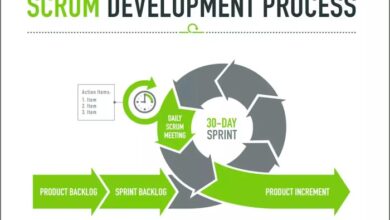
Agile project management is a modern approach to managing projects, emphasizing flexibility, collaboration, and continuous improvement. It breaks down large projects into smaller, manageable chunks called sprints, allowing teams to adapt to changing requirements and deliver value iteratively.
Agile project management software has revolutionized the way we work, but it’s crucial to understand the cloud computing landscape that often underpins these tools. To get a handle on the jargon, check out this mini glossary of cloud computing terms you should know.
Knowing the difference between SaaS, PaaS, and IaaS can help you make informed decisions about your agile project management software choices.
The Agile Manifesto
The Agile Manifesto, a document outlining the core principles of agile development, was created in 2001 by a group of software development experts. It emphasizes the following values:
Individuals and interactions over processes and toolsWorking software over comprehensive documentationCustomer collaboration over contract negotiationResponding to change over following a plan
History of Agile Methodologies
Agile methodologies have evolved over several decades, drawing inspiration from various frameworks:
- Scrum:A framework for managing complex work, with defined roles, events, and artifacts.
- Kanban:A visual system for managing workflow, emphasizing continuous improvement and reducing bottlenecks.
- Lean:A philosophy focused on eliminating waste and maximizing value delivery.
- Extreme Programming (XP):A methodology emphasizing code quality, frequent releases, and customer collaboration.
Benefits of Using Agile Project Management Software
Agile project management software offers numerous benefits, including:
- Increased Transparency and Collaboration:Agile software provides a centralized platform for teams to track progress, share updates, and collaborate effectively.
- Improved Communication and Feedback:Agile software facilitates communication and feedback loops, allowing teams to identify and address issues quickly.
- Enhanced Productivity and Efficiency:Agile software helps teams prioritize tasks, manage resources effectively, and track progress against goals.
- Reduced Risk and Improved Quality:Agile software allows teams to identify and mitigate risks early on, leading to improved quality and reduced rework.
- Increased Customer Satisfaction:Agile software allows teams to deliver value incrementally, providing customers with early access to working software and opportunities for feedback.
Key Features of Agile Project Management Software
Agile project management software is designed to streamline workflows, enhance collaboration, and improve project outcomes. It offers a range of features that support the iterative and flexible nature of agile methodologies.
Task Management
Effective task management is crucial for agile projects. Agile project management software provides tools to break down projects into smaller, manageable tasks, assign responsibilities, set deadlines, and track progress. This feature helps teams stay organized, prioritize work, and ensure that all tasks are completed on time.
- Task Lists and Boards:Visual task management tools, such as Kanban boards, allow teams to visualize the workflow, track task progress, and identify bottlenecks. These boards typically use a drag-and-drop interface, making it easy to move tasks between different stages of the project lifecycle.
- Subtasks and Dependencies:Complex tasks can be broken down into smaller subtasks, enabling teams to manage intricate workflows. Dependencies between tasks can be defined, ensuring that tasks are completed in the correct order.
- Task Prioritization:Agile project management software allows teams to prioritize tasks based on urgency, importance, and dependencies. This helps teams focus on the most critical tasks and ensure that they are completed first.
- Task Assignment and Delegation:Teams can easily assign tasks to specific team members, ensuring that everyone knows their responsibilities. This fosters accountability and promotes efficient task completion.
- Time Tracking and Estimates:Accurate time tracking is essential for agile projects. Teams can estimate the time required to complete tasks, track actual time spent, and identify potential delays. This data can be used to improve future estimates and ensure that projects stay on schedule.
Collaboration Tools
Collaboration is a cornerstone of agile methodologies. Agile project management software provides features that facilitate communication, teamwork, and knowledge sharing.
- Team Communication:Integrated communication tools, such as chat, messaging, and forums, allow teams to communicate seamlessly, share updates, and discuss project issues. This fosters a sense of community and keeps everyone informed.
- File Sharing and Version Control:Teams can share documents, presentations, and other files directly within the software. Version control ensures that everyone is working with the latest versions of files, preventing confusion and duplication of effort.
- Real-Time Collaboration:Some agile project management software allows for real-time collaboration on documents, enabling teams to work together on the same document simultaneously. This can significantly improve efficiency and reduce the need for multiple revisions.
- Project Wiki:A project wiki allows teams to create and share knowledge bases, documentation, and best practices. This central repository of information helps teams stay aligned and avoid duplication of effort.
Communication Features
Effective communication is vital for agile projects. Agile project management software provides a range of communication features to ensure that teams can stay connected, share information, and address issues promptly.
- Notifications and Alerts:Teams can receive notifications and alerts about task updates, deadlines, and important events. This ensures that everyone is informed and can respond quickly to changes.
- Discussion Forums:Dedicated forums allow teams to discuss project-related topics, ask questions, and share insights. This fosters a collaborative environment and encourages knowledge sharing.
- Video Conferencing:Integrated video conferencing capabilities allow teams to hold virtual meetings, conduct brainstorming sessions, and collaborate remotely. This feature is particularly valuable for geographically dispersed teams.
- Reporting and Dashboards
Real-time reporting and dashboards provide valuable insights into project progress, performance, and potential risks. These features help teams track key metrics, identify areas for improvement, and make data-driven decisions.
- Project Progress Reports:Visual reports provide an overview of project progress, including task completion rates, burn-down charts, and velocity metrics. These reports help teams understand the overall health of the project and identify any potential issues.
- Team Performance Metrics:Agile project management software can track individual and team performance metrics, such as task completion times, number of tasks completed, and average time spent on tasks. This data can be used to identify areas for improvement and recognize high-performing team members.
- Risk Management:Dashboards can highlight potential risks and issues, enabling teams to proactively address them. This helps mitigate potential delays and ensure that projects stay on track.
- Customizable Reports:Many agile project management software solutions allow teams to customize reports to meet their specific needs. This enables teams to track the metrics that are most relevant to their projects and goals.
Benefits of Using Agile Project Management Software
Agile project management software offers a multitude of benefits that can significantly enhance project outcomes, boost team collaboration, and streamline overall project execution. This software empowers organizations to adapt to evolving requirements, ensuring projects remain on track and deliver value effectively.
Improved Project Outcomes
The use of agile project management software has demonstrably improved project outcomes across various industries. Agile methodologies promote iterative development, allowing teams to identify and address issues early in the project lifecycle. This iterative approach, coupled with the software’s features, enables continuous improvement and ensures projects deliver the intended value.
Agile project management software is all about staying organized and on track, and sometimes that means customizing your workflow to fit your specific needs. Just like you can customize the color of your Microsoft Office suite to match your brand, you can tailor your agile software to reflect your team’s preferences and make it more visually appealing.
This personalization can boost team morale and make managing projects even more efficient.
For instance, a software development company using agile project management software successfully delivered a complex enterprise application within budget and ahead of schedule. The software’s task management, communication, and reporting features facilitated seamless collaboration among developers, designers, and stakeholders. The iterative approach allowed them to incorporate feedback early, leading to a highly functional and user-friendly application.
Enhanced Team Collaboration and Communication
Agile project management software fosters a collaborative work environment, breaking down communication barriers and facilitating seamless information sharing. The software’s integrated communication tools, such as chat, forums, and shared workspaces, allow team members to stay connected, discuss ideas, and resolve issues efficiently.
For example, a marketing team using agile software successfully launched a new product campaign. The software’s shared task boards and real-time updates enabled team members to track progress, share ideas, and coordinate activities effectively. This streamlined communication process resulted in a successful campaign launch, exceeding initial expectations.
Increased Productivity and Efficiency
Agile project management software streamlines workflows, automates tasks, and provides real-time insights, leading to increased productivity and efficiency. The software’s features, such as task prioritization, time tracking, and progress reporting, enable teams to focus on high-priority tasks, optimize resource allocation, and track progress effectively.
For instance, a construction company using agile software successfully completed a large-scale infrastructure project within budget and on schedule. The software’s task management and time tracking features enabled project managers to allocate resources efficiently, track progress in real-time, and identify potential delays early.
This proactive approach resulted in a highly efficient project execution, leading to successful project completion.
Adaptability to Changing Requirements
Agile project management software empowers organizations to adapt to evolving requirements, ensuring projects remain relevant and deliver value in a dynamic environment. The software’s iterative development framework allows teams to incorporate feedback, adjust plans, and incorporate new features seamlessly. For example, a healthcare organization using agile software successfully implemented a new patient portal.
The software’s flexibility allowed the team to incorporate user feedback and adapt to changing regulatory requirements throughout the development process. This adaptability ensured the portal met evolving needs, delivering a user-friendly and compliant solution.
Agile project management software is all about adapting and iterating, and sometimes that means taking a hard look at what you’re doing and making changes. It’s interesting to see how even a tech giant like Samsung is struggling with finding its own identity, as evidenced by the news that Samsung’s chairman reportedly slammed the company’s Apple-like product designs.
Perhaps a more agile approach to design would have helped them avoid this situation. In any case, it’s a reminder that even the biggest companies can benefit from the flexibility and adaptability of agile methodologies.
Choosing the Right Agile Project Management Software
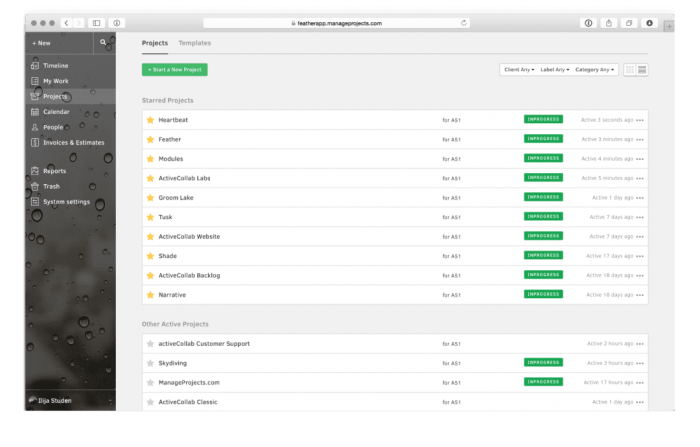
With so many agile project management software options available, selecting the right one for your team can feel overwhelming. This decision requires careful consideration of your specific needs, budget, and team size.
Factors to Consider When Selecting Agile Software
Choosing the right agile project management software is crucial for effective project execution. Here are some key factors to consider:
- Team Size and Structure:Consider the number of team members, their locations, and the level of collaboration required. Some software options are better suited for small teams, while others are designed for large, distributed organizations.
- Project Complexity and Scope:Evaluate the complexity of your projects and the level of detail required for tracking progress. Agile software with robust features for task management, issue tracking, and reporting is essential for complex projects.
- Integration Needs:Determine whether you need to integrate the software with other tools you use, such as communication platforms, CRM systems, or code repositories. Compatibility and seamless integration are essential for efficient workflows.
- Budget and Pricing:Assess your budget and consider the pricing models offered by different software providers. Some offer free plans for small teams, while others charge per user or per project. Consider the long-term cost and value for your organization.
- User Friendliness and Ease of Use:Choose software that is intuitive and easy to use for your team. A user-friendly interface will encourage adoption and ensure smooth collaboration.
- Mobile Accessibility:If your team works remotely or on the go, consider software with mobile apps for access to project information and updates.
- Security and Data Privacy:Ensure the software provider has strong security measures in place to protect your data. Look for features like data encryption, two-factor authentication, and compliance with relevant regulations.
- Customer Support and Documentation:Choose software with responsive customer support and comprehensive documentation to help your team learn and use the software effectively.
Comparing and Contrasting Software Options
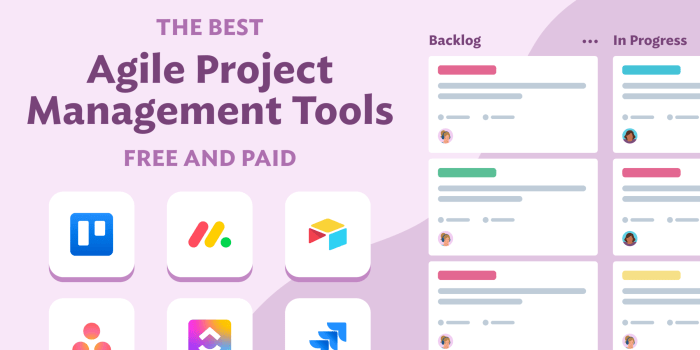
Once you’ve identified your needs, you can start comparing different agile project management software options. Here are some popular options and their key features, pricing, and integrations:
| Software | Key Features | Pricing | Integrations |
|---|---|---|---|
| Asana | Task management, project planning, team communication, reporting, integrations with various tools | Free for small teams, paid plans for larger teams with advanced features | Slack, Google Workspace, Microsoft Teams, Zapier, and more |
| Jira | Issue tracking, project management, agile workflow, reporting, integrations with development tools | Free for small teams, paid plans for larger teams with advanced features | GitHub, Bitbucket, GitLab, Slack, Trello, and more |
| Trello | Kanban boards, task management, collaboration features, integrations with various tools | Free for small teams, paid plans for larger teams with advanced features | Slack, Google Workspace, Dropbox, Zapier, and more |
| ClickUp | Task management, project planning, team communication, reporting, integrations with various tools | Free for small teams, paid plans for larger teams with advanced features | Slack, Google Workspace, Dropbox, Zapier, and more |
| Monday.com | Project management, task management, workflow automation, reporting, integrations with various tools | Free for small teams, paid plans for larger teams with advanced features | Slack, Google Workspace, Dropbox, Zapier, and more |
Key Features and Benefits of Popular Agile Project Management Software
Here’s a breakdown of some popular agile project management software options and their key features and benefits:
| Software | Key Features | Benefits |
|---|---|---|
| Asana | Task management, project planning, team communication, reporting, integrations with various tools | Easy to use, intuitive interface, excellent for team collaboration, robust reporting features |
| Jira | Issue tracking, project management, agile workflow, reporting, integrations with development tools | Ideal for software development teams, comprehensive issue tracking, customizable workflows, detailed reporting |
| Trello | Kanban boards, task management, collaboration features, integrations with various tools | Visual and intuitive, simple to use, great for visual learners, excellent for Kanban methodology |
| ClickUp | Task management, project planning, team communication, reporting, integrations with various tools | Highly customizable, offers a wide range of features, suitable for diverse teams and projects, affordable pricing |
| Monday.com | Project management, task management, workflow automation, reporting, integrations with various tools | Powerful automation features, flexible workflows, intuitive interface, robust reporting and analytics |
Implementing Agile Project Management Software
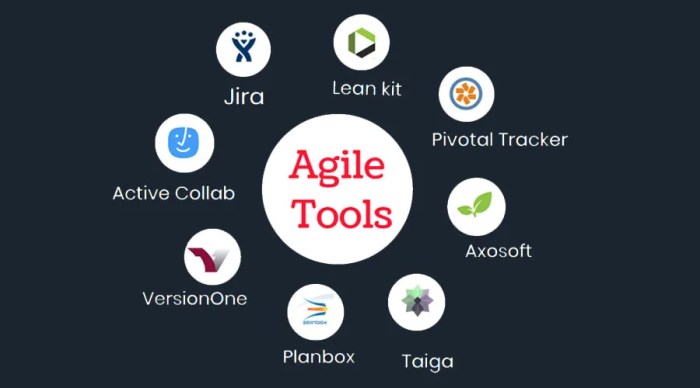
Implementing agile project management software is a journey that requires careful planning, execution, and continuous improvement. It’s not just about choosing the right software but about fostering a culture of agility within your organization.
Steps Involved in Implementing Agile Software
The implementation of agile software requires a systematic approach, involving several key steps:
- Identify the need and scope: Begin by clearly defining the objectives and goals you want to achieve with agile software. Determine the specific projects or teams that will benefit from the implementation.
- Select the right software: Choose a software that aligns with your organization’s specific needs and project types. Consider factors such as features, integrations, pricing, and user experience.
- Configure and customize the software: Tailor the software to your specific project workflows and requirements. Customize fields, templates, and dashboards to optimize for your team’s unique needs.
- Train and onboard team members: Provide comprehensive training on how to use the software effectively. Encourage hands-on practice and provide ongoing support to ensure user adoption.
- Pilot and iterate: Start with a pilot project to test the software and gather feedback from users. Continuously iterate and refine the implementation based on real-world experience.
- Integrate with existing systems: Ensure seamless integration with other tools and systems your organization uses, such as communication platforms, bug tracking tools, and reporting dashboards.
- Monitor and evaluate performance: Track key metrics to measure the effectiveness of the agile software implementation. Analyze data to identify areas for improvement and optimize processes.
Training and Onboarding for Team Members
Training and onboarding are crucial for successful adoption of agile software. This involves:
- Comprehensive training: Provide in-depth training on all aspects of the software, covering its features, functionalities, and best practices. This can be delivered through online courses, workshops, or live demonstrations.
- Hands-on practice: Encourage team members to practice using the software with real-world examples and scenarios. This allows them to become comfortable with the interface and learn by doing.
- Dedicated support: Offer ongoing support through dedicated help desks, online forums, or individual coaching sessions. Address user queries and provide guidance to ensure smooth adoption.
- Continuous learning: Encourage a culture of continuous learning by providing regular updates on new features, best practices, and industry trends.
Customizing and Configuring Agile Software
Agile software offers extensive customization options to cater to specific project needs. This involves:
- Workflow customization: Configure the software to align with your organization’s specific workflows and processes. This includes defining task statuses, sprints, and project stages.
- Field customization: Add or modify fields to track specific project data relevant to your needs. This could include custom fields for tracking risks, dependencies, or budget information.
- Template customization: Create custom templates for project plans, reports, and other documents to ensure consistency and efficiency.
- Dashboard customization: Design dashboards to visualize key project metrics and provide real-time insights into project progress.
- Integration with other tools: Configure integrations with other tools your organization uses to streamline workflows and enhance data sharing.
Best Practices for Agile Project Management Software
Agile project management software is designed to help teams work collaboratively, iterate quickly, and deliver value to customers. However, maximizing the benefits of this software requires a strategic approach and adherence to best practices.
Using Task Boards Effectively
Task boards are visual representations of work in progress, providing a clear overview of the project status. They are essential for promoting transparency, collaboration, and progress tracking. Here are some best practices for using task boards:
- Define clear task definitions:Each task should be well-defined, with specific objectives, deliverables, and acceptance criteria. Avoid vague or overly broad tasks.
- Use consistent task statuses:Standardize task statuses across the team to ensure everyone understands the meaning of each status. Common statuses include “To Do,” “In Progress,” “Blocked,” “Done,” and “Review.”
- Limit work in progress (WIP):Set limits on the number of tasks in each column to prevent overload and ensure focus on completing tasks.
- Regularly review and update:Make sure task boards are kept up-to-date and reflect the current project status. Conduct daily stand-up meetings to discuss progress, roadblocks, and plans for the day.
Managing Sprints Effectively, Agile project management software
Sprints are short, time-boxed iterations of work, typically lasting 1-4 weeks. They provide a framework for delivering value incrementally and adapting to changing requirements. Here are some tips for managing sprints effectively:
- Define clear sprint goals:Each sprint should have a clear objective and a set of user stories or features that will be delivered.
- Plan sprint backlog:Prioritize tasks and select those that will be completed within the sprint. Avoid overcommitting to too many tasks.
- Daily stand-up meetings:Hold brief daily meetings to discuss progress, identify roadblocks, and plan for the day.
- Sprint reviews:At the end of each sprint, hold a review meeting to demonstrate the completed work and gather feedback from stakeholders.
- Sprint retrospectives:Conduct a retrospective meeting to reflect on the sprint, identify areas for improvement, and implement changes for the next sprint.
Conducting Effective Retrospectives
Retrospectives are crucial for continuous improvement in agile teams. They provide an opportunity to reflect on the past sprint, identify what worked well, what could be improved, and create action items for the next sprint. Here are some best practices for conducting effective retrospectives:
- Set the stage:Create a safe and open environment for team members to share their thoughts and feelings without judgment.
- Gather data:Use various methods, such as sticky notes, surveys, or discussions, to gather data on the sprint.
- Identify themes:Analyze the data to identify common themes or patterns.
- Create action items:Develop specific and actionable steps to address the identified areas for improvement.
- Implement and track:Put the action items into practice and track their impact on future sprints.
Common Pitfalls to Avoid
While agile project management software offers numerous benefits, there are common pitfalls to avoid:
- Over-reliance on tools:Remember that agile project management software is a tool, not a solution. It should support your agile process, not dictate it.
- Ignoring communication:Agile emphasizes collaboration and communication. Don’t rely solely on the software for communication; use face-to-face interactions, video conferencing, and other methods as well.
- Lack of team buy-in:Ensure the entire team understands and embraces the agile principles and practices.
- Over-complicating the process:Keep the agile process simple and streamlined. Avoid introducing unnecessary complexity or layers of bureaucracy.
- Failing to adapt:Agile is an iterative process. Be prepared to adapt your approach based on feedback and changing circumstances.
Future Trends in Agile Project Management Software
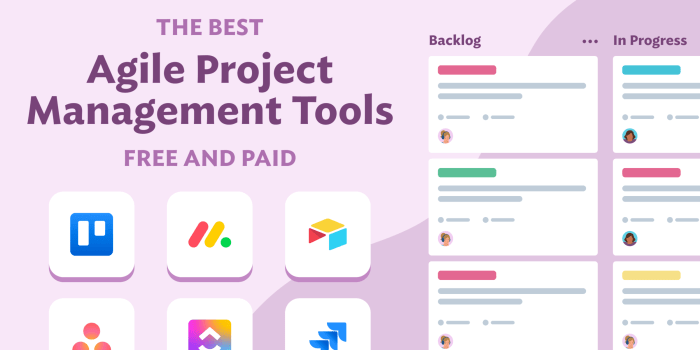
Agile project management software is constantly evolving, driven by advancements in technology and changing user needs. As we move forward, we can expect to see several exciting trends shaping the future of this software. These trends aim to further enhance collaboration, efficiency, and effectiveness in project management.
Integration with Artificial Intelligence and Machine Learning
AI and ML are increasingly being integrated into agile project management software to enhance its capabilities.
- Predictive Analytics:AI can analyze historical project data to predict potential risks, delays, and resource allocation issues. This allows teams to proactively address challenges and improve project outcomes.
- Automated Task Assignment:ML algorithms can learn from past project data and suggest optimal task assignments based on team member skills, availability, and project requirements.
- Real-Time Progress Monitoring:AI-powered tools can monitor project progress in real-time, identify potential roadblocks, and provide insights into project health.
Increased Focus on Automation
Automation is playing a crucial role in streamlining agile workflows and freeing up team members to focus on higher-value tasks.
- Automated Task Management:Software can automatically create, assign, and track tasks based on project requirements and pre-defined workflows.
- Automated Reporting and Analytics:AI-powered tools can generate comprehensive project reports, track key metrics, and provide actionable insights.
- Automated Communication:Software can automatically notify team members about task updates, deadlines, and important announcements.
Enhanced Collaboration and Communication
Agile project management software is increasingly focusing on fostering seamless collaboration and communication among team members.
- Real-Time Collaboration Tools:Features like shared workspaces, online chat, and video conferencing enable teams to work together effectively, regardless of location.
- Integrated Communication Channels:Software can integrate with popular communication platforms like Slack, Microsoft Teams, and Zoom, providing a centralized hub for project-related communication.
- Improved Task Visibility:Clear task assignments, progress tracking, and communication channels enhance team visibility and understanding of project status.
Personalized User Experiences
Agile project management software is becoming more personalized to cater to individual user preferences and needs.
- Customizable Workflows:Users can customize workflows to align with their specific project methodologies and team preferences.
- Personalized Dashboards:Users can create personalized dashboards that display the information most relevant to their roles and responsibilities.
- Integration with Third-Party Apps:Users can integrate the software with other tools and applications they use regularly, creating a seamless and personalized work environment.
Focus on Data Security and Privacy
As agile project management software handles sensitive data, security and privacy are becoming paramount.
- Data Encryption:Software providers are implementing robust data encryption measures to protect sensitive information.
- Access Control:Access control mechanisms ensure that only authorized users can access project data and information.
- Compliance with Data Privacy Regulations:Software providers are adhering to industry standards and regulations like GDPR and CCPA to protect user data.