Create Kanban Board Taskade
Mastering Kanban Boards with Taskade: A Comprehensive SEO Guide
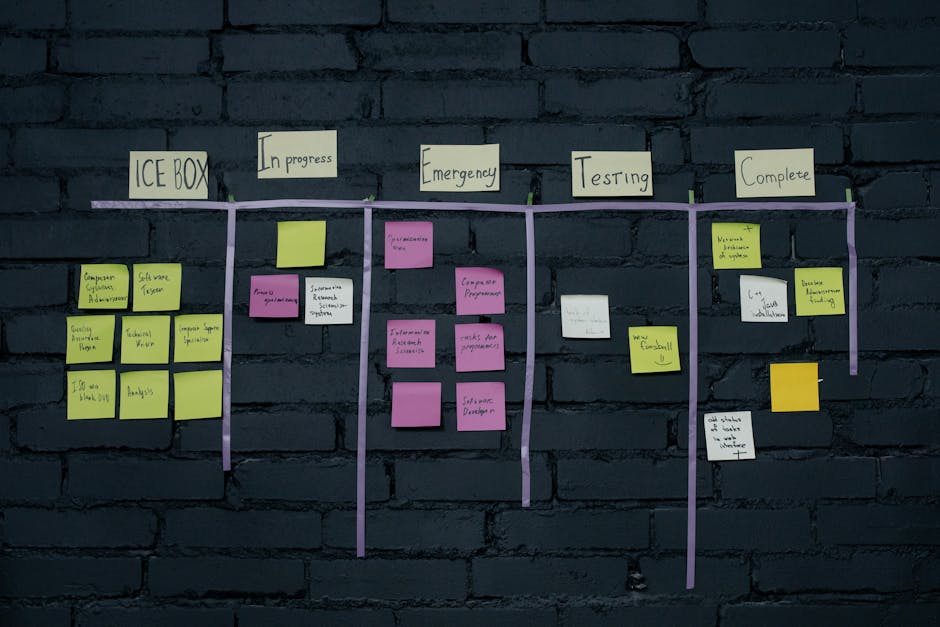
Taskade’s Kanban board functionality offers a visually intuitive and highly efficient method for managing projects and workflows. Unlike traditional to-do lists, Kanban boards utilize columns representing stages of a process, with tasks moving as cards from left to right as they progress. This visual metaphor makes it easy to understand the status of any given item at a glance, identifying bottlenecks and optimizing workflow. Taskade’s implementation of this methodology is particularly powerful due to its integrated collaboration features, customization options, and multi-platform accessibility. Understanding how to effectively create and leverage a Kanban board within Taskade is crucial for teams and individuals seeking to enhance productivity, transparency, and project predictability. This guide will delve into the intricacies of setting up, customizing, and utilizing Kanban boards in Taskade, providing actionable strategies for SEO optimization within your project management.
Creating a Kanban board in Taskade is a straightforward process, designed to be accessible even for novice users. To initiate, navigate to your desired workspace or project within Taskade. From the project dashboard, you’ll find an option to create a new project or add a new view to an existing one. Selecting "Kanban Board" from the available view options will generate a default Kanban layout. Taskade typically provides a basic three-column structure: "To Do," "In Progress," and "Done." These columns represent the fundamental stages of most workflows. Once the Kanban board is created, you can immediately begin adding tasks. Each task is represented as a card within a column. Clicking the "+" icon within a column or the dedicated "Add Task" button will prompt you to enter the task name. Beyond the name, each task card can be expanded to reveal a wealth of information and functionality. This includes adding detailed descriptions, assigning team members, setting due dates, attaching files, creating subtasks, and adding comments. The ability to enrich each task with comprehensive details is a key strength of Taskade’s Kanban system, allowing for a singular source of truth for all project-related information.
Customizing your Kanban board in Taskade is where its true flexibility shines, enabling you to tailor it precisely to your unique workflow. The default columns ("To Do," "In Progress," "Done") are merely a starting point. You can add, delete, or rename columns to accurately reflect the specific stages of your project or process. For instance, a content creation workflow might include columns like "Ideation," "Drafting," "Editing," "Design," "Scheduled," and "Published." To add a new column, simply click the "+" icon at the end of the existing column list. Renaming is achieved by clicking directly on the column header. Similarly, deleting a column is a simple matter of clicking the ellipsis (…) menu associated with the column and selecting "Delete Column." The order of columns can also be adjusted through drag-and-drop functionality, allowing you to arrange them logically from left to right, mirroring the flow of work. Beyond column structure, Taskade offers robust customization for individual task cards. You can define custom fields to capture specific information relevant to your tasks, such as priority levels, client names, estimated effort, or status tags. These custom fields can be text-based, numerical, dropdown menus, or checkboxes, offering immense flexibility in data collection. Furthermore, you can apply color-coded labels to tasks for quick visual identification of categories, priorities, or ownership, adding another layer of immediate clarity to your board.
The power of Taskade’s Kanban board lies not just in its visual structure but in its deep integration with task management features. Each task card serves as a miniature project hub. Within a task, you can break down complex deliverables into smaller, manageable subtasks, fostering a granular approach to project execution. Assigning tasks to specific team members is straightforward, ensuring clear accountability and ownership. Due dates can be set for individual tasks, and Taskade provides calendar views and notifications to help users stay on track. The commenting system facilitates real-time communication and discussion directly within the context of each task, eliminating the need for scattered email threads or external chat applications. File attachments allow for easy access to relevant documents, designs, or assets, keeping everything organized in one place. For more complex projects, Taskade’s ability to create nested subtasks and checklists within tasks provides a hierarchical structure that can mimic more traditional project management approaches while still being visualized on the Kanban board. This comprehensive approach to task detail ensures that no crucial information is lost and that everyone involved has access to the necessary context.
Leveraging Taskade’s Kanban board for SEO keyword research and content strategy offers a powerful advantage. By creating a dedicated Kanban board for your SEO efforts, you can visually map out your keyword strategy, content creation pipeline, and link-building activities. For instance, columns could represent stages like "Keyword Research," "Topic Ideation," "Content Outline," "Drafting," "Editing," "SEO Optimization," "Publishing," and "Link Building." Within the "Keyword Research" column, each task card could represent a specific keyword cluster or target topic. The task details can then house the keywords themselves, search volume data, keyword difficulty, and target audience information. As you move through your SEO process, these cards progress through the columns. "Topic Ideation" might involve brainstorming blog post ideas around those keywords. "Content Outline" tasks would focus on structuring the articles. "Drafting" and "Editing" are self-explanatory. The "SEO Optimization" column could involve tasks like on-page optimization, meta description writing, and internal linking. "Publishing" signifies the content going live. Finally, "Link Building" tasks can track outreach efforts, guest post opportunities, and broken link building campaigns. This visual representation makes it incredibly easy to see the status of your entire SEO strategy at a glance, identify where content is lagging, and prioritize future efforts.
To optimize your Taskade Kanban board for SEO, consider the following strategies. Firstly, the naming conventions of your boards, projects, and even columns and task names are crucial. Use clear, descriptive titles that incorporate relevant keywords. For example, instead of a board named "SEO," consider "SEO Content Strategy & Keyword Management." When naming columns, be explicit. Instead of "Done," consider "Content Published & Promoted." Within task names and descriptions, naturally weave in relevant keywords related to your industry, services, or the content you are creating. For instance, a task for a blog post might be titled "Create Blog Post: ‘Beginner’s Guide to On-Page SEO’." The description could then expand on related keywords like "SEO best practices," "search engine optimization techniques," and "how to improve website ranking." Taskade’s robust search functionality will then make it easier to find specific tasks and information based on these keywords. Furthermore, leveraging custom fields can be a powerful SEO tool. You could create custom fields for "Target Keyword," "Search Intent," "Content Type," or "Competitor Analysis." Populating these fields with relevant data will not only enhance your internal organization but also make your Taskade projects a more comprehensive repository of SEO-related information, which can be beneficial for later analysis and reporting.
Beyond individual task and column naming, the hierarchical structure within Taskade’s Kanban board can also be optimized for SEO. Utilize subtasks and checklists to break down larger SEO initiatives. For example, a main task for "Link Building Campaign – [Competitor Name]" could have subtasks like "Identify Competitor Backlinks," "Find Guest Post Opportunities," "Draft Outreach Email," and "Track Follow-up." Each of these subtasks can also be assigned keywords or specific SEO metrics. This layered approach allows for a deeper dive into specific SEO activities and ensures that all granular steps are accounted for. When collaborating with a team, clear assignment of subtasks and responsibilities, coupled with detailed comments and due dates, creates a transparent and accountable workflow that is essential for successful SEO execution. The visual nature of the Kanban board ensures that everyone understands their role in the larger SEO strategy and how their individual contributions impact the overall goals.
Taskade’s Kanban board is not just for project management; it’s a dynamic tool that can be a cornerstone of your content marketing strategy. Imagine a Kanban board dedicated to your blog content. Columns could be "Blog Topic Ideas," "Outline Created," "Draft Written," "Editor Review," "SEO Audit," "Scheduled for Publication," and "Published & Promoted." Each task card within these columns represents a blog post. The task details can include the target keyword, word count goal, primary and secondary keywords, target audience, calls to action, and author. As the post moves from "Outline Created" to "Scheduled for Publication," you can visually track its progress, identify any bottlenecks in your content creation process, and ensure that all necessary optimization steps are being completed before launch. For example, if a post is stuck in the "Editor Review" column for an extended period, it immediately flags a potential issue that needs attention. This proactive approach to content management, facilitated by the Kanban board, is crucial for maintaining a consistent and high-quality content output, which is a key driver of SEO success.
Furthermore, Taskade’s integration with other tools and its multi-platform availability enhance its utility for SEO teams. Whether you are working from your desktop, tablet, or smartphone, your Kanban board is always accessible, allowing for real-time updates and task management on the go. This seamless access is invaluable for teams that operate remotely or have members in different time zones. The ability to share your Kanban boards with clients or stakeholders provides a transparent overview of your SEO progress and deliverables, fostering trust and clear communication. For those involved in link building, a Kanban board can be used to meticulously track outreach efforts, the status of guest post submissions, and the performance of acquired backlinks. Each task could represent a specific outreach target, with details including contact information, the content being pitched, the status of the pitch (sent, pending, accepted, rejected), and any associated follow-up dates. This granular tracking ensures that no opportunity is missed and that your link-building efforts are systematic and effective.
The visual nature of Taskade’s Kanban board also lends itself to effective team collaboration and accountability in SEO initiatives. When team members can see the overall project progress, understand their own responsibilities, and witness the impact of their work on the broader strategy, it fosters a sense of shared purpose. The ability to @mention colleagues in comments, assign tasks, and set deadlines within the Kanban framework ensures that everyone is on the same page and that tasks are completed in a timely manner. This transparency is particularly beneficial for SEO, where many tasks are interconnected and require coordinated effort. For example, a content writer needs to know the target keywords and optimization requirements before they start drafting, and the link builder needs to know when content is published to begin outreach. The Kanban board acts as a central hub for this critical information flow, preventing silos and ensuring that the entire SEO team operates as a cohesive unit.
In conclusion, Taskade’s Kanban board is a powerful and versatile tool that can significantly enhance your project management and, crucially, your SEO strategy. By understanding how to create, customize, and utilize its features effectively, you can transform your workflow into a visually organized, transparent, and highly efficient system. From keyword research and content planning to link building and campaign tracking, a well-structured Kanban board within Taskade provides the framework to manage complex SEO initiatives with clarity and precision. The key to maximizing its SEO potential lies in strategic naming, detailed task enrichment, logical column structuring, and the consistent application of relevant keywords and data within the board itself. Embracing Taskade’s Kanban functionality is not just about managing tasks; it’s about strategically orchestrating your digital marketing efforts for demonstrable results.