Slack The Smart Persons Guide
Slack: The Smart Person’s Guide to Mastering Workplace Communication and Collaboration
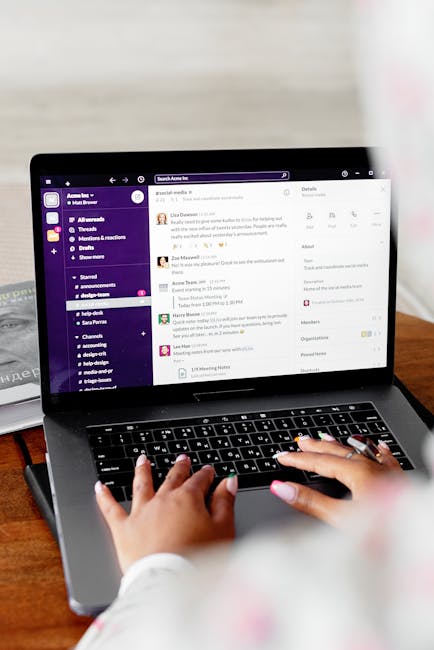
Slack has become a ubiquitous platform for modern workplace communication, transforming how teams collaborate, share information, and drive productivity. For the "smart person," Slack isn’t just a chat app; it’s a powerful tool that, when wielded effectively, amplifies efficiency, fosters clarity, and streamlines workflows. This comprehensive guide delves into the strategic implementation and advanced utilization of Slack, moving beyond basic messaging to unlock its full potential for intelligent individuals and high-performing teams. Understanding Slack’s architecture, its core features, and best practices for its application is paramount to maximizing its benefits. The platform is built around a channel-centric model, which is fundamental to its organizational power. Channels, whether public or private, serve as dedicated spaces for specific projects, teams, or topics. The intelligent user leverages this structure to prevent information silos, ensure relevant conversations are easily discoverable, and reduce the noise of irrelevant messages.
The strategic creation and naming of channels are critical. For instance, instead of a generic #project-x channel, a more descriptive and actionable name like #project-x-launch-plan or #project-x-user-feedback provides immediate context. This reduces the cognitive load for team members searching for information and ensures they join the most pertinent conversations. Private channels are reserved for sensitive discussions or smaller, focused workgroups. Public channels, on the other hand, are accessible to all members of a workspace, promoting transparency and knowledge sharing. A smart user actively participates in relevant public channels, contributing expertise and learning from others, thereby accelerating their understanding of broader organizational initiatives. The judicious use of channels prevents the common pitfall of overwhelming general channels with highly specific discussions, maintaining focus and efficiency.
Beyond channels, Slack’s robust search functionality is a cornerstone of its smart user appeal. The ability to quickly locate past conversations, files, and links is invaluable. Mastering Slack’s search operators, such as from:, in:, has:, and date range qualifiers, allows for incredibly precise information retrieval. For example, a search for from:jane.doe in:#marketing has:link project-q2 can instantly surface all links shared by Jane Doe in the marketing channel related to Project Q2. This eliminates time spent sifting through endless message histories, a common productivity drain. The intelligent user treats Slack’s search bar not as a passive recipient of keywords but as a powerful query engine, leveraging its full capabilities to become an information retrieval expert.
Slack Connect is another advanced feature that transforms inter-organizational collaboration. It allows external partners, clients, and vendors to join dedicated channels within a Slack workspace. This eliminates the need for fragmented email chains and disparate communication tools, creating a unified and transparent communication hub for extended teams. A smart person understands the power of Slack Connect to foster tighter relationships with external stakeholders, expedite decision-making, and reduce miscommunication. Setting up and managing Slack Connect channels requires clear guidelines on permissions and access, ensuring that sensitive internal information remains protected while facilitating seamless external collaboration. Properly configured Slack Connect channels can drastically improve project velocity and mutual understanding.
Workflow automation is where Slack truly shines for the intelligent user seeking to maximize efficiency. Slack’s Workflow Builder allows users to create automated sequences of actions triggered by specific events. This can range from simple tasks like sending welcome messages to new channel members to more complex processes like routing customer support inquiries or onboarding new hires. For example, a workflow could be set up to automatically post a reminder in a #design-reviews channel every Friday to submit mockups for feedback. Another could automatically create a task in a project management tool when a specific keyword is mentioned in a #bugs channel. The smart person invests time in identifying repetitive tasks within their workflows and exploring how Workflow Builder can automate them, freeing up valuable cognitive resources for higher-level strategic thinking and problem-solving. This proactive approach to automation significantly boosts individual and team productivity.
Integrations are the lifeblood of a powerful Slack workspace. Connecting Slack to other tools like Asana, Jira, Google Drive, Zoom, and countless others creates a seamless ecosystem where information flows freely between applications. A smart user strategically selects and configures integrations that complement their existing tech stack and address specific workflow needs. For instance, integrating Jira with a development team’s Slack channels ensures that bug reports and feature requests are instantly visible and actionable, reducing context switching. Similarly, integrating Google Drive allows for easy sharing and collaborative editing of documents directly within Slack. Understanding the nuances of these integrations, such as setting up notifications and customizing how information is displayed, is key to unlocking their full potential. A well-integrated Slack workspace acts as a central nervous system, consolidating information and actions from various tools into a single, easily manageable interface.
The judicious use of notifications is crucial for maintaining focus and avoiding distraction. While Slack can be a constant source of information, its notification system is highly customizable. Smart users learn to tailor their notification settings to receive alerts for only the most critical messages and mentions. This involves understanding the difference between direct mentions (@username), channel mentions (@channel, @here), and keywords. By setting granular notification preferences, users can create a focused work environment, minimizing interruptions while ensuring they don’t miss important communications. The temptation to be constantly "on" should be resisted; instead, a strategic approach to notifications ensures that Slack serves as a productivity enhancer, not a perpetual distraction.
Furthermore, Slack’s threading feature is indispensable for organized discussions. Instead of cluttering a main channel with replies, threads allow for focused conversations around a specific message. A smart user consistently utilizes threads to keep discussions organized, making it easier for team members to follow specific trains of thought and find relevant information later. Unraveling a long, unthreaded conversation is a frustrating exercise; embracing threading ensures clarity and prevents information from becoming lost or out of context. Each reply within a thread is associated with the parent message, creating a hierarchical structure that enhances readability and comprehension.
For individuals and teams serious about leveraging Slack for peak performance, embracing the platform’s advanced features is not optional; it’s essential. This includes understanding and utilizing features like huddles for quick audio conversations, calls for more formal voice and video meetings, and the ability to share screens within these interactions. The smart person understands that the right communication tool should be used for the right purpose, and Slack provides a versatile suite of options to accommodate various needs, from quick ad-hoc discussions to planned collaborative sessions.
The concept of "digital etiquette" within Slack is also a mark of an intelligent user. This goes beyond simply knowing how to use the features and extends to fostering a positive and productive communication culture. This includes being concise, clear, and respectful in all communications, using emojis appropriately to convey tone, and avoiding "reply all" storms. Understanding when to use a direct message versus a public channel is also part of this etiquette. For instance, a quick question for an individual is best suited for a direct message, while a question that could benefit multiple people is better posed in a relevant channel. This mindful approach to communication contributes significantly to a healthy and efficient team dynamic.
Moreover, the smart user understands the importance of ongoing learning and adaptation. Slack is a continuously evolving platform, with new features and updates being rolled out regularly. Staying informed about these changes and experimenting with new functionalities ensures that the user remains at the forefront of effective digital collaboration. This might involve exploring new integrations, experimenting with advanced workflow configurations, or simply reading Slack’s official documentation and best practice guides. The commitment to continuous improvement is a hallmark of the intelligent professional.
In conclusion, Slack, for the smart person, is far more than a messaging application. It’s a dynamic ecosystem that, when strategically implemented and expertly navigated, can fundamentally transform how work gets done. By mastering channel management, search, Slack Connect, workflow automation, integrations, notification settings, threading, and digital etiquette, individuals can elevate their productivity, enhance their team’s collaboration, and drive superior outcomes. This guide has provided a framework for understanding and applying these principles, empowering users to move beyond basic functionality and truly unlock the power of Slack as a smart person’s ultimate communication and collaboration tool. The ongoing adoption of these practices will solidify Slack’s position as a critical asset in the modern, intelligent workplace, facilitating deeper insights, faster execution, and more impactful results.