Microsoft Introduces Python Excel
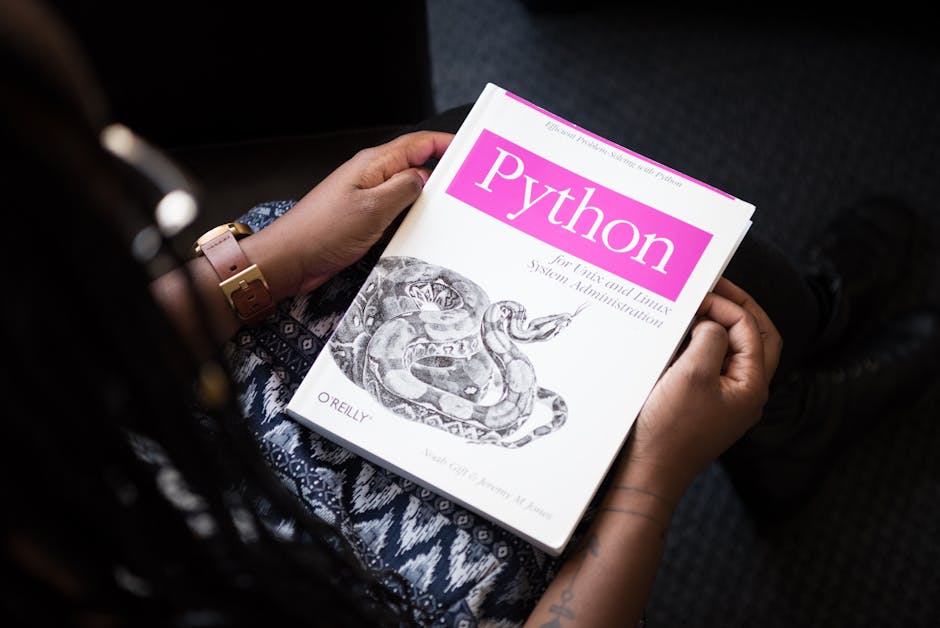
Microsoft Introduces Python in Excel: Revolutionizing Data Analysis and Automation
Microsoft’s integration of Python into Excel represents a significant leap forward, democratizing powerful data analysis and automation capabilities for millions of users. Previously, leveraging Python for complex tasks within Excel necessitated a steeper learning curve, involving external scripting, data export, and intricate import processes. The new Python in Excel feature eliminates these barriers, embedding Python directly into the familiar spreadsheet environment. This allows users to harness the extensive libraries and functionalities of Python without leaving their familiar Excel interface, streamlining workflows and unlocking new levels of analytical power. The implications are far-reaching, impacting data scientists, business analysts, educators, and virtually anyone who works with data in a structured format. This integration signifies a paradigm shift, moving Excel beyond its traditional role as a calculation and visualization tool to a robust platform for advanced programming and data manipulation.
The core of this innovation lies in the execution environment. Python code written within Excel is not processed locally on the user’s machine in its entirety. Instead, it is run in a secure, cloud-based Python environment managed by Microsoft. This approach offers several key advantages. Firstly, it ensures that users do not need to install Python or any external libraries themselves, overcoming a common hurdle for many aspiring data analysts. Secondly, it provides a consistent and controlled execution environment, minimizing compatibility issues and ensuring that code runs as intended regardless of the user’s local setup. Finally, the cloud-based nature facilitates seamless integration with other Microsoft 365 services, paving the way for future enhancements and broader ecosystem connectivity. The data from Excel sheets is securely passed to this Python environment, processed by the written code, and then the results are returned to the Excel grid, maintaining the integrity and usability of the spreadsheet.
Python in Excel leverages specific functions to bridge the gap between the spreadsheet and the Python interpreter. The PY function is the primary gateway. When a user enters =PY() into an Excel cell, they are initiating a Python execution. Within the parentheses of the PY function, users can write their Python code, including import statements for popular libraries like pandas, numpy, and matplotlib. For instance, to read data from a specific Excel range into a pandas DataFrame, a user might write =PY(pandas.read_excel("A1:C10")). This DataFrame is then accessible within the Python execution context. The results of the Python code, whether it’s a modified DataFrame, a single value, or a visualization, are then rendered back into the Excel grid. This direct mapping of Excel ranges to Python objects and vice-versa is crucial for intuitive usage.
The integration of the pandas library is particularly impactful. Pandas is the de facto standard for data manipulation and analysis in Python, renowned for its powerful DataFrame structure. By making pandas readily available within Excel, users gain access to a vast array of tools for data cleaning, transformation, filtering, aggregation, and merging. Complex operations that would previously require intricate formula writing or external scripting can now be expressed concisely in Python. For example, calculating a rolling average, performing group-by operations, or imputing missing values becomes significantly more straightforward. The ability to directly manipulate data in a DataFrame and then seamlessly display the results in Excel cells greatly enhances productivity and analytical depth.
Beyond data manipulation, Python in Excel opens doors to advanced statistical analysis and machine learning. Libraries such as scikit-learn, statsmodels, and scipy, which are staples in the data science community, can be imported and utilized. This means that users can perform sophisticated statistical tests, build predictive models, and conduct complex simulations directly within Excel. Imagine fitting a linear regression model to a dataset and seeing the coefficients and R-squared values appear in Excel cells, or training a classification model to predict outcomes based on spreadsheet data. This democratization of advanced analytics empowers a wider audience to leverage powerful algorithms and gain deeper insights from their data.
Visualization is another area that sees a substantial upgrade. While Excel offers robust charting capabilities, Python’s visualization libraries, such as matplotlib and seaborn, provide a level of customization and sophistication that can be difficult to achieve natively. Users can generate complex plots, heatmaps, scatter plots with advanced annotations, and more, directly from their Excel data. The generated plots can be embedded back into the Excel worksheet, enhancing the presentation and interpretability of analytical findings. This allows for richer storytelling with data, moving beyond standard bar charts and line graphs to more nuanced visual representations.
The security and privacy aspects of Python in Excel are paramount. Microsoft has implemented a robust security model to ensure that user data remains protected. The cloud-based Python environment is isolated, and data is encrypted both in transit and at rest. Furthermore, Python code executed within Excel is subject to certain restrictions to prevent malicious activity or unintended system access. This controlled environment provides peace of mind for users handling sensitive or proprietary information. Microsoft’s commitment to security is a critical factor in fostering trust and encouraging widespread adoption of this new feature.
The learning curve for Python in Excel is designed to be gradual. Users familiar with Excel formulas can start by understanding the basic PY function and how to access Excel ranges. As they become more comfortable, they can gradually incorporate more complex Python code and leverage the extensive capabilities of libraries like pandas. Microsoft is also providing extensive documentation, tutorials, and examples to guide users through the process. This approach aims to onboard a broad spectrum of users, from those with no prior programming experience to seasoned Python developers looking for a more integrated workflow. The availability of community support and shared resources will further accelerate the learning process.
The potential applications of Python in Excel are vast and span across numerous industries. In finance, it can be used for portfolio analysis, risk management, and algorithmic trading strategy development. In marketing, it can aid in customer segmentation, campaign performance analysis, and predictive modeling of consumer behavior. In research, it can facilitate complex statistical analysis of experimental data and simulation studies. In operations, it can optimize supply chains, analyze production efficiency, and forecast demand. The ability to perform these tasks within the familiar Excel environment makes data-driven decision-making more accessible and efficient for a wider range of professionals.
For educators, Python in Excel presents an invaluable teaching tool. It allows instructors to introduce programming concepts and data analysis techniques in a familiar and engaging context. Students can learn the fundamentals of Python and pandas by directly manipulating and analyzing data they are already accustomed to working with in Excel. This can demystify programming for many and provide a practical foundation for further studies in computer science and data science. The visual feedback loop of seeing Python code directly impact the spreadsheet makes abstract concepts more concrete and understandable.
The development roadmap for Python in Excel is likely to include further integrations and enhancements. We can anticipate deeper integration with other Microsoft 365 applications, such as Power BI and Azure Machine Learning. The ability to seamlessly move data and analysis between these platforms could unlock even more powerful end-to-end data solutions. Future iterations may also introduce enhanced debugging tools, more sophisticated visualization options, and expanded support for a wider range of Python libraries. The ongoing evolution of this feature suggests a long-term commitment from Microsoft to making Excel a comprehensive data analysis and automation hub.
From a technical perspective, the integration likely involves a web assembly (WASM) runtime or a similar sandboxed execution environment for Python. This allows the Python interpreter and its libraries to run within the browser or a desktop application without requiring a full local installation. The communication between the Excel application and the Python runtime would be handled through a well-defined API, enabling the seamless transfer of data and commands. This architectural approach is crucial for delivering a secure, performant, and user-friendly experience.
The introduction of Python in Excel is more than just a new feature; it’s a strategic move to empower a vast user base with advanced analytical capabilities. By bridging the gap between the accessibility of Excel and the power of Python, Microsoft is democratizing data science and fostering a more data-literate workforce. This innovation promises to transform how individuals and organizations approach data analysis, driving greater efficiency, deeper insights, and more informed decision-making. The potential for this feature to revolutionize workflows and unlock new possibilities in the realm of data is immense and will undoubtedly shape the future of data analysis in the business world.