MacWhisper Version 16 Introduces On-Device Voice Recognition and Automated Speaker Identification

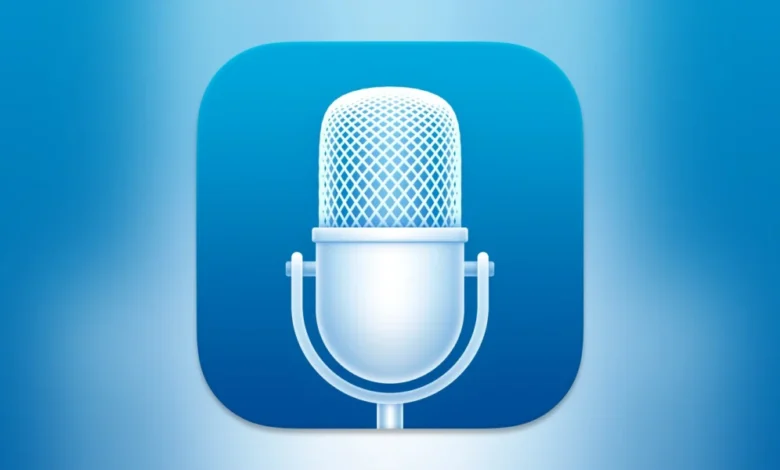
The landscape of audio transcription and post-production software for macOS has undergone a significant evolution with the release of MacWhisper Version 16. Developed by Dutch software engineer Jordi Bruin, the application has established itself as an essential tool for podcasters, journalists, researchers, and professionals who rely on accurate, fast speech-to-text conversion. The latest major iteration introduces a heavily requested capability: automated speaker identification based on voice characteristics from previous recordings. This advancement eliminates a tedious manual step in the workflow of managing multi-speaker audio files, promising substantial time savings for power users who frequently interview the same subjects or host recurring podcast guests.
The introduction of Version 16 builds upon a rapid succession of software updates rolled out over the past year. In an industry increasingly dominated by cloud-based artificial intelligence solutions that raise privacy and latency concerns, MacWhisper has carved out a distinct niche by processing audio locally. Leveraging Apple Silicon and OpenAI’s underlying Whisper architecture, the application executes complex transcription, speaker diarization, and linguistic analysis entirely on the user’s device. Version 16 expands this local-first architecture into biometric voice profiling, ensuring that user data remains private while significantly streamlining document organization.
Evolution of MacWhisper: From Basic Transcription to an AI-Powered Hub
To understand the significance of MacWhisper 16, it is necessary to examine the trajectory of the application since its initial market introduction. Created by Jordi Bruin, MacWhisper emerged from a desire to bring OpenAI’s powerful open-source Whisper speech recognition model directly to the macOS desktop in a user-friendly interface. In its early iterations, the application focused primarily on converting single-track audio files into text with high accuracy, offering multilingual support and various model sizes ranging from tiny to large.
As the software matured, Bruin responded to professional workflows by introducing speaker diarization—the ability of the software to analyze an audio file and separate the conversation into distinct speakers, labeled generically as Speaker 1, Speaker 2, and so on. While this feature was a major breakthrough, it left a frustrating bottleneck in post-production: every time a recurring guest appeared on a podcast or a team member joined a weekly meeting, the user had to manually rename the generic speaker labels throughout the entire transcript.
Over the preceding months leading up to Version 16, the application received a comprehensive overhaul. Bruin introduced a completely redesigned transcript editor that improved navigation and text correction, implemented real-time meeting transcription for live environments, and deepened integration with macOS frameworks, including Apple Intelligence, Siri, and Spotlight. Furthermore, the incorporation of multiple new transcription models allowed users to balance speed and accuracy based on their specific hardware capabilities. Version 16 represents the culmination of these incremental enhancements, shifting the application from a passive transcription tool to an active participant in recognizing conversational patterns.
How the New Voice Recognition System Operates
The core innovation of MacWhisper Version 16 is its advanced voice recognition engine, which creates and utilizes distinct voiceprints. When a user processes an audio file, the application analyzes the acoustic properties of the voices assigned to specific names. These acoustic signatures, or voiceprints, are stored locally within the application’s database.
When subsequent recordings are processed, the system compares the newly detected speakers against the established library of voiceprints. Depending on the confidence level of the acoustic match, MacWhisper employs two distinct behaviors:
- Automated Assignment: If the voice recognition algorithm registers a high confidence score, the application automatically applies the correct name to the speaker, bypassing manual entry entirely.
- Verification Prompts: In scenarios where the acoustic match falls within a moderate confidence threshold, MacWhisper flags the speaker and prompts the user to confirm or reject the suggested identity.
This architecture ensures that the system becomes progressively more accurate over time. As a podcaster or interviewer works with the same individuals across multiple episodes, the underlying dataset for each voiceprint expands, reducing error rates and minimizing administrative friction.
Crucially, this functionality is not limited to newly recorded or imported audio files. Longtime users of the platform can retroactively generate voiceprints from their extensive libraries of past transcripts through a newly dedicated Voice Recognition section in the application settings. This control panel also grants users the ability to clear stored voice data for individual speakers or disable the feature entirely, addressing potential data hygiene and privacy preferences. Furthermore, the feature extends to live meeting transcriptions, although automated name tagging occurs asynchronously once the active meeting concludes to maintain system responsiveness.

Technical Requirements and Privacy Implications
Operating advanced machine learning models locally on personal computers demands specialized hardware architecture. MacWhisper Version 16 maintains this requirement by restricting the automated voice recognition feature to specific hardware tiers. To utilize the capability, users must possess:
- A MacWhisper Pro license
- An Apple Silicon Mac (M-series processor)
- On-device transcription enabled with speaker detection active
The reliance on Apple Silicon—specifically the Neural Engine integrated into M-series chips—is vital for executing the complex vector math required for voice matching without degrading overall system performance or draining laptop batteries prematurely.
From a privacy perspective, the decision to process and store voiceprints exclusively on-device represents a significant design choice. In an era where biometric data collection is frequently scrutinized by regulators and privacy advocates, storing voice profiles locally prevents third-party cloud servers from harvesting sensitive acoustic data. Voice patterns can theoretically be categorized as biometric identifiers; by keeping these computations within the local sandboxed environment of the macOS file system, Bruin mitigates substantial privacy risks associated with cloud-based AI services.
Broader Industry Impact and Market Implications
The release of MacWhisper Version 16 arrives amid intense competition in the productivity and transcription software sector. Enterprise-focused tools, meeting assistants, and standalone transcription applications have proliferated across macOS, Windows, and web platforms. Many competitors rely on cloud infrastructure to offer advanced speaker identification, often requiring recurring monthly subscriptions and continuous internet connectivity.

By contrast, MacWhisper’s localized approach appeals heavily to privacy-conscious professionals, legal transcribers, journalists protecting sensitive sources, and enterprise environments with strict data governance policies. The ability to perform sophisticated speaker diarization and voice matching entirely offline gives the application a unique competitive advantage.
Furthermore, the introduction of automated speaker recognition addresses a universal pain point in audio editing workflows. In podcast production, media transcription, and corporate meeting minute generation, human labor is frequently squandered on repetitive administrative tasks. By automating the identification of recurring speakers, MacWhisper reduces the time required to prepare raw transcripts for publication, show notes generation, or archival storage.
Market Response and Promotional Strategies
Jordi Bruin released MacWhisper Version 16 to coincide with seasonal promotional periods, offering a 25% discount on the application’s Pro license during its launch week. This pricing strategy is designed to incentivize both free-tier users to upgrade and prospective customers evaluating alternative transcription solutions.
Early user reception within the macOS power-user community, developer forums, and podcasting circles has been largely positive. Testers have noted that while the system requires a brief training period—relying on initial manual tagging to build robust voiceprints—the long-term efficiency gains become apparent after processing just a few recurring recordings.
Future Outlook for Desktop AI Utilities

The trajectory of MacWhisper highlights a broader shift in consumer and professional software development: the decentralization of artificial intelligence. As Apple continues to expand the capabilities of its operating systems through native machine learning frameworks and powerful unified memory architectures on Apple Silicon, independent developers are increasingly empowered to build sophisticated utilities that rival enterprise software solutions.
Looking forward, the integration of voice recognition into local transcription utilities suggests that future iterations of such software may incorporate deeper contextual awareness, sentiment analysis, and cross-document referencing, all while maintaining strict adherence to local data privacy standards. For now, MacWhisper Version 16 establishes a new benchmark for utility and convenience in macOS audio processing, transforming a routine administrative chore into a seamless, automated background process.