When Apple officially rolled out iOS 27 to compatible iPhone models in September, the technology landscape was dominated by headlines concerning advanced artificial intelligence integrations. Spearheaded by the newly revamped Siri AI and deeply embedded Apple Intelligence frameworks, the software update was universally marketed as a transformative leap into generative digital assistance. However, beneath the high-profile marketing campaigns and machine learning capabilities lies a robust suite of practical, everyday enhancements that significantly improve the core user experience. While AI continues to capture public imagination, the day-to-day utility of iOS 27 is heavily shaped by meticulously designed non-AI features, refined interface layouts, and quality-of-life additions that long-time Apple users have quickly grown to appreciate.
The Shift Toward Foundational Refinements
Historically, major annual iOS iterations prioritize marquee features designed to sell hardware upgrades. From dynamic lock screen architectures to sweeping interface redesigns, Apple frequently leans on visual novelty. With the release of iOS 27, the company struck a strategic balance between futuristic AI capabilities and foundational software polish.
Industry analysts have noted that consumer fatigue surrounding generative AI tools has created a distinct market demand for functional stability, battery optimization, and intuitive interface navigation. Recognizing this trend, Apple’s software engineering teams dedicated substantial resources to addressing long-standing user interface friction points. The resulting non-AI additions demonstrate a commitment to user-centric design, proving that an operating system update does not need to rely exclusively on cloud-connected neural networks to feel modern and responsive.
Chronology of the iOS 27 Release Cycle
The path to the general availability of iOS 27 followed Apple’s well-established annual development and deployment pipeline. Understanding this timeline provides valuable context regarding how these subtle, non-AI features were tested, refined, and ultimately delivered to hundreds of millions of devices globally.
- June: Apple officially previewed iOS 27 at the Worldwide Developers Conference (WWDC), initially showcasing the overarching Apple Intelligence framework alongside early glimpses of interface adjustments, including landscape support and enhanced widget capabilities.
- July through August: Throughout the intensive beta testing phase, developer and public beta participants evaluated the operating system. While initial feedback loops concentrated heavily on bug fixes for the newly introduced AI models, secondary user reports consistently highlighted the growing convenience of minor interface tweaks, such as expanded widget real estate and streamlined payment authorization menus.
- September: Apple deployed the stable, public-facing build of iOS 27 alongside the launch of its latest hardware generation. Although marketing materials firmly positioned Siri AI as the flagship selling point, consumer adoption quickly revealed a strong grassroots appreciation for the update’s non-machine-learning enhancements.
Key Non-AI Enhancements Driving Daily Usability
While artificial intelligence commands the computational forefront of the operating system, several specific feature updates in iOS 27 have fundamentally altered how users interact with their devices on a minute-by-minute basis. These updates span multimedia management, financial transactions, and visual personalization.
Expanded Widget Real Estate and Customization
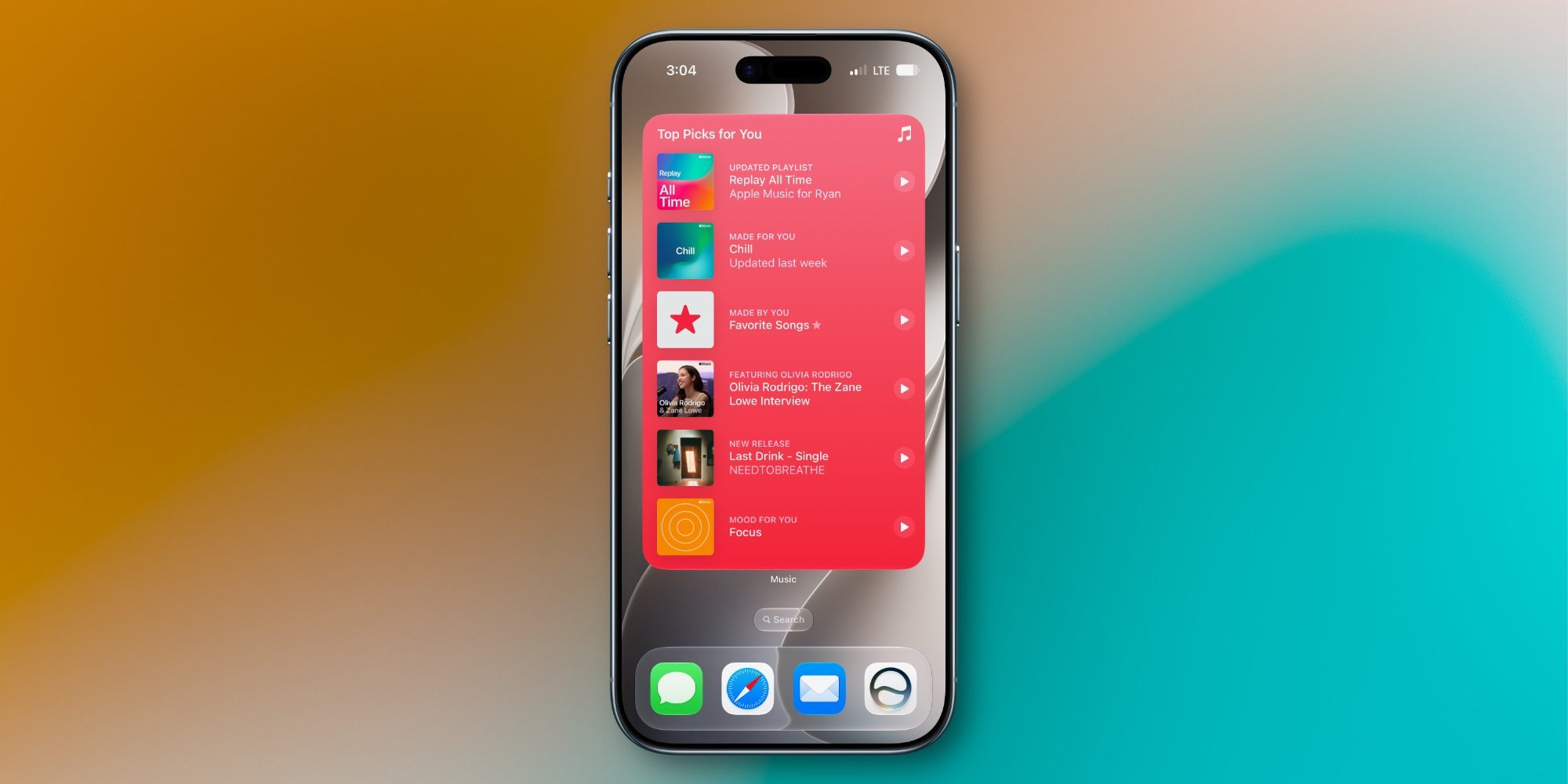
Widgets have been a staple of the iOS ecosystem since their introduction in iOS 14, but iOS 27 elevates their utility through significantly expanded layout options. Among the most notable additions is the integration of extra-large widget formats, particularly for media-centric applications like Apple Music.
By allowing users to pin expansive, data-rich widgets directly to the home screen or lock screen, Apple has reduced the necessity of opening dedicated applications for routine tasks. In professional and fast-paced environments, this reduction in friction allows for quicker media navigation, glanceable schedule tracking, and more efficient device management without breaking workflow concentration.
Redesigned Financial Workflows and Apple Pay Integration
Digital transactions and mobile commerce continue to represent a critical revenue and utility pillar for the iPhone ecosystem. In iOS 27, Apple introduced a comprehensive architectural update to the Apple Pay interface and its underlying authorization menus.
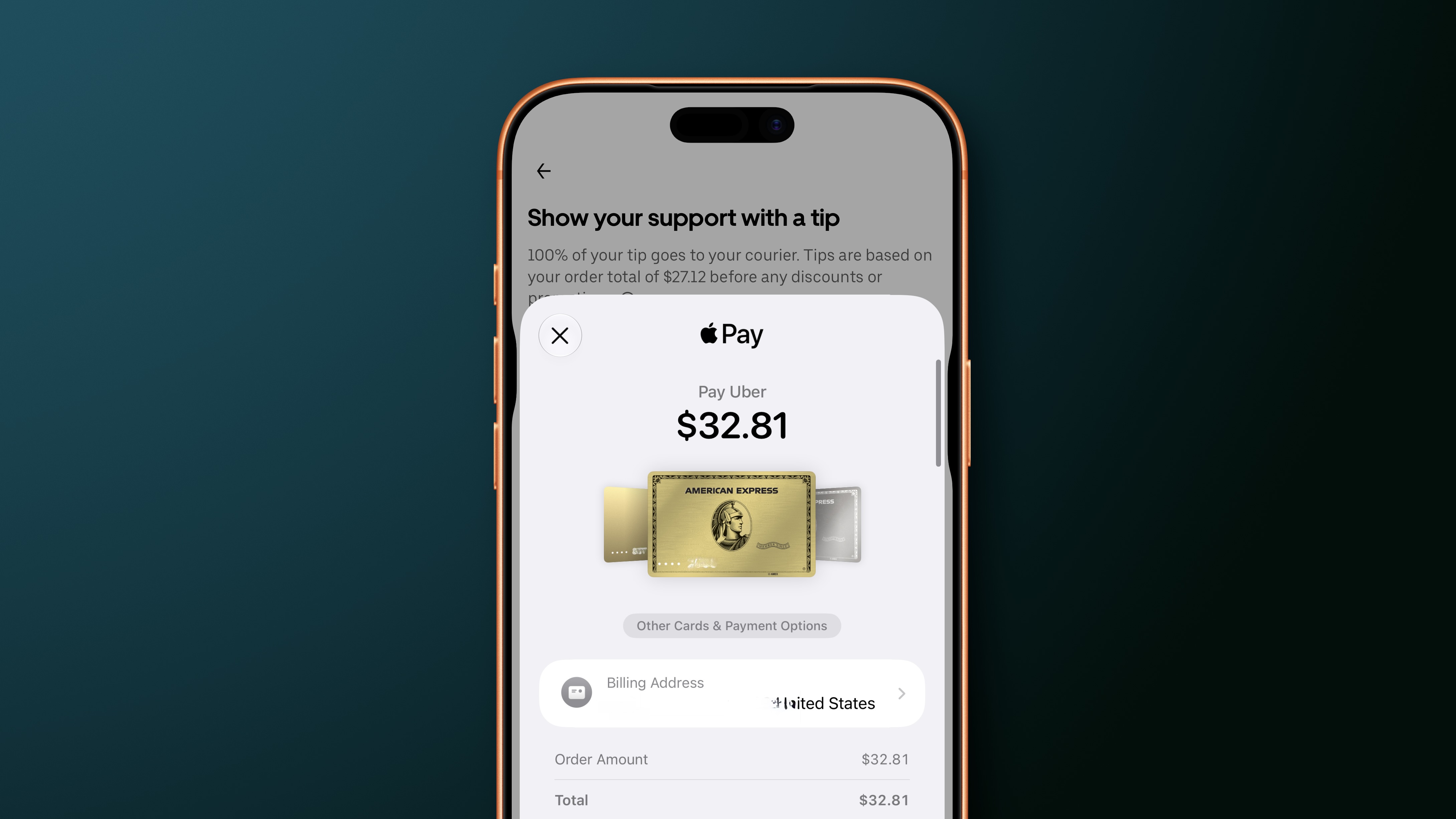
The redesign focuses on clarity, security visibility, and speed. By streamlining the visual steps required to authenticate peer-to-peer transfers, retail purchases, and in-app transactions, Apple has minimized checkout times. Furthermore, the updated interface provides clearer feedback regarding transaction status, security verification methods, and linked card management, reducing user error during high-frequency commerce scenarios.
Native Landscape Optimization for Multimedia Applications
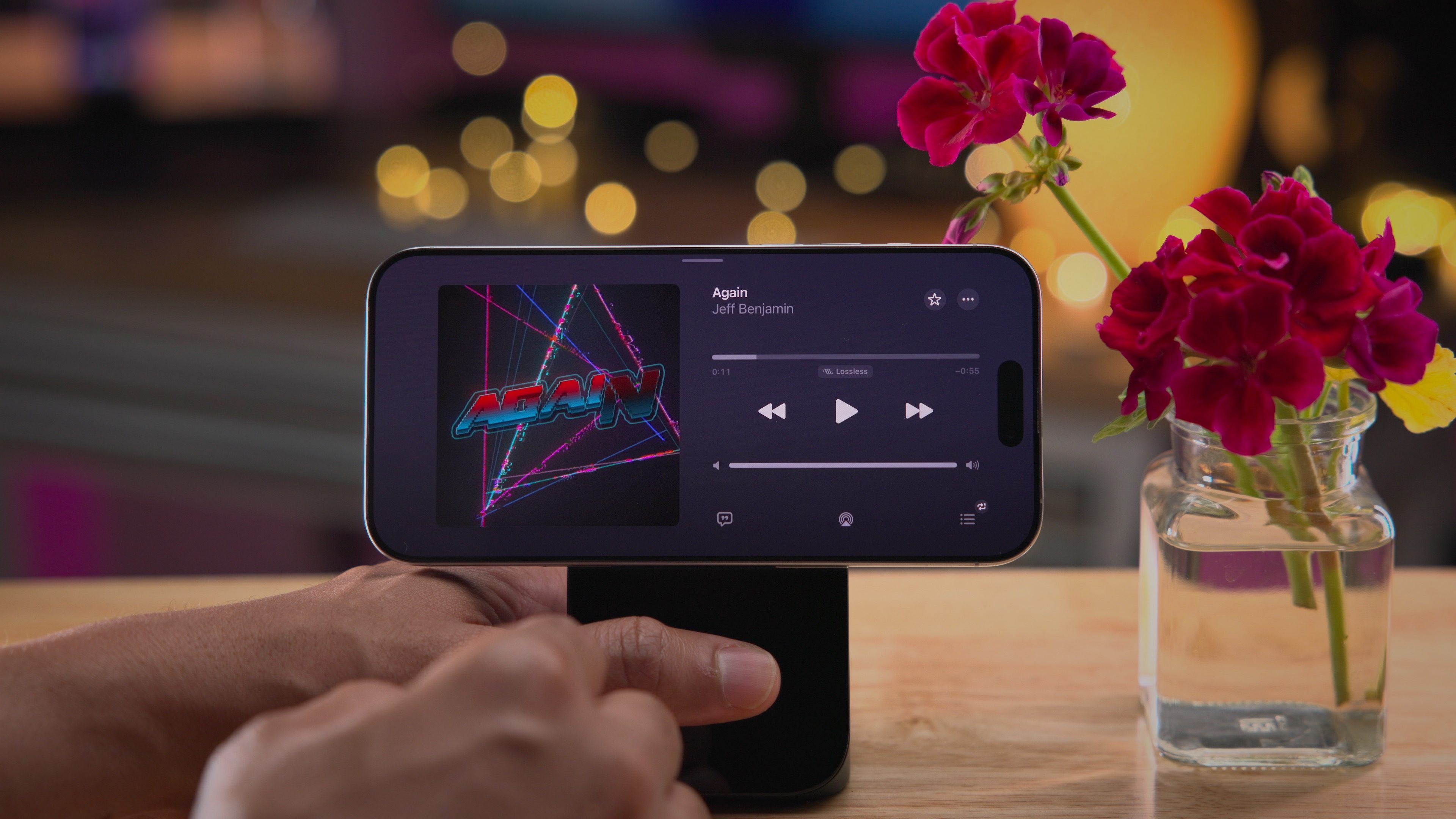
For years, portrait orientation served as the primary design constraint for the vast majority of core native applications within iOS. With iOS 27, Apple has systematically addressed this limitation by introducing robust landscape orientation support for essential services, most notably Apple Music.
This architectural shift acknowledges the changing habits of modern consumers who frequently dock their iPhones in horizontal stands, use external keyboards, or consume media in landscape-heavy environments. Allowing applications like Apple Music to dynamically reflow their interfaces in landscape mode provides tablet-like multitasking efficiency on large-screen iPhone models, optimizing typography, album art display, and playback controls for horizontal viewing angles.
Industry Implications and Consumer Reception
The immediate market response to iOS 27 offers a fascinating case study in consumer technology adoption. While tech media outlets naturally gravitated toward the computational power and linguistic capabilities of Siri AI, telemetry and consumer forums indicate that retention and daily satisfaction are heavily driven by the aforementioned non-AI features.
From an economic perspective, focusing development efforts on software stability and ergonomic interface updates helps mitigate the hardware upgrade cycle pressures often associated with mandatory AI hardware requirements. Devices that may not fully support the most resource-intensive neural processing tasks can still benefit immensely from improved landscape modes, refined payment gateways, and expanded widget functionality. This ensures a more uniform user experience across a wider array of legacy and current-generation iPhone hardware.
Conclusion: Balancing Innovation with Practicality
Apple’s iOS 27 will undoubtedly be remembered in tech history as the update that fundamentally redefined Siri through advanced artificial intelligence. However, viewing the operating system solely through an AI-centric lens overlooks the careful engineering dedicated to everyday usability.

By pairing headline-grabbing machine learning advancements with deeply practical, highly requested interface refinements—such as extra-large widgets, streamlined Apple Pay workflows, and comprehensive landscape support—Apple has delivered a well-rounded software package. As mobile operating systems continue to grow increasingly complex, the success of updates like iOS 27 will ultimately be measured not just by how intelligently they think, but by how seamlessly they integrate into the daily routines of their users.