Samsung Galaxy S27 Models May Feature Advanced UFS 5.0 Storage, Initial Rumors Suggest Limited Rollout

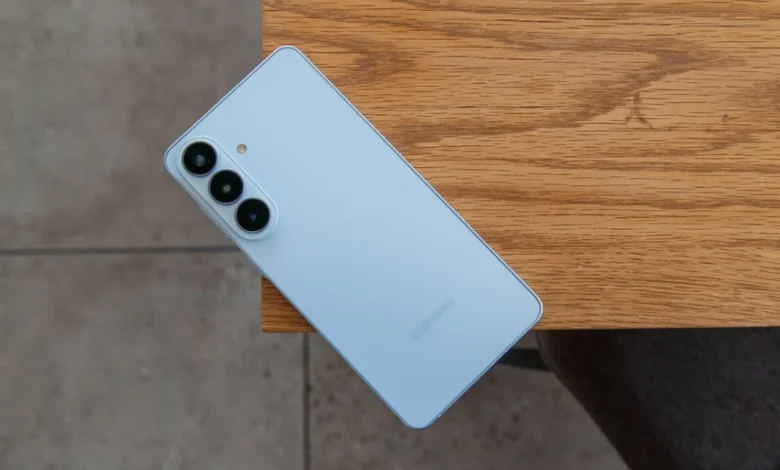
Early whispers from South Korea indicate that Samsung’s forthcoming Galaxy S27 series, anticipated for an early 2026 release, could introduce the cutting-edge UFS 5.0 storage standard, albeit in a potentially restricted capacity. This development marks a significant step forward in mobile data transfer speeds and efficiency, promising substantial performance enhancements for select flagship models. The current speculation suggests that not all devices within the S27 lineup will benefit from this upgrade, with factors such as production costs and market positioning likely influencing Samsung’s deployment strategy.
The Genesis of the Rumor: A Glimpse into the Future
The initial reports surfaced from a South Korean tipster, identified as yeux1122 on Naver, a prominent online platform. This source, known for providing insights into Samsung’s internal deliberations, explicitly stated that the company is "supposedly shifting to UFS 5.0 storage for the Galaxy S27." Critically, the tipster emphasized that this advanced storage standard might only be applied to "some" S27 models, leaving the "basic storage configuration" of the broader series unchanged. Such a tiered approach, if implemented, would represent a strategic decision by Samsung to differentiate its premium offerings further. Given the considerable lead time until the S27 series’ expected launch in approximately a year, these early rumors are subject to change, reflecting the dynamic nature of product development cycles in the fiercely competitive smartphone industry.
Samsung’s internal discussions regarding UFS 5.0 integration are reportedly extensive, encompassing a thorough evaluation of "price, mass production costs, and more." These economic and logistical considerations are paramount for a company operating at Samsung’s scale, especially when introducing a new technology standard. While the specific models slated to receive UFS 5.0 remain unconfirmed, industry analysts and enthusiasts are already postulating that the ultra-premium Galaxy S27 Ultra variant would be the most probable candidate for such a high-end upgrade, aligning with Samsung’s historical practice of reserving its most advanced features for its top-tier devices.
Understanding UFS 5.0: A Leap in Mobile Storage Technology
Universal Flash Storage (UFS) 5.0 represents the latest iteration of a high-performance flash storage standard designed specifically for mobile devices. Developed and standardized by JEDEC, the global leader in developing open standards for the microelectronics industry, UFS 5.0 was officially revealed in October, setting a new benchmark for speed and efficiency. The core promise of UFS 5.0 is a dramatic increase in sequential performance, capable of reaching speeds up to 10.8 gigabytes per second (GB/s). This figure is nearly double the performance offered by its predecessor, UFS 4.0, which is currently found in leading flagship smartphones like the Galaxy S24 Ultra, where it delivers sequential read speeds of up to 4.2 GB/s and sequential write speeds of up to 2.8 GB/s.
The architectural advancements in UFS 5.0 are multifaceted. It introduces new capabilities that are particularly relevant for contemporary mobile computing, including enhanced support for Artificial Intelligence (AI) workloads and improved security features through Inline Hashing. The increased data transfer rate translates directly into tangible benefits for end-users:
- Faster App Loading: Applications will launch almost instantaneously, reducing wait times and improving the overall user experience.
- Smoother Multitasking: Switching between multiple demanding applications will become seamless, even with numerous background processes.
- Quicker File Transfers: Moving large files, such as 4K or 8K video recordings, high-resolution photos, and extensive game data, between the device and external storage or cloud services will be significantly accelerated.
- Enhanced AI Processing: With the growing integration of on-device AI capabilities, UFS 5.0’s superior data throughput will enable faster processing of complex AI algorithms, leading to more responsive AI features in photography, language processing, and other applications.
- Improved Gaming Performance: Games with large asset files will load faster, and in-game performance that relies on rapid data access will be smoother.
- Support for High-Resolution Media: The ability to record and process 8K video content, which generates massive data streams, will be significantly bolstered by UFS 5.0’s capabilities.
Beyond raw speed, UFS 5.0 also aims for improved power efficiency, a critical factor for battery life in mobile devices. While specific power consumption figures for UFS 5.0 are still being detailed, JEDEC’s ongoing efforts typically focus on optimizing performance per watt, ensuring that increased speed does not come at the cost of excessive battery drain.
Samsung’s Historical Context with UFS Adoption
Samsung has a long-standing history of being at the forefront of mobile storage innovation. The company was among the first to widely adopt UFS technology in its flagship smartphones, recognizing its inherent advantages over the older eMMC (embedded Multi-Media Controller) standard. For instance, the Galaxy S6, released in 2015, was one of the pioneers in incorporating UFS 2.0, a move that significantly boosted its performance compared to competitors still relying on eMMC. More recently, the Galaxy S23 Ultra was lauded for being one of the first devices to feature UFS 4.0 storage, offering substantial speed improvements over the UFS 3.1 found in many other premium smartphones at the time. This consistent adoption of the latest UFS standards underscores Samsung’s commitment to delivering top-tier performance in its devices.
As a major manufacturer of NAND flash memory and integrated controllers, Samsung is in a unique position to drive the adoption of new storage technologies. Its in-house manufacturing capabilities provide a competitive edge, allowing for tighter integration, better supply chain control, and potentially faster implementation of new standards. This vertical integration means that when Samsung decides to implement a new UFS standard, it often does so with a mature understanding of the technology’s implications for both hardware and software.
Strategic Implications of a Phased UFS 5.0 Rollout
The rumored "some" models approach for UFS 5.0 integration in the Galaxy S27 series carries several strategic implications for Samsung:
- Product Differentiation: By reserving UFS 5.0 for its highest-end models, likely the S27 Ultra, Samsung can create a clear performance hierarchy within its own lineup. This allows the company to justify a premium price point for its Ultra variant, appealing to power users and early adopters who demand the absolute best in mobile technology.
- Cost Management: Introducing a new technology standard, especially one as fundamental as storage, involves significant research, development, and manufacturing costs. A phased rollout allows Samsung to manage these expenses more effectively. It can produce UFS 5.0 chips in smaller volumes initially, refining production processes and optimizing costs before a wider deployment. This strategy mitigates risks associated with new technology adoption.
- Supply Chain Considerations: The availability and mass production capacity of new components are crucial. Limiting UFS 5.0 to a subset of models could be a pragmatic approach to ensure a stable supply chain during the initial ramp-up phase of production. As UFS 5.0 technology matures and production scales, it can then be more broadly integrated into future models.
- Market Testing: A limited rollout can also serve as a form of market testing. Samsung can gauge consumer response, identify real-world performance benefits, and gather data on the practical impact of UFS 5.0 before committing to a full-scale transition across its entire flagship portfolio.
- Competitive Landscape: In the fiercely competitive smartphone market, introducing UFS 5.0, even partially, allows Samsung to maintain its technological leadership. It puts pressure on competitors to accelerate their own adoption of advanced storage solutions, driving innovation across the industry.
Broader Galaxy S27 Series Rumors
While storage rumors take center stage, other early speculations about the Galaxy S27 Ultra have also begun to surface, painting a picture of what Samsung might be planning for its next-generation flagship:
- Camera Innovations: Reports suggest that the S27 Ultra could feature "new technologies" for its cameras. While some initial leaks hinted at the potential integration of an ISOCELL HP6 sensor, these same reports temper expectations regarding a significant megapixel upgrade, suggesting the main lens might retain the 200MP resolution seen in its predecessors. The focus, therefore, might shift from raw megapixel count to enhanced image processing, improved sensor technology, or advanced computational photography algorithms to deliver superior image quality. This aligns with a broader industry trend where software optimization and sensor refinements are becoming as crucial as pixel density.
- S Pen Stagnation: For fans of the integrated S Pen, early rumors offer a less exciting outlook. It is speculated that the Galaxy S27 Ultra might not see any substantial upgrades to its stylus capabilities. Reports indicate that Samsung had been exploring advanced S Pen functionalities, possibly attempting to combine two distinct stylus methods. However, these ambitious plans were reportedly scrapped due to difficulties in achieving satisfactory integration or performance, leading to a decision to maintain the current S Pen feature set.
- The Emergence of a "Pro" Model: Perhaps one of the more intriguing whispers is the potential debut of a "Galaxy S27 Pro" model. This rumored device is envisioned to offer "Ultra-like features" within a more compact design, potentially catering to users who desire premium specifications without the larger form factor of the traditional Ultra model. Such a "Pro" variant could fill a strategic gap in Samsung’s lineup, offering a high-performance alternative that bridges the gap between the standard S series and the full-fledged Ultra, similar to how Apple positions its "Pro" iPhones. If true, this could represent a significant expansion of Samsung’s flagship strategy.
The Economic Undercurrent: Pricing and Value Proposition
The discussion around UFS 5.0 cannot be separated from the broader economic context, particularly Samsung’s recent trend of price adjustments. The original article briefly touches upon "Samsung’s horrendous Galaxy price hike spree in the US," a sentiment that resonates with many consumers. The integration of advanced, and likely more expensive, components like UFS 5.0 could contribute to further upward pressure on device pricing.
For consumers, this creates a complex value proposition. While the performance benefits of UFS 5.0 are undeniable, the question of whether these improvements justify a potentially higher price point, especially if limited to only the most expensive models, will be central to purchasing decisions. Samsung will need to carefully balance technological innovation with market affordability, ensuring that its flagship devices remain competitive and appealing in a global market where economic factors play an increasingly significant role. The perceived value of the S27 Ultra with UFS 5.0 will not just be about its raw speed but also about how that speed translates into a genuinely enhanced user experience that differentiates it sufficiently from its predecessors and rivals.
Industry Outlook and Future Prospects
The potential adoption of UFS 5.0 by Samsung in its 2026 flagship series signals a broader industry trend towards ever-faster and more efficient mobile storage solutions. As smartphones continue to evolve into powerful portable computing platforms, handling increasingly complex tasks, higher resolution media, and advanced AI models, the demand for robust internal storage will only grow.
Other smartphone manufacturers, particularly those competing in the premium segment, will undoubtedly follow suit. Once UFS 5.0 becomes a feature in a leading device like the Galaxy S27 Ultra, it will likely become a competitive necessity for other brands to integrate similar technology into their own flagships within a year or two. This competitive pressure will accelerate the standardization and mass production of UFS 5.0 components, eventually leading to their wider availability and potentially more competitive pricing across the market.
In conclusion, the early rumors surrounding UFS 5.0 in the Samsung Galaxy S27 series, while still speculative, highlight Samsung’s ongoing pursuit of technological leadership and performance excellence. The strategic decision to potentially limit its initial rollout underscores the complex interplay of innovation, cost, and market positioning in the high-stakes smartphone industry. As the launch of the Galaxy S27 series draws closer, further details and official confirmations will undoubtedly shed more light on these exciting, yet still uncertain, developments.
Related posts: