Apple Pencil Pro Made Me Care About Gyroscopes For The First Time Since That Fake Beer Drinking App
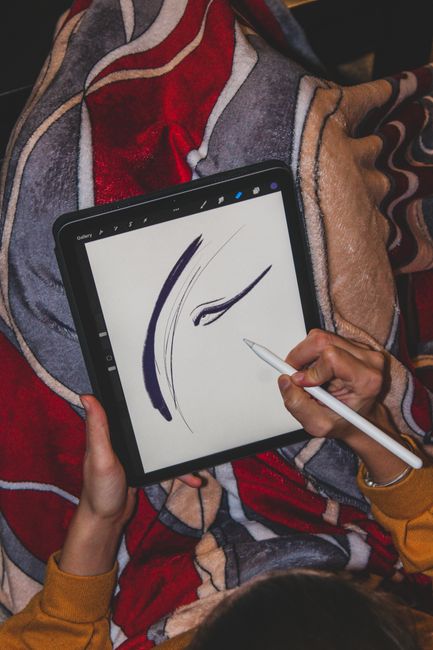
Apple Pencil Pro: Gyroscopic Precision Redefines Digital Creativity
The introduction of the Apple Pencil Pro has fundamentally shifted my perspective on gyroscopes, transforming a previously abstract technical specification into a tangible and exciting driver of digital artistic expression. For years, gyroscopes in consumer electronics have been relegated to background functionality – enabling screen rotation, rudimentary motion controls in games, or perhaps a brief moment of novelty in a fleeting viral app. The fake beer-drinking app, a testament to the ephemeral amusement gyroscopes could facilitate, served as the pinnacle of their perceived utility for me: a gimmick, devoid of any real creative or functional depth. The Apple Pencil Pro, however, has shattered this limited understanding. Its integration of advanced gyroscopic sensors isn’t merely an addition; it’s a cornerstone of its revolutionary feature set, unlocking a new level of intuitive control and nuanced manipulation that directly impacts the creative workflow of artists, designers, and anyone seeking to imbue their digital creations with a human touch. This isn’t about a slightly more responsive tilt function; it’s about a deeply integrated system that translates subtle physical movements into precise on-screen actions, blurring the lines between physical and digital tools in a way that feels both natural and profoundly powerful.
The core of the Apple Pencil Pro’s gyroscopic magic lies in its ability to detect and interpret not just simple tilting but also its orientation and angular velocity in three-dimensional space. This sophisticated sensing capability is the engine behind its most groundbreaking new features: Barrel Roll and Hover. Previously, manipulating the thickness or angle of a digital brush was a matter of dragging sliders, using on-screen wheels, or employing less precise tilt gestures. The Barrel Roll feature, powered by the gyroscope, allows users to physically rotate the Apple Pencil Pro in their hand, akin to twisting a traditional paint brush or pencil. This direct, physical manipulation of the tool translates into an instantaneous and proportional change in the brush stroke’s angle and characteristics. Imagine painting with an airbrush: to create a wider spray, you’d naturally angle the can. Now, with Barrel Roll, you can replicate that exact physical motion with the Pencil Pro, controlling the brush’s opacity, bevel, or even texture based on your hand’s rotation. This offers a level of organic control that was previously unattainable in digital art software, fostering a more intuitive and less gestural approach to brushwork. The subtle nuances of a charcoal sketch, the feathered edge of an airbrush, or the directional grain of a textured brush can now be achieved with the same practiced ease as their physical counterparts. This elevates digital art from a series of discrete commands to a fluid, gestural practice.
The other significant gyroscopics-driven innovation is Hover. While previous Apple Pencils offered a form of hover to preview brush size and color, the Apple Pencil Pro’s Hover is far more sophisticated and context-aware, thanks to its enhanced gyroscopic capabilities. It can now accurately detect the Pencil’s proximity to the iPad screen and, crucially, its orientation relative to the surface. This allows for incredibly precise placement of the cursor before the stroke even begins. For artists, this means previewing exactly where a line will land, how a shadow will fall, or where a highlight will be applied. It eliminates the guesswork and accidental misplacements that can plague digital drawing. Beyond mere previewing, Hover, in conjunction with gyroscopic data, can influence the behavior of tools. For instance, a painting application could use Hover to detect if the Pencil is being held at an angle, preparing a watercolor brush to bleed more or a marker to create a more slanted line, even before contact. This anticipatory functionality, driven by the gyroscope’s awareness of the Pencil’s spatial relationship to the screen, adds another layer of predictive control, allowing for more deliberate and artistic decision-making. It’s the digital equivalent of looking at your canvas, planning your stroke, and then executing it with perfect precision, all facilitated by the invisible intelligence of the gyroscope.
The implications of this gyroscopic precision extend far beyond traditional drawing and painting. For graphic designers, the ability to manipulate vector points with such fine control is transformative. Imagine adjusting the curvature of a Bézier curve by physically rotating the Pencil, subtly nudging anchor points into the perfect position without resorting to complex keyboard shortcuts or menu diving. This intuitive manipulation can significantly speed up workflow and lead to more organic, less geometrically rigid designs. In the realm of 3D modeling and sculpting applications, the gyroscope’s ability to track angular velocity and orientation can enable more fluid and responsive sculpting tools. Pushing, pulling, smoothing, or adding details to a digital model can be directly influenced by the speed and direction of the Pencil’s movement, mimicking the tactile feedback of working with clay or stone. This makes digital sculpting a more visceral and less abstract experience. Even for tasks like photo editing, imagine precisely selecting a gradient with an arbitrary angle by simply rotating the Pencil to match the desired orientation, or using the gyroscope to control the feathering of a selection mask with unparalleled accuracy.
The underlying technology is equally fascinating. The Apple Pencil Pro likely employs a system that combines MEMS (Micro-Electro-Mechanical Systems) gyroscopes and accelerometers. These tiny, silicon-based devices measure angular rate and acceleration, respectively. The data from these sensors is then fed into sophisticated algorithms that process this information in real-time. This processing happens locally on the Pencil itself, minimizing latency and ensuring an immediate response. The key to the Pencil Pro’s success is not just the presence of these sensors but their accuracy, sensitivity, and how seamlessly Apple has integrated their output into the user experience. The system is designed to interpret the nuanced gestures of an artist – the subtle twist of a wrist, the gentle rotation of fingers – and translate them into meaningful digital actions. This requires not only robust hardware but also intelligent software that understands the intent behind these physical movements. The gyroscopic data is likely fused with other sensor inputs and contextual information from the iPad and the active application to provide a rich, multi-dimensional input.
Furthermore, the Apple Pencil Pro’s gyroscopic capabilities open doors to novel interactions within apps that haven’t even been conceived yet. Developers can now tap into this rich stream of spatial data to create entirely new types of brushes, tools, and creative workflows. Consider applications that react to the Pencil’s orientation in space for augmented reality experiences, allowing users to "paint" virtual objects into their real-world environment with an accurate sense of depth and perspective. Or imagine educational software where students can manipulate 3D models of molecules by physically rotating them, gaining a deeper understanding of their structure through kinesthetic learning. The potential for innovation is vast, and the gyroscope is the key enabler of these forward-thinking applications. It transforms the Pencil from a static input device into a dynamic, spatially aware tool that can respond to the user’s physical interaction with the digital world.
The durability and reliability of these gyroscopic sensors are also crucial for a professional tool like the Apple Pencil Pro. While I may have dismissed them in the past, knowing that these precise instruments are built to withstand the rigors of creative use adds to their perceived value. The continuous, real-time feedback loop, driven by the gyroscope, minimizes the cognitive load on the user. Instead of constantly thinking about how to achieve a certain effect through abstract commands, the user can focus on what they want to create. This seamless integration of physical gesture and digital output is what truly makes the Apple Pencil Pro’s gyroscopic capabilities so compelling. It’s the difference between operating a machine and wielding a tool. The gyroscope, in this context, is the invisible hand that guides the tool with unparalleled precision and fluidity. It’s a testament to how even seemingly minor technological advancements, when thoughtfully implemented, can have a profound impact on our ability to create and interact with the digital realm. The era of gyroscopes as mere gimmicks is over; with the Apple Pencil Pro, they have officially entered the pantheon of essential creative technology.


