Apple Pencil Pro Vs Pencil 2

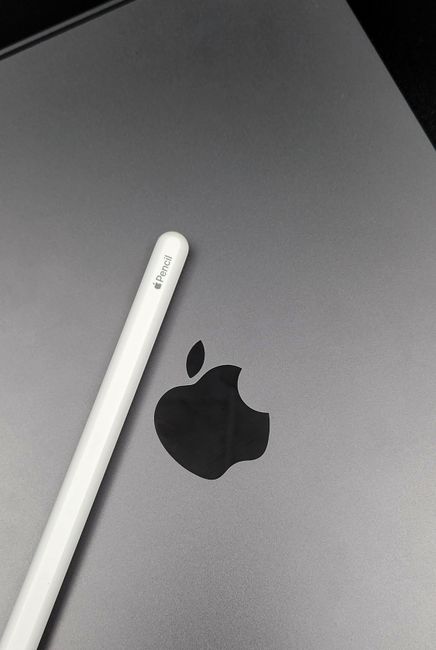
Apple Pencil Pro vs. Apple Pencil 2: A Deep Dive for Creatives and Professionals
The introduction of the Apple Pencil Pro marks a significant evolution in Apple’s stylus technology, building upon the already impressive foundation laid by the Apple Pencil 2. For artists, designers, note-takers, and anyone who leverages the iPad for creative or productivity tasks, the choice between these two generations of Apple Pencils can have a tangible impact on workflow and output. This comprehensive comparison aims to dissect the key differences, highlight the advancements, and guide users in determining which Apple Pencil best suits their individual needs and budget.
At the forefront of the Apple Pencil Pro’s innovations is its new suite of contextual gestures: the Squeeze and Barrel Roll. The Squeeze gesture, activated by a firmer press anywhere along the stylus’s body, brings up a contextual menu tailored to the active tool within an application. This dramatically streamlines workflow by allowing users to quickly change brush sizes, line weights, or switch between tools without needing to break their creative flow by reaching for the iPad’s screen or navigating through menus. For example, a digital painter can squeeze to instantly access color palettes or brush presets, and a note-taker can squeeze to toggle between pen and highlighter modes. The Barrel Roll gesture, which utilizes the stylus’s gyroscope, allows for intuitive rotation of tools like brushes, pencils, and calligraphy pens. This adds a new layer of expressiveness, particularly for illustration and lettering, enabling more naturalistic and nuanced stroke variations. While the Apple Pencil 2 offers pressure and tilt sensitivity, these new gestures on the Pro introduce a level of direct interaction and control that was previously unavailable.
Another key differentiator is the Apple Pencil Pro’s inclusion of advanced haptic feedback. This subtle yet impactful feature provides tactile responses to user interactions. For instance, a slight vibration can confirm the selection of a tool from the contextual menu, or a gentle pulse can indicate the precise snapping of an object. This Haptic Feedback enhances the feeling of direct manipulation and provides a more immersive and intuitive user experience. The Apple Pencil 2, while offering precise input, lacks any form of haptic feedback, meaning all confirmations and interactions are purely visual. The Pro’s haptics contribute to a more refined and almost tangible feel when using the stylus, bridging the gap between digital and physical tools.
The Apple Pencil Pro also boasts Precision Finding, utilizing the Find My network. This feature allows users to locate a misplaced Pencil Pro within their proximity, similar to how one might find AirPods. This is a significant practical advantage, especially for professionals who invest heavily in their tools and may work in environments where losing an Apple Pencil would be a costly inconvenience. The Apple Pencil 2 does not have this built-in tracking capability, meaning its loss would rely solely on manual searching or remembering its last known location.
In terms of functionality for specific creative software, the Apple Pencil Pro offers enhanced capabilities in apps like Procreate, Adobe Photoshop, and Affinity Designer. These applications are being optimized to take full advantage of the Pro’s new gestures and haptic feedback, leading to more fluid and intuitive creative processes. For instance, in Procreate, the Squeeze gesture could be mapped to a rapid undo function, or the Barrel Roll could fine-tune the texture of a digital brush. The Apple Pencil 2, while fully compatible with these apps and supporting their core pressure and tilt functionalities, cannot leverage these new gesture-based shortcuts and advanced haptic responses.
For note-taking and productivity, the Apple Pencil Pro’s features translate to a more efficient and engaging experience. The Squeeze gesture can be used to quickly switch between different pen colors or ink types, or to access a sticky note function. The Barrel Roll might be employed to adjust the thickness of handwritten lines for emphasis. The Haptic Feedback can provide a subtle confirmation when a drawing tool is selected, or when a handwritten note is saved. The Apple Pencil 2, while excellent for basic note-taking with its pressure sensitivity, requires more manual interaction for these types of quick adjustments.
The charging and pairing mechanism remains a shared strength between both the Apple Pencil Pro and the Apple Pencil 2: magnetic attachment and wireless charging. Both styluses attach to the side of compatible iPads magnetically and begin charging automatically. This is a significant upgrade from the first-generation Apple Pencil, which required a somewhat awkward Lightning port connection. Both models offer seamless pairing with their respective iPads, making setup effortless. However, the Apple Pencil Pro’s integration with the Find My network adds a layer of convenience for charging and storage management, as you can easily locate a paired Pro that has been misplaced.
Compatibility is a crucial factor when deciding between the two. The Apple Pencil Pro is designed to work with specific iPad models, primarily those with the M2 chip and a USB-C port that supports Apple Pencil Hover. This includes newer iPad Pro models (M2, M4), the latest iPad Air (M2), and the latest iPad mini. The Apple Pencil 2, while also supporting newer iPads, has a broader compatibility with iPads that feature a flat-edged design and a magnetic connector for charging, including many iPad Pro, iPad Air, and iPad mini models released before the latest iterations. It is imperative to check Apple’s official compatibility list for both the Apple Pencil Pro and the Apple Pencil 2 to ensure they will work with your specific iPad model. This is not a trivial detail and can be the deciding factor for many users.
From a performance and latency perspective, both styluses offer an exceptional low latency experience, making digital drawing and writing feel incredibly responsive. Apple has consistently prioritized minimizing the delay between stylus input and on-screen rendering, and both the Pro and the 2 excel in this regard. The core writing and drawing experience, in terms of precision and responsiveness to pressure and tilt, is largely identical. The advancements in the Pro lie primarily in the additional input methods and feedback mechanisms rather than a fundamental improvement in raw drawing latency.
Durability and build quality are comparable. Both Apple Pencils are constructed with premium materials and feel robust in hand. The matte finish on both provides a comfortable grip. The Apple Pencil Pro, with its new internal components for haptics and gestures, maintains the same sleek and durable exterior as its predecessor. Neither model is inherently more prone to damage, though careful handling is always recommended for precision instruments.
The price point will undoubtedly be a consideration for many. The Apple Pencil Pro, being the latest iteration with advanced features, commands a higher price than the Apple Pencil 2. This price difference reflects the R&D invested in the new technologies. For users who can justify the additional cost based on the enhanced functionality and workflow improvements, the Pro is a worthwhile investment. However, for those whose needs are met by the exceptional pressure and tilt sensitivity of the Apple Pencil 2, it remains a more budget-friendly, yet highly capable, option.
The decision between the Apple Pencil Pro and the Apple Pencil 2 ultimately hinges on the user’s specific workflow and their willingness to invest in advanced features. For professional artists and designers who rely on speed, efficiency, and nuanced control, the Squeeze gesture, Barrel Roll, and Haptic Feedback of the Apple Pencil Pro offer tangible benefits that can significantly enhance their creative output. The Precision Finding also adds peace of mind for those who depend on their stylus as a primary tool. For students, casual note-takers, or digital artists who primarily utilize pressure and tilt sensitivity, the Apple Pencil 2 remains a fantastic and highly capable stylus that delivers a near-perfect digital writing and drawing experience. Evaluating current software usage, desired future workflows, and budget constraints is essential to making the most informed choice between these two leading stylus technologies.


