When a high-priority web page experiences a sudden drop in search engine rankings, fails to outpace a competitor, or falls short of conversion expectations, digital marketers and site owners require rapid, actionable diagnostics. Traditionally, identifying such issues demanded a comprehensive, site-wide crawl that could take hours to configure and execute. However, modern SEO workflows increasingly prioritize targeted, page-level assessments to triage problems immediately.

The SEOquake Chrome extension, developed by Semrush, provides a streamlined solution for auditing individual webpages without requiring users to navigate away from the browser. By delivering immediate insights into technical signals, on-page optimization, linking structures, and core domain metrics, the tool enables professionals to move from initial triage to detailed diagnosis in roughly three minutes.

Understanding SEOquake and Its Core Functionality

SEOquake is a widely adopted browser extension designed to evaluate technical and on-page optimization parameters for any given URL. Upon installation, users can access data through two primary mechanisms: the Quick View pop-up for rapid surface-level evaluations and the Full Report interface for deeper investigative work.

Throughout these interfaces, information is organized using a standardized color-coded system. Green indicators signify parameters that meet established best practices, orange flags highlight potential warnings that require professional judgment, and red alerts designate critical errors that could severely impact search engine visibility and performance. This visual hierarchy allows auditors to quickly isolate vulnerabilities and prioritize remediation efforts effectively.

Minute One: Triage Using the Quick View Pop-Up

The initial 60 seconds of a page audit are dedicated to triage—answering the fundamental question of whether there are any glaring obstacles hindering the page’s performance. The Quick View pop-up contains five distinct tabs, with the Page Info, Audit, and Content sections providing the most immediate value.

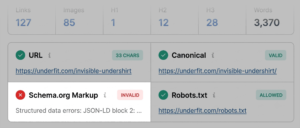
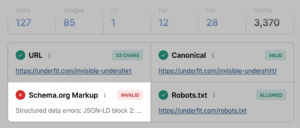
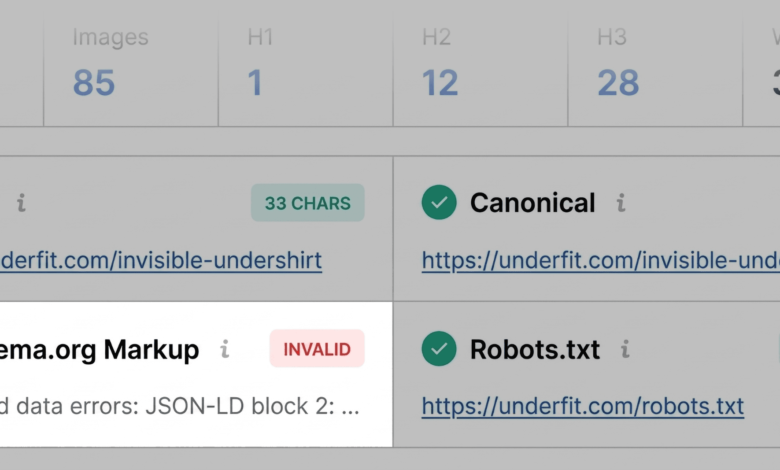
Beginning with the Page Info tab, an auditor can review core on-page elements, including title tags, meta descriptions, URL structures, and HTTP status codes. During a standard evaluation of a commercial product page, this phase frequently uncovers critical flags. For instance, invalid Schema.org markup—such as JSON-LD syntax errors—is often highlighted in red. Because structured data is essential for securing rich results in search engine results pages (SERPs) like price, availability, and user ratings, unresolved schema errors can directly diminish click-through rates and visibility.

Transitioning to the Audit tab, the extension examines technical compliance markers, including mobile responsiveness, indexability directives, and meta robots tags. While orange warnings in this section may not represent immediate emergencies, they demand careful evaluation. For example, notices regarding missing or misconfigured hreflang tags require context regarding the site’s international targeting strategy.

The final component of the initial triage involves reviewing the Content tab. This section outlines the page’s heading hierarchy and image optimization metrics. An improper heading structure—such as placing the primary H1 tag far down the page or skipping heading levels (e.g., jumping from an H1 directly to an H4)—can impair both user navigation and the ability of search engine parsers to comprehend the content hierarchy. Similarly, identifying a high volume of images missing alternative text highlights potential accessibility barriers and missed opportunities for contextual relevance.

Minutes Two and Three: Deep-Dive Diagnostics via the Full Report

Once initial red flags and warnings have been cataloged during the first minute, the auditor transitions into the diagnostic phase using the Full Report. Accessible via the Quick View interface, the Full Report expands upon the initial findings across six specialized panels: Overview, Diagnosis, External Links, Internal Links, Keyword Density, and Semrush data.

Investigating Technical Compliance and Links

In the full Audit panel, auditors can investigate crawlability, sitemap inclusion, and structured data errors with greater granularity. Utilizing built-in validation links, professionals can seamlessly transition to testing tools such as the Google Rich Results Test to confirm parsing errors in structured data. Furthermore, analyzing XML sitemap inclusion ensures that search engine bots can efficiently discover and index the URL.

The Links panel provides an exhaustive inventory of internal and external hyperlinks, detailing anchor text, response codes, and whether links are designated as dofollow or nofollow. A high concentration of broken external links—frequently associated with outdated JavaScript components or legacy widgets—can create a poor user experience and disrupt crawl paths. Exporting this data for systematic review allows technical teams to isolate and repair broken pathways efficiently.

Analyzing Keyword Density and Topic Coverage

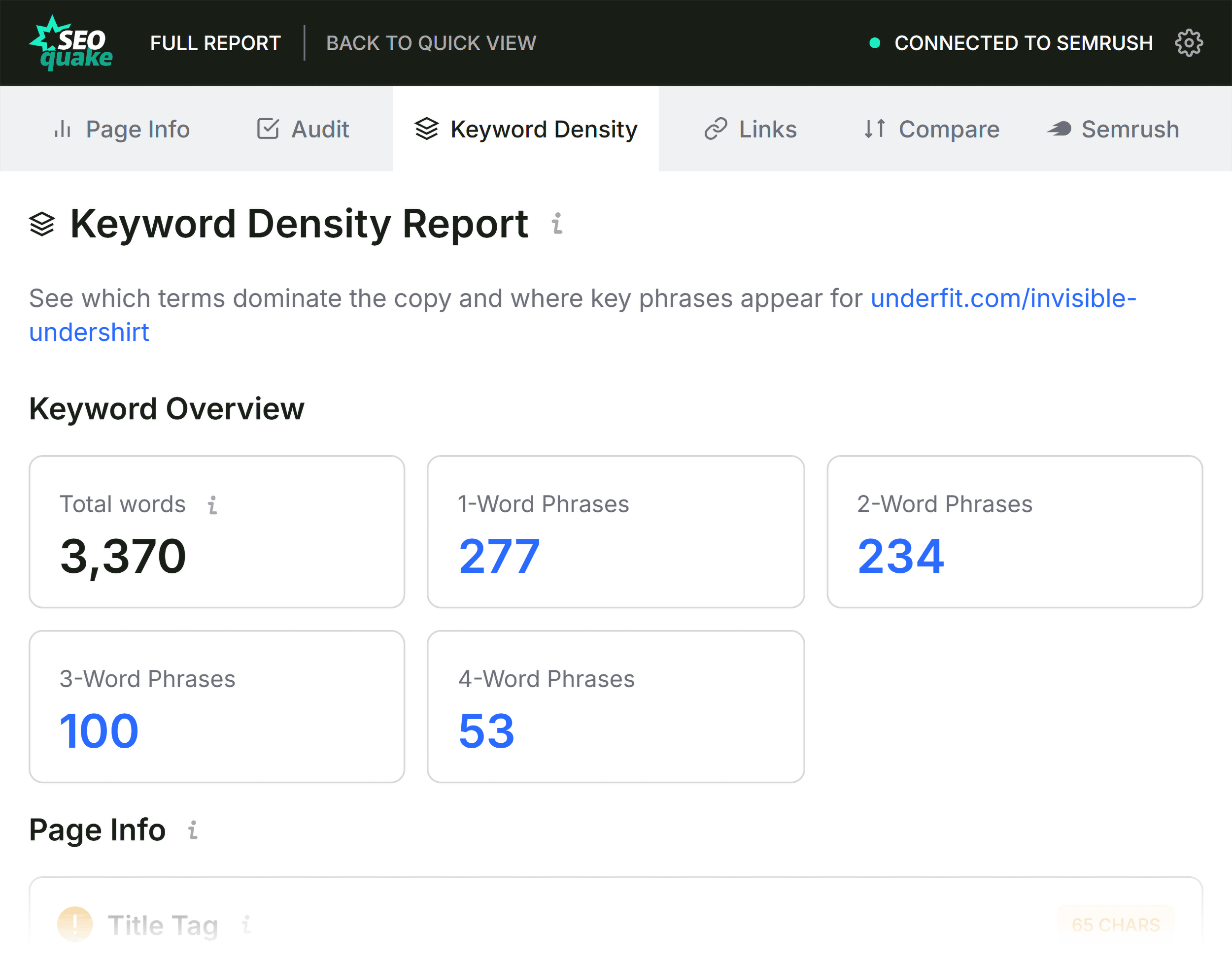
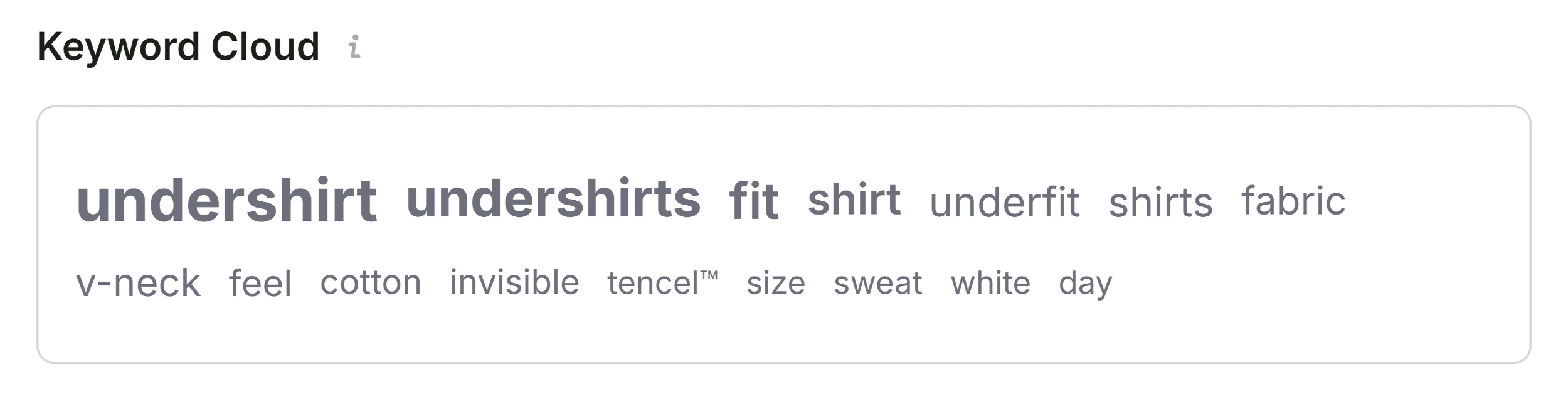
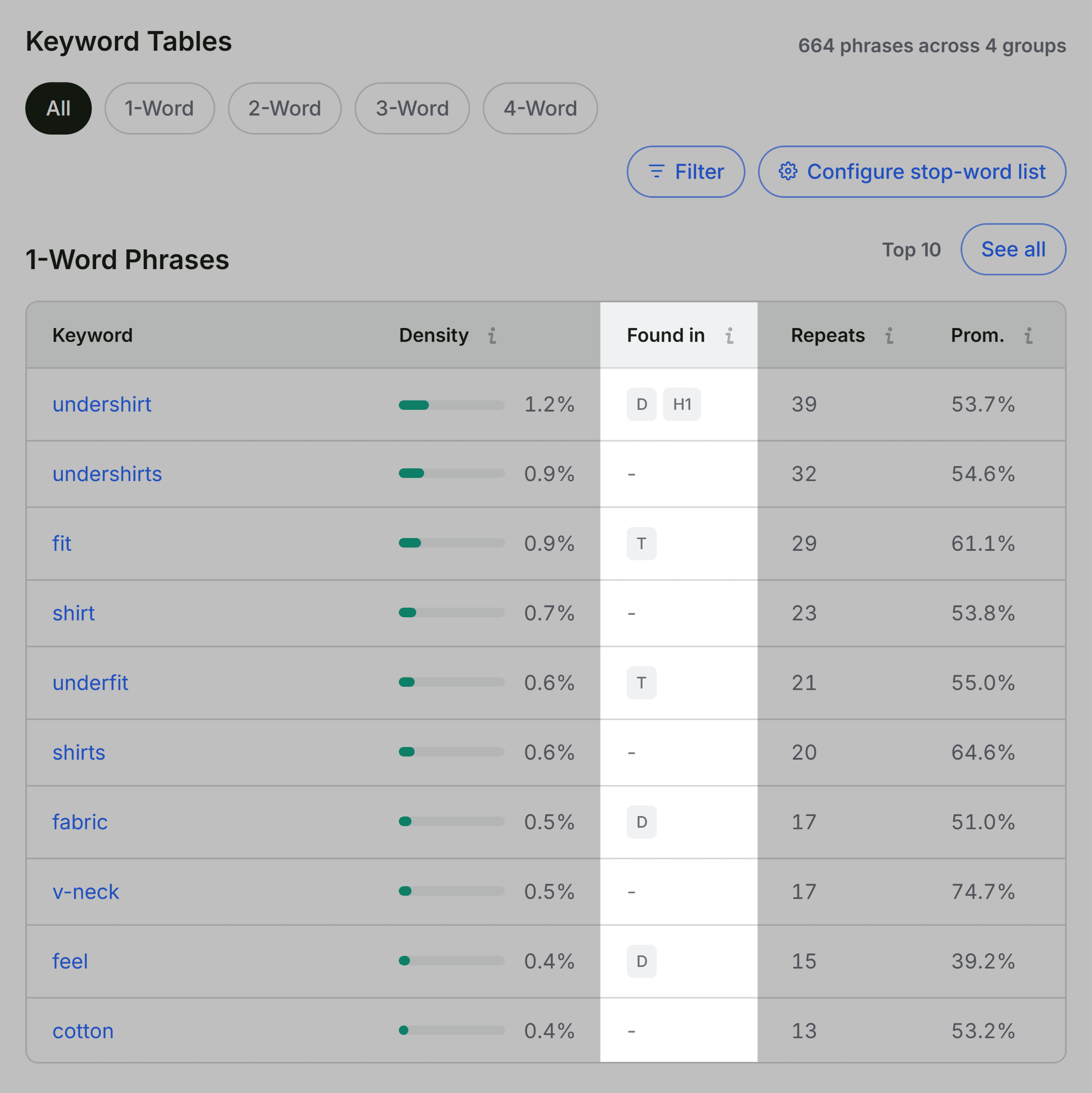
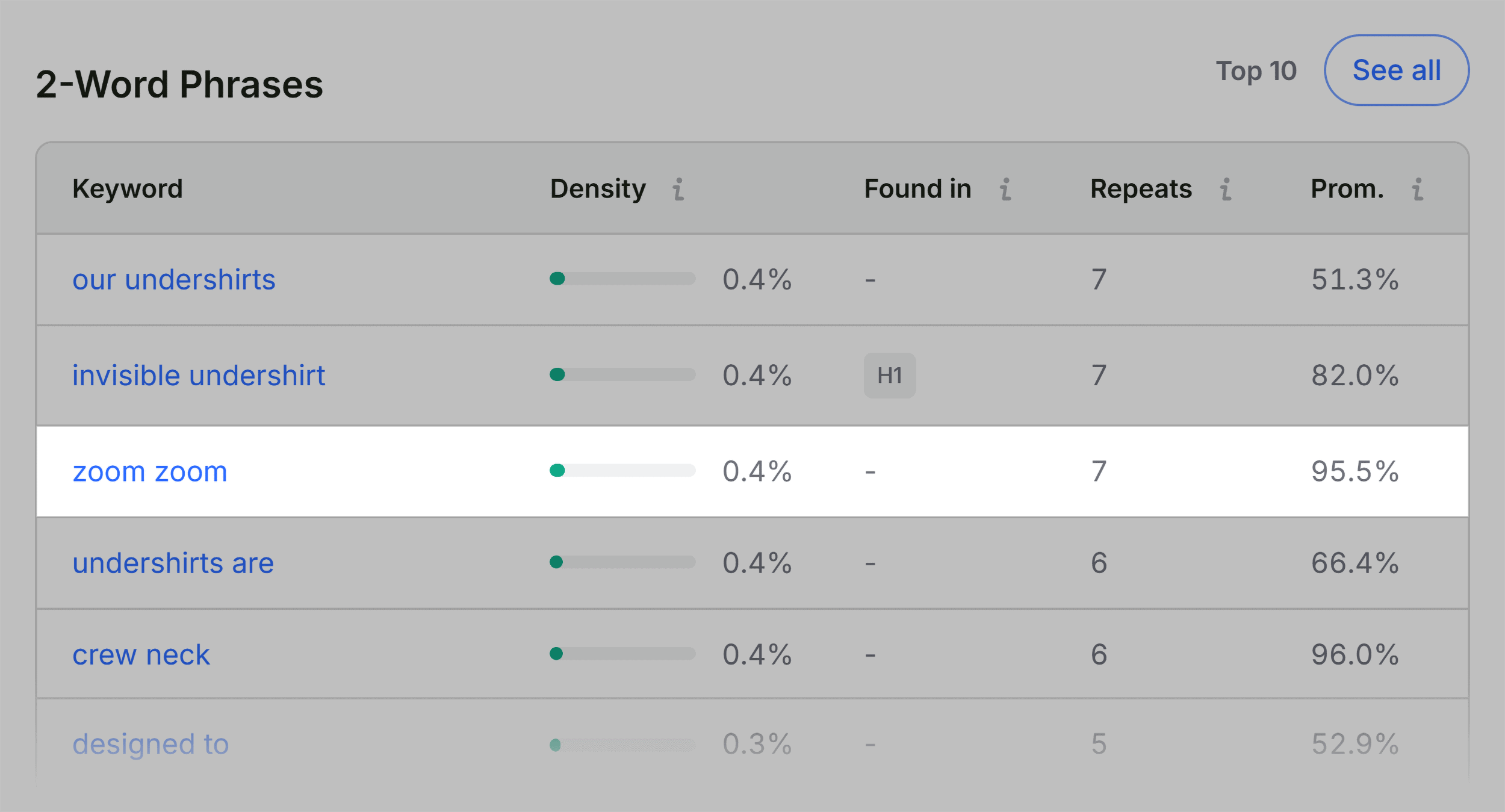
Evaluating keyword density provides valuable context regarding whether a page adequately covers its target subject matter. The Keyword Density panel generates a visual keyword cloud alongside detailed frequency tables for single-word and multi-word phrases.

By reviewing these tables, auditors can verify whether primary target terms appear prominently in high-value locations, such as title tags, meta descriptions, and the primary H1 heading. While automated tools frequently capture auxiliary text from buttons, navigation menus, and hidden DOM elements, a manual review ensures that the core topical focus aligns with user search intent and competitive standards.

Contextualizing Performance with Semrush Metrics

The final stage of a page-level audit involves contextualizing technical findings within the broader performance profile of the domain. The integrated Semrush panel displays essential domain-level data, including organic search visibility, estimated traffic volume, and backlink authority metrics.
When a structurally sound domain hosts an underperforming page, the diagnostic takeaway typically points toward page-specific content gaps, weak on-page optimization, or conversion friction rather than a site-wide algorithmic penalty. Conversely, issues such as XML sitemap omissions or recurring template-level JSON-LD errors indicate systemic technical debt that must be addressed at the site architecture level. In such cases, executing a comprehensive site-wide crawl using tools like the Semrush Site Audit becomes necessary to resolve structural vulnerabilities across hundreds or thousands of URLs.
Implications and Strategic Recommendations
Conducting structured, rapid audits using browser-based extensions bridges the gap between high-level performance monitoring and granular technical execution. By breaking the diagnostic process down into a disciplined three-minute workflow—comprising initial triage, technical validation, content and link analysis, and domain-level contextualization—digital marketing professionals can diagnose performance bottlenecks with precision.
Ultimately, resolving page-level errors such as invalid structured data, missing image alt attributes, and broken links ensures that web properties remain fully compliant with evolving search engine standards. Regular diagnostic routines empower webmasters to protect their organic traffic, enhance user experience, and maintain a competitive edge in increasingly crowded digital marketplaces.