When a high-priority web page experiences a sudden drop in search engine rankings, loses ground to competitors, or fails to meet conversion benchmarks, digital marketers and search engine optimization (SEO) professionals require immediate diagnostic answers. Historically, identifying these underlying technical or structural issues mandated running a comprehensive, site-wide crawl that could take hours to process and analyze. However, recent advancements in browser-based diagnostic tools allow practitioners to circumvent full-site crawls entirely, executing targeted, page-level assessments directly within the browser interface.

Among these lightweight diagnostic solutions, SEOquake—a free Chrome extension developed by digital marketing software giant Semrush—has emerged as a foundational utility for rapid on-page assessment. By installing the extension and navigating to any target URL, users can instantly review technical signals, on-page optimization elements, internal and external linking strategies, and core search metrics without ever leaving the active browser tab. This three-minute auditing workflow transforms page-level triage from a tedious administrative burden into a streamlined, highly focused operational protocol.

Understanding the SEOquake Architecture and Color-Coded Metrics
To execute an efficient audit, practitioners must first understand the structural layout of the SEOquake extension. The tool provides two primary mechanisms for evaluating a URL: a rapid Quick View pop-up designed for initial triage, and a comprehensive Full Report panel dedicated to granular diagnosis. Throughout both interfaces, SEOquake employs an intuitive, color-coded grading system to instantly signal the health of individual web elements.

Green indicators denote elements that conform to established SEO best practices, requiring no immediate intervention. Orange warnings represent potential optimization vulnerabilities or secondary technical concerns that necessitate contextual judgment from the auditor. Red flags highlight critical errors—such as broken schema markup or severe indexation blocks—that demand immediate corrective action. This visual hierarchy allows SEO professionals to filter out background noise and prioritize remediation efforts based on actual technical risk.

Minute One: Triage Using the Quick View Pop-Up
The first 60 seconds of the audit protocol are dedicated exclusively to triage. During this phase, the primary objective is to answer a single question: Is there an obvious, catastrophic error undermining this page’s visibility?

The Quick View pop-up features five distinct tabs, with three holding primary importance for a rapid diagnostic check: Page Info, Audit, and Content. Spending approximately 20 seconds per tab yields a comprehensive preliminary overview of a webpage’s operational status.

Evaluating Core Elements via the Page Info Tab
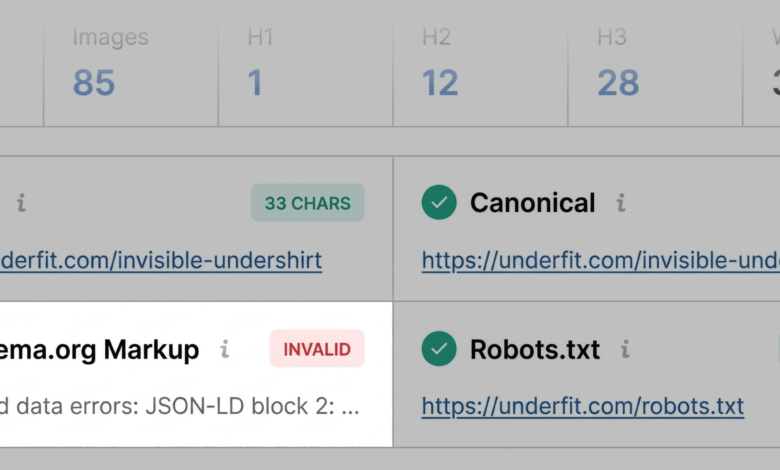
The Page Info tab provides a high-level summary of vital metadata elements, including title tags, meta descriptions, canonical URLs, robot directives, and structured data implementation. During a sample assessment of an e-commerce product page, an auditor begins by reviewing the length and keyword targeting of the title tag and meta description to ensure they align with search intent and character limits.

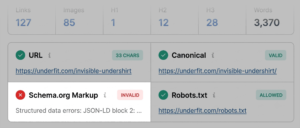
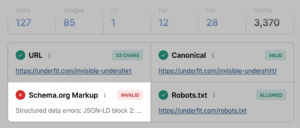
Subsequently, the scan examines the page’s structured data. In many evaluated cases, tools like SEOquake flag Schema.org markup in red, indicating JSON-LD syntax errors or missing mandatory properties. For transactional e-commerce properties, invalid product schema represents a critical vulnerability. Search engines rely on structured data to parse pricing, stock availability, and user reviews; invalid markup can immediately disqualify a page from earning rich results in search engine results pages (SERPs), directly impacting organic click-through rates.

Technical Compliance and the Audit Tab
Following the metadata review, the auditor transitions to the Audit tab to screen for foundational technical compliance issues. This section evaluates mobile responsiveness, SSL security implementation, HTTP status codes, and sitemap accessibility. While green and orange indicators generally signify the absence of immediate server-side emergencies, orange warnings regarding advanced configurations—such as missing or misconfigured international hreflang tags—require careful risk assessment. If a domestic e-commerce brand does not target international markets, localized hreflang warnings may be safely deprioritized. Conversely, unresolved compliance errors regarding mobile rendering or viewport configurations require immediate technical intervention.

Analyzing Content Structure and Keyword Integration
The final step of the initial 60-minute triage involves the Content tab, which evaluates structural heading hierarchy (H1 through H6 tags) and multimedia optimization. Content architecture is critical not only for human readability and user experience but also for modern semantic search algorithms and artificial intelligence systems tasked with parsing document context.

An ideal webpage features a single, prominent H1 tag near the top of the document, followed by a logical descending hierarchy of H2 and H3 subheadings. Diagnostic scans frequently reveal structural anomalies, such as an H1 tag buried deep within the document body or abrupt jumps in hierarchy (e.g., transitioning directly from an H1 to an H4). Furthermore, the content summary often flags missing image alt text across dozens of media assets. Because search engines rely heavily on descriptive alt attributes to understand visual context—and because missing alt text alienates visually impaired users relying on screen readers—resolving these gaps is a vital component of holistic on-page optimization.

Minutes Two and Three: Granular Diagnosis Using the Full Report
Having completed the initial triage and established a tentative list of optimization targets, the auditor clicks the "View Full Report" button to enter the diagnostic phase. Spanning minutes two and three of the workflow, the Full Report panel enables practitioners to determine the root cause of each flagged issue and formulate a precise remediation plan.

Deep-Dive Technical Auditing
The full Audit panel expands significantly upon the metrics observed in the Quick View interface, offering exhaustive data regarding crawlability, indexation rules, and mobile compliance. By utilizing the internal navigation menu, auditors can jump directly to specific error categories.

For instance, when investigating a sitemap warning, the Full Report can confirm whether an XML sitemap exists at standard directories (e.g., /sitemap.xml) and whether it is properly referenced in the site’s robots.txt file. If SEOquake flags potential schema errors, auditors can leverage integrated testing utilities, such as a direct bridge to Google’s Rich Results Test, to automatically validate the webpage’s JSON-LD code. Confirmed syntax errors or missing required fields are then added to the final developer fix list.

Uncovering Topic Coverage Gaps via Keyword Density
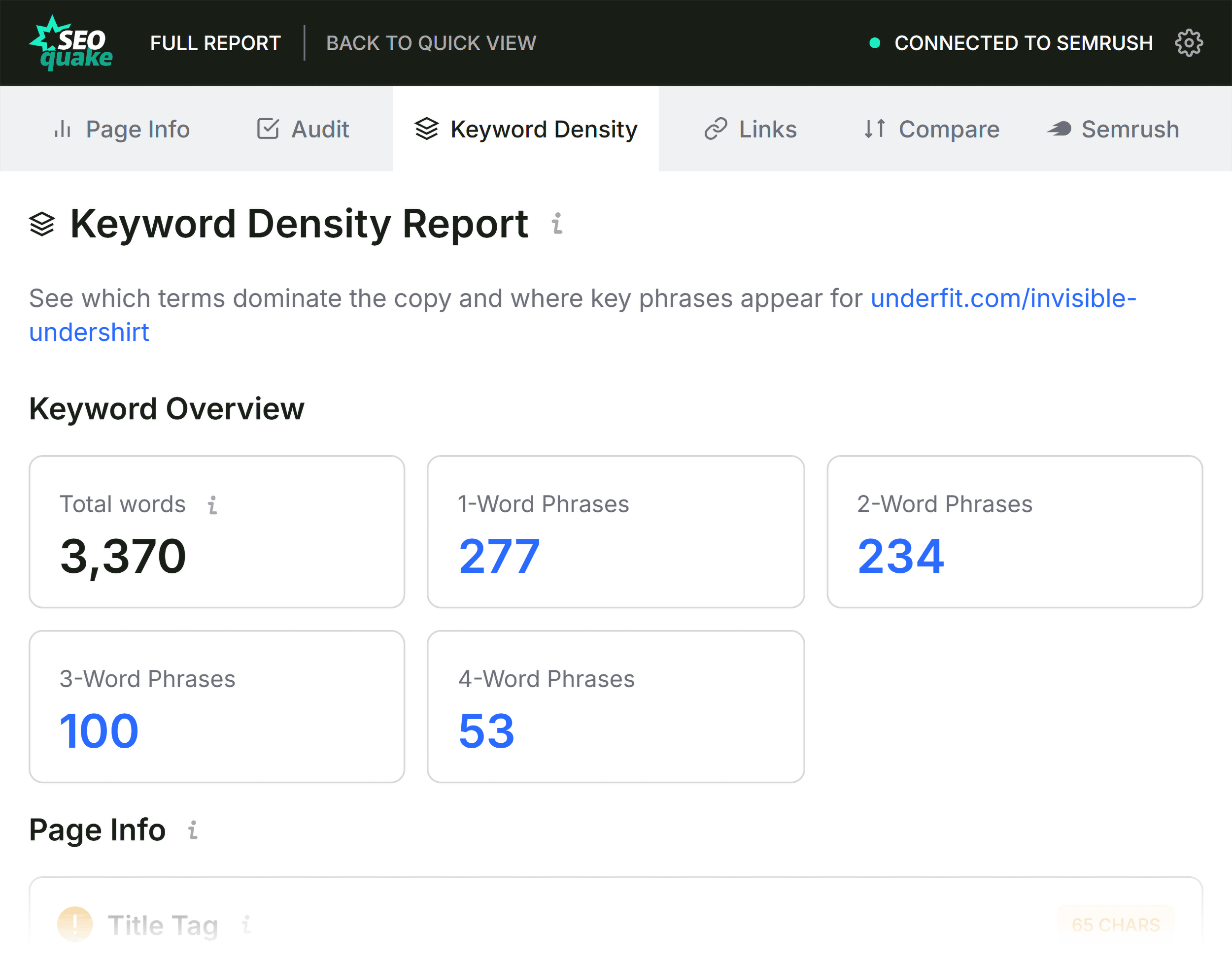
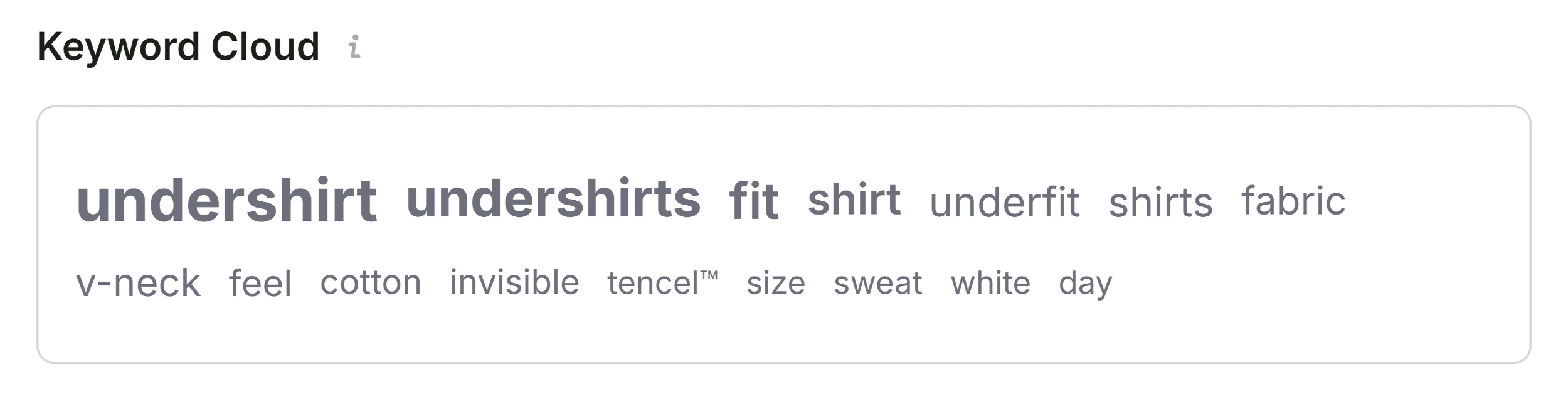
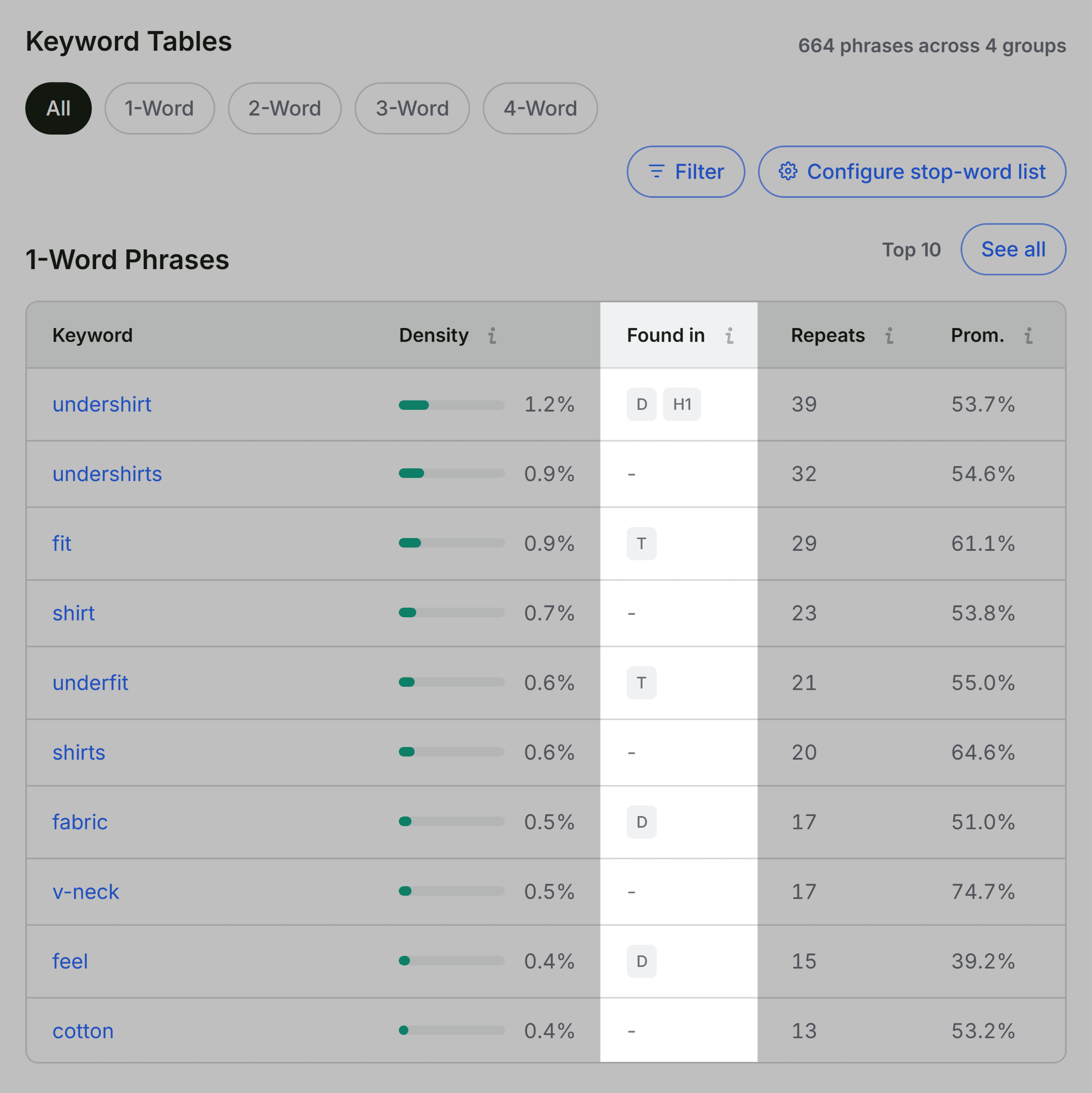
When a webpage possesses sound technical architecture and robust metadata yet continues to underperform in organic search, analyzing keyword density and topical depth can reveal critical insights. SEOquake’s Keyword Density panel calculates the frequency of single-word and multi-word phrases within the visible document text, evaluating whether the topical coverage matches the intended page type.

By examining the Keyword Cloud and n-gram tables, auditors verify whether primary target terms appear naturally within high-value semantic locations, such as title tags, H1 headers, and introductory paragraphs. While modern search engines have evolved far beyond simplistic keyword stuffing, ensuring comprehensive semantic coverage of related subtopics remains essential for outranking sophisticated competitors. Auditors also account for anomalous terms flagged in the density report—such as interface terms or button labels picked up from underlying JavaScript code—filtering out false positives to focus strictly on actual body copy.

Assessing Link Health and Structural Integrity
Internal and external linking structures heavily influence both user engagement and search engine crawl efficiency. The Links panel within SEOquake’s Full Report catalogs all internal and external hyperlinks present on the target URL, tracking HTTP response codes, anchor text distribution, and link attributes (dofollow versus nofollow).

Diagnostic scans frequently uncover broken external links or outdated references, particularly on legacy content pages. Furthermore, modern e-commerce and single-page applications heavily utilize JavaScript-driven routing, which diagnostic tools may occasionally misclassify as broken links if asynchronous elements fail to load during the initial crawler pass. Auditors export link data to CSV formats when necessary to manually verify link functionality and ensure that link equity is distributed efficiently throughout the domain architecture.

Determining Remediation Scope: Page-Level Fixes Versus Site-Wide Audits
The culmination of the three-minute SEOquake workflow requires a strategic decision-making process facilitated by the Semrush integration panel. Before implementing any changes, the auditor must determine whether a discovered issue is isolated to the specific URL or indicative of a systemic, site-wide technical failure.

By reviewing domain-level metrics—such as overall domain authority, organic traffic trends, and historical backlink profiles—auditors gain essential context. If a poorly performing webpage resides on a domain with high overall authority and a robust backlink profile, the underperformance is almost certainly attributable to page-level factors, such as weak content depth, suboptimal keyword targeting, or missing schema markup. In such scenarios, direct, on-page optimization yields rapid performance gains.
Conversely, certain technical flags identified during the audit—such as global XML sitemap misconfigurations, site-wide schema template errors, or systemic crawl budget obstructions caused by faulty robots.txt directives—cannot be resolved at the individual URL level. When SEOquake diagnostics reveal systemic vulnerabilities, the protocol dictates transitioning from a localized page audit to a comprehensive, site-wide technical crawl using enterprise auditing software.
Broader Implications for Digital Marketing and SEO Efficiency
The widespread adoption of browser-based diagnostic extensions like SEOquake reflects a broader shift in digital marketing toward agile, data-driven operational workflows. In fast-paced agency environments and enterprise marketing departments, the ability to triage web assets in real time drastically reduces the time-to-diagnosis for critical SEO incidents.
By decoupling rapid triage from resource-intensive site crawls, marketing professionals can quickly isolate performance bottlenecks, prioritize developer backlogs, and maintain optimal search visibility across competitive digital landscapes. Whether applied to an underperforming product landing page, a declining blog post, or a client asset requiring immediate troubleshooting, the three-minute SEOquake workflow provides a standardized, repeatable methodology for maintaining technical and semantic search excellence.