Social got the click. But did it convert the customer? Here’s how to set up Google Analytics for social media.


In the modern corporate landscape, digital marketing budgets are scrutinized with unprecedented intensity. For years, social media teams have relied on surface-level vanity metrics—such as likes, retweets, impressions, and follower growth—to justify their existence. While these metrics offer valuable insight into content resonance, they fail to provide executive leadership with the hard financial proof required to secure, maintain, or expand marketing budgets. To truly demonstrate value, social media managers must look beyond native platform analytics and connect their digital campaigns to tangible business outcomes, a task made possible by integrating social strategies with Google Analytics 4 (GA4).

The evolution of digital measurement has shifted dramatically over the past decade. As third-party cookies phase out and attribution models grow more complex, enterprises are increasingly pressured to close the gap between brand awareness and revenue generation. Native insights provided by platforms like Instagram, TikTok, and LinkedIn are exceptional for optimizing creative output and understanding audience engagement on those specific apps. However, they remain isolated silos, unable to track what a user actually does after leaving the platform. GA4 serves as the bridge across this divide, monitoring user behavior on a brand’s website following a referral from social media channels.

Bridging the gap between social media clicks and website conversions requires a structured implementation framework. Organizations typically complete this technical setup within a single afternoon, though coordination with web development teams may be necessary for advanced event tracking. The process rests on four foundational pillars: verifying active GA4 data collection, defining critical website actions as key events, implementing uniform UTM parameters across every shared link, and building custom social-focused exploration reports.
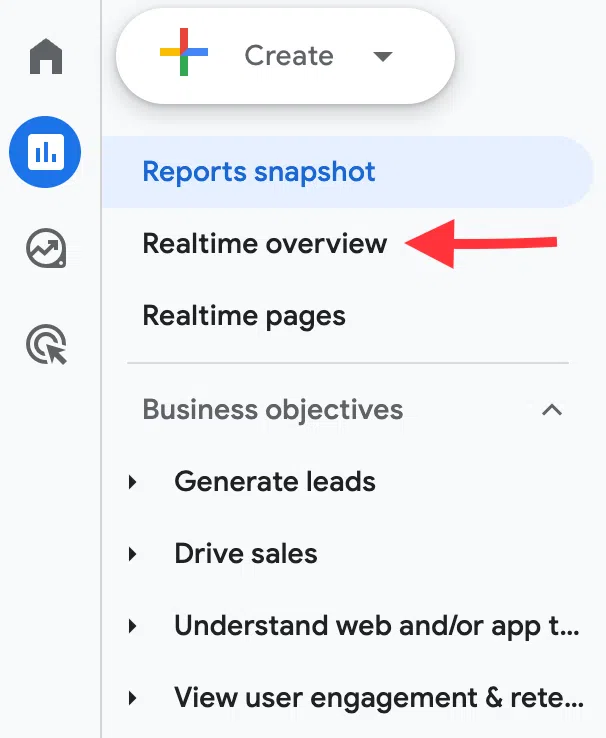
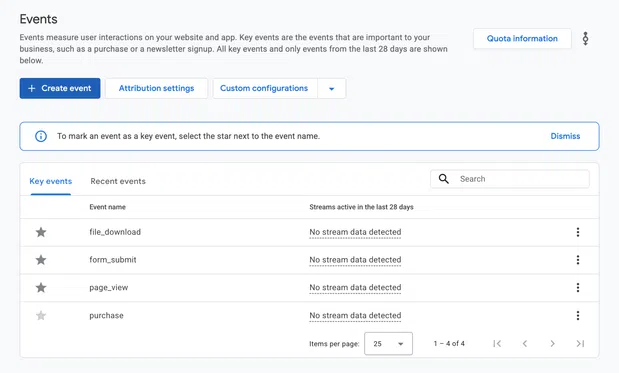
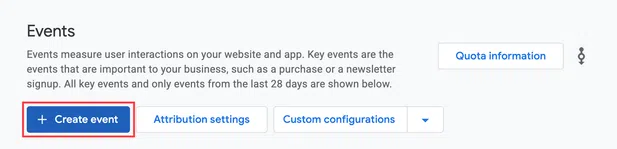
Ensuring that a GA4 property is properly installed and actively processing data is the mandatory first step. Broken tracking tags frequently disrupt data pipelines, leading to inaccurate reporting. Once data streams are confirmed, marketing teams must designate key events—formerly referred to in universal analytics as conversions. These include high-value user actions such as e-commerce purchases, software sign-ups, newsletter subscriptions, or demo requests. By marking these actions within the GA4 administrative interface, teams establish a direct line of sight between incoming social traffic and business profitability.
The single most critical element in social media tracking is the consistent use of UTM (Urchin Tracking Module) parameters. These standardized string tags appended to URLs eliminate ambiguity by explicitly informing GA4 of a visitor’s origin, campaign affiliation, and specific content piece. Without UTM parameters, analytics platforms must rely on automated referral detection, which often misattributes traffic or categorizes it incorrectly due to privacy restrictions, in-app browsers, or private messaging shares—a phenomenon known as dark social. By incorporating standardized parameters for source, medium, campaign, and content, marketing organizations ensure clean, reliable data intake.
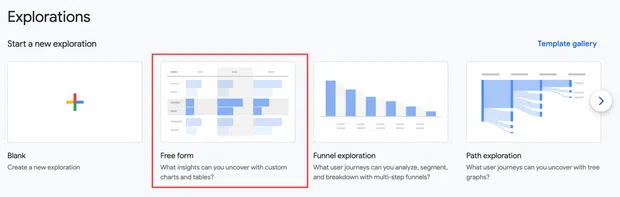
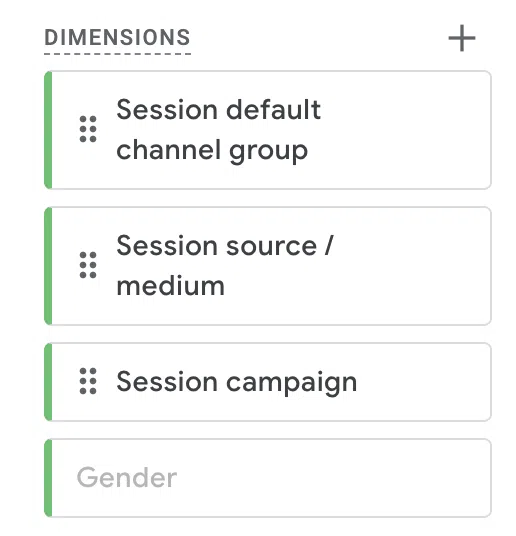
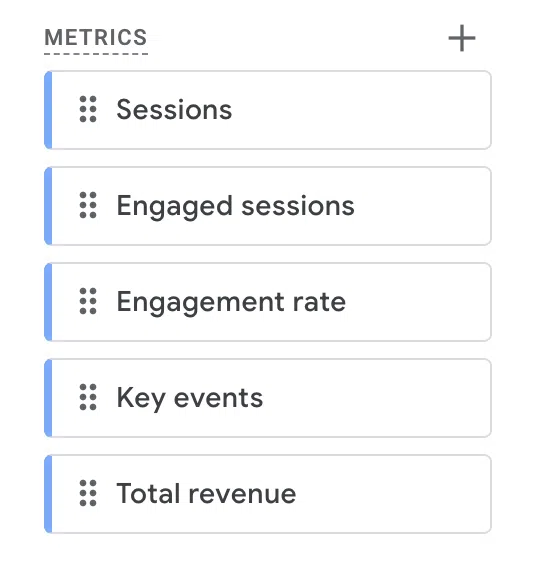
Analyzing this data effectively requires moving beyond standard, all-encompassing overview reports. Building custom explorations within GA4 allows analysts to isolate social traffic, examining metrics such as user acquisition, traffic acquisition, specific landing page performance, and multi-channel attribution paths. Industry experts emphasize that attribution models are vital for understanding social media’s true contribution. Social channels frequently act as early touchpoints in the customer journey—introducing a consumer to a brand via a TikTok video or LinkedIn post, prior to the user returning days later via organic search or direct email to complete a purchase. Failing to track these paths often leads to the undervaluation of upper-funnel social campaigns.
Industry professionals stress the importance of translating these technical metrics into language that resonates with executive leadership. Colby Dugger, CEO of the digital agency Draft, notes that modern marketing executives prioritize pipeline and revenue over engagement rates. "Don’t make leadership connect the dots themselves," Dugger advises. "Show how social activity contributes to a business outcome, whether that’s creating demand, generating leads, or influencing pipeline." By assigning monetary values to key events and presenting these insights through customized dashboards built in tools like Looker Studio, marketing teams can defend their allocations with empirical evidence.
Despite rigorous setup, discrepancies often arise between native social platform analytics and Google Analytics reporting. These variations stem from fundamental differences in how tools measure user activity. Social platforms typically count clicks instantly, whereas GA4 measures sessions, requiring the website page to fully load and execute tracking scripts before a visit is registered. Furthermore, privacy regulations, mobile in-app browsers, and strict attribution windows utilized by paid media platforms contribute to unavoidable data variances. Establishing clear internal naming conventions and recognizing these methodological differences helps marketing teams navigate reporting discrepancies without compromising strategic execution.
As enterprise marketing continues to demand operational efficiency, the integration of advanced automation and artificial intelligence platforms has become increasingly prevalent. Modern marketing suites, such as Hootsuite, have introduced specialized tools designed to streamline the connection between social scheduling and web analytics. Features like automated UTM enforcement during the content scheduling phase eliminate human error and maintain data integrity across large teams. Additionally, natural language AI agents allow marketers to query complex performance data conversationally, while comprehensive social listening tools layer brand sentiment and share of voice over quantitative web data.

Ultimately, the transition from counting likes to measuring revenue represents a maturity milestone for digital marketing departments. By systematically implementing Google Analytics for social media, maintaining strict tagging protocols, and aligning reporting structures with overarching corporate financial goals, social media professionals can definitively prove their return on investment. As budgets tighten and data-driven decision-making remains paramount, this analytical rigor ensures that social media secures its rightful place as a vital driver of enterprise growth and customer acquisition.