3 Tips For Lighting A Zoom Meeting On A Budget

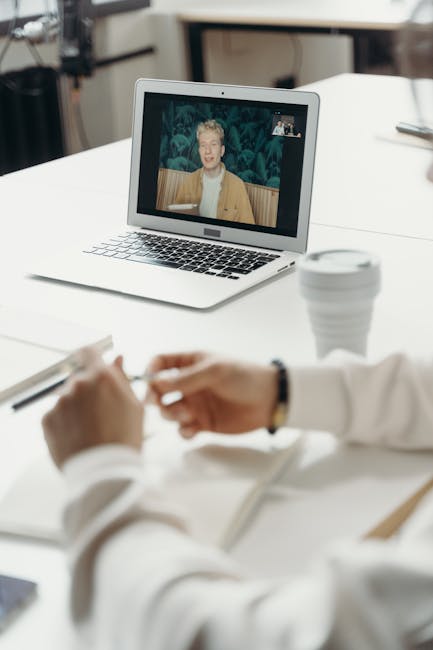
Master Your Zoom Presence: 3 Budget-Friendly Lighting Hacks for Professional Video Calls
Achieving a professional and engaging look on video calls, particularly Zoom, doesn’t necessitate expensive equipment. Lighting is the single most impactful element in transforming a grainy, amateurish video into a clear, polished presentation. For individuals and small businesses operating on a budget, mastering a few fundamental lighting principles can dramatically elevate their virtual presence. This article outlines three actionable, cost-effective strategies to illuminate your Zoom meetings effectively, ensuring you look your best without breaking the bank.
The first and arguably most crucial tip for budget Zoom lighting is harnessing natural light. This requires understanding its properties and strategically positioning yourself to take advantage of it. The most flattering light source is one that is diffuse and broad, wrapping around your face to minimize harsh shadows and create an even illumination. Direct sunlight, while abundant, is often too intense and creates unflattering shadows, especially when coming from a single, strong direction. Instead, aim for indirect natural light. This means positioning your primary light source (your face) facing a window. The ideal scenario involves sitting at a 45-degree angle to a window, allowing the light to fall gently on one side of your face and then wrap around. This creates a subtle modeling effect, adding dimension and depth without being overly dramatic.
Crucially, avoid having the window directly behind you. This will create a silhouette effect, rendering your face dark and indistinguishable. If you can’t avoid this situation, consider using the window as a secondary, fill light rather than your primary source. You can also modify direct sunlight by using sheer curtains or blinds to diffuse it. Even a thin white sheet draped over a window can significantly soften the light, making it much more conducive to video conferencing. The time of day also plays a role. Morning and late afternoon light is generally softer and more diffused than midday sun, which can be harsh and direct. Experiment with different times to find the optimal natural light conditions in your space.
Beyond simply facing a window, consider the direction of the light. While the 45-degree angle is a good starting point, slight adjustments can further enhance your appearance. If the light is creating shadows under your eyes, try shifting your position slightly. If one side of your face is too bright, angle yourself away from the window a bit. The goal is an even, pleasant glow. Remember that natural light is dynamic; it will change throughout the day. Be prepared to make minor adjustments to your position as the light evolves.
Even on a cloudy day, natural light is still a viable and often preferable option. Clouds act as a natural diffuser, creating a soft, even light that is exceptionally flattering for video. Therefore, don’t dismiss overcast days as unsuitable for video conferencing. In fact, they can often provide a more consistent and forgiving lighting environment than direct sunlight.
The second budget-friendly lighting strategy involves utilizing household lamps and creating a simple three-point lighting setup. While dedicated video lighting equipment can be expensive, most homes already possess lamps that can be repurposed effectively. The core principle here is to recreate the flattering effects of professional lighting using what you have. A basic three-point lighting setup, consisting of a key light, fill light, and backlight, is a cornerstone of good lighting in photography and videography. Adapting this for Zoom on a budget is entirely feasible.
The key light is your primary light source, illuminating your face. For this, a desk lamp with a soft, diffused bulb is ideal. Position this lamp to the side of your camera, typically at a 45-degree angle to your face, similar to the natural light principle. Avoid placing it directly in front of you, as this can lead to a flat, shadowless appearance. If your lamp has a direct, bare bulb, consider covering it with a thin white fabric or a diffuser intended for photography. Even a piece of white parchment paper taped carefully to the shade can help soften the light. Using a "daylight" or "cool white" LED bulb is generally recommended, as they tend to provide a more natural color rendition than warmer incandescent bulbs, which can sometimes cast a yellowish hue.
The fill light is used to soften any shadows created by the key light. This doesn’t need to be another powerful lamp. A second, less intense lamp placed on the opposite side of your face from the key light, or even a reflective surface, can serve this purpose. A good budget option for a fill light is a standard household lamp placed at a lower intensity or further away from you. Alternatively, a white poster board, a piece of white foam core, or even a white sheet of paper positioned opposite your key light can bounce light back onto your face, reducing shadow depth. The goal is to subtly lift the shadows, not to eliminate them entirely. A bit of shadow can add depth and make your features appear more defined.
The backlight, or hair light, is used to separate you from your background, creating a subtle halo effect and adding polish. This light source should be placed behind you, aimed at your hair and shoulders. A small desk lamp or even a strategically placed floor lamp can work. The key is to ensure it’s not directly in your camera’s view and doesn’t create glare. The intensity of the backlight should be less than the key light. If you have a lamp with a dimmer function, this can be very useful for controlling the intensity. If not, you can adjust its position or angle to control the amount of light it casts.
When setting up your lamps, it’s crucial to consider the power of the bulbs. Overly bright bulbs can be harsh, even if diffused. Experiment with different wattage or lumen outputs. LED bulbs are often a more energy-efficient and controllable option. Also, consider the color temperature of your bulbs. Aim for bulbs with a color temperature around 5000K (daylight) for a natural look. If your existing lamps have warmer bulbs, try to find replacements with a similar color temperature to your key light. The consistency of color temperature across your light sources will prevent your face from appearing in different color casts.
The third essential budget lighting tip is optimizing your camera’s perspective and background considerations, which indirectly influence lighting effectiveness. While not a direct lighting technique, how your camera is positioned and what lies behind you significantly impacts how your lighting appears and how professional you look. First, ensure your camera is at eye level. This is fundamental for a natural and engaging connection. A tripod for your phone or webcam, or even a stack of books, can achieve this. When the camera is too low, it can create unflattering upward-angled shadows on your face, especially from overhead lights. Conversely, a camera too high can create downward shadows and make you appear less imposing.
Your background is also a critical factor. A cluttered or distracting background can detract from your message and make even good lighting look less effective. Ideally, choose a clean, uncluttered background. A plain wall or a neatly arranged bookshelf can work well. However, if your background is inherently dark, it can absorb light and make you appear dimmer. In such cases, adding a small, subtle light source to illuminate the background can be beneficial. This isn’t about creating a spotlight on your background, but rather a soft wash of light that prevents it from becoming a black void. A small LED panel or even a strategically placed lamp can achieve this.
Consider the direction of light relative to your background. If your primary light source is facing you, and your background is behind you, the light from your face will naturally illuminate the background to some extent. However, if your background is very dark, it will still absorb light. In this scenario, a small, inexpensive LED puck light or a strip of LED lights placed behind you and pointed towards the wall can add a subtle illumination to the background, creating a more balanced and professional look. This is a very low-cost way to improve the overall visual appeal of your video.
Furthermore, be mindful of light sources that might be in your shot but are not intended to illuminate you. Overhead ceiling lights, for example, can cast harsh shadows. If possible, turn them off and rely on your intentionally placed budget lighting solutions. Also, pay attention to light reflections. If you have glossy surfaces in your background or on your desk, they can create unwanted glare that can be distracting. Adjusting your position or the angle of those surfaces can help mitigate this.
Finally, embrace the power of what’s not there. Sometimes, the best lighting is achieved by removing problematic light sources. Before setting up your intentional lighting, take a moment to observe the existing light in your space and identify any sources that might be detrimental to your video call. This might include direct sunlight that’s too harsh, overhead lights that create unflattering shadows, or even screen glare from other devices. By strategically turning off or repositioning these unwanted light sources, you create a cleaner canvas for your budget-friendly lighting solutions. This attention to detail, combined with the strategic use of natural light and repurposed household lamps, will significantly elevate your Zoom meeting presence. The key is thoughtful placement, diffusion, and a little bit of experimentation to find what works best in your specific environment.


