Pixel Weather receives a functional upgrade with a new homescreen widget refresh button and expanded platform availability

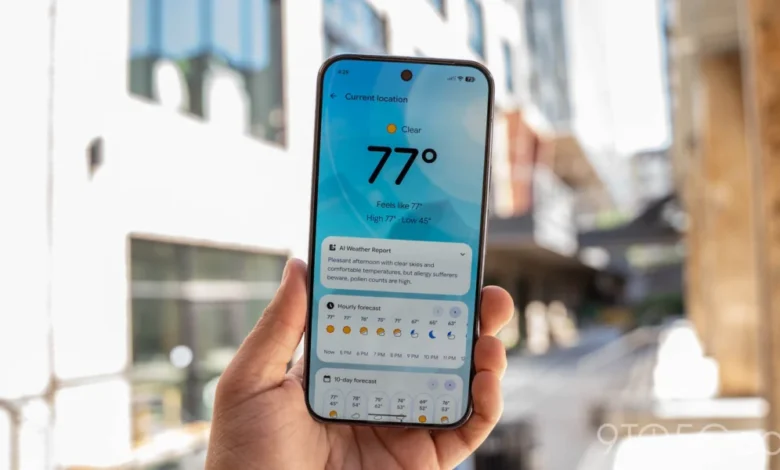
Google has officially released a functional update to its dedicated Pixel Weather application, marking another step in the company’s broader strategy to refine its proprietary software ecosystem. The update, identified as version 1.1.20260716.x, introduces a long-requested manual refresh button to the homescreen widget, allowing users to fetch real-time meteorological data without the necessity of launching the full application. This release follows a series of incremental changes to the app’s design language, including a subtle icon refinement implemented last month, as Google continues to standardize the interface across its hardware lineup.
Chronology of the Pixel Weather Evolution
The journey of the Pixel Weather application reflects Google’s evolving approach to stock Android software. Historically, weather data on Android devices was managed through the Google app, often manifesting as a "Froggy" weather interface embedded within the Google Search widget. In mid-2024, rumors began to circulate regarding a standalone weather application specifically tailored for the Pixel hardware series.
By late 2024 and early 2025, Google began the formal rollout of the standalone Pixel Weather app. The initial launch prioritized core functionality: high-fidelity forecasts, location-based tracking, and an aesthetic that mirrored the Material You design philosophy. Following the initial launch, the development team entered a phase of iterative refinement.
In August 2026, the application received a significant icon update, aligning its visual identity with the rest of the Pixel system icons. The latest update, version 1.1.20260716.x, represents the first major functional enhancement to the widget ecosystem. The removal of static left and right scroll arrows on the hourly and 10-day forecast cards within the main app feed—effectively shifting the interface toward a purely gesture-based swipe interaction—signals Google’s commitment to a cleaner, less cluttered user interface.
Detailed Analysis of the Widget Refresh Mechanism
The most immediate change for users is the addition of a refresh button located in the top-right corner of the "Forecasted weather" widget. Previously, the widget relied on background synchronization intervals to update its data. While this was generally efficient, it often led to discrepancies between the displayed temperature and the actual, current conditions, particularly during periods of rapidly changing weather.
When a user taps the new refresh button, the application triggers an immediate API request to Google’s meteorological data servers. A brief loading spinner appears, indicating that the handshake between the device and the cloud has been initiated. This is a significant quality-of-life improvement for users who rely on their homescreen for at-a-glance information. By eliminating the friction of opening the full application, Google is reducing the "time to information," a key metric in mobile user experience design.
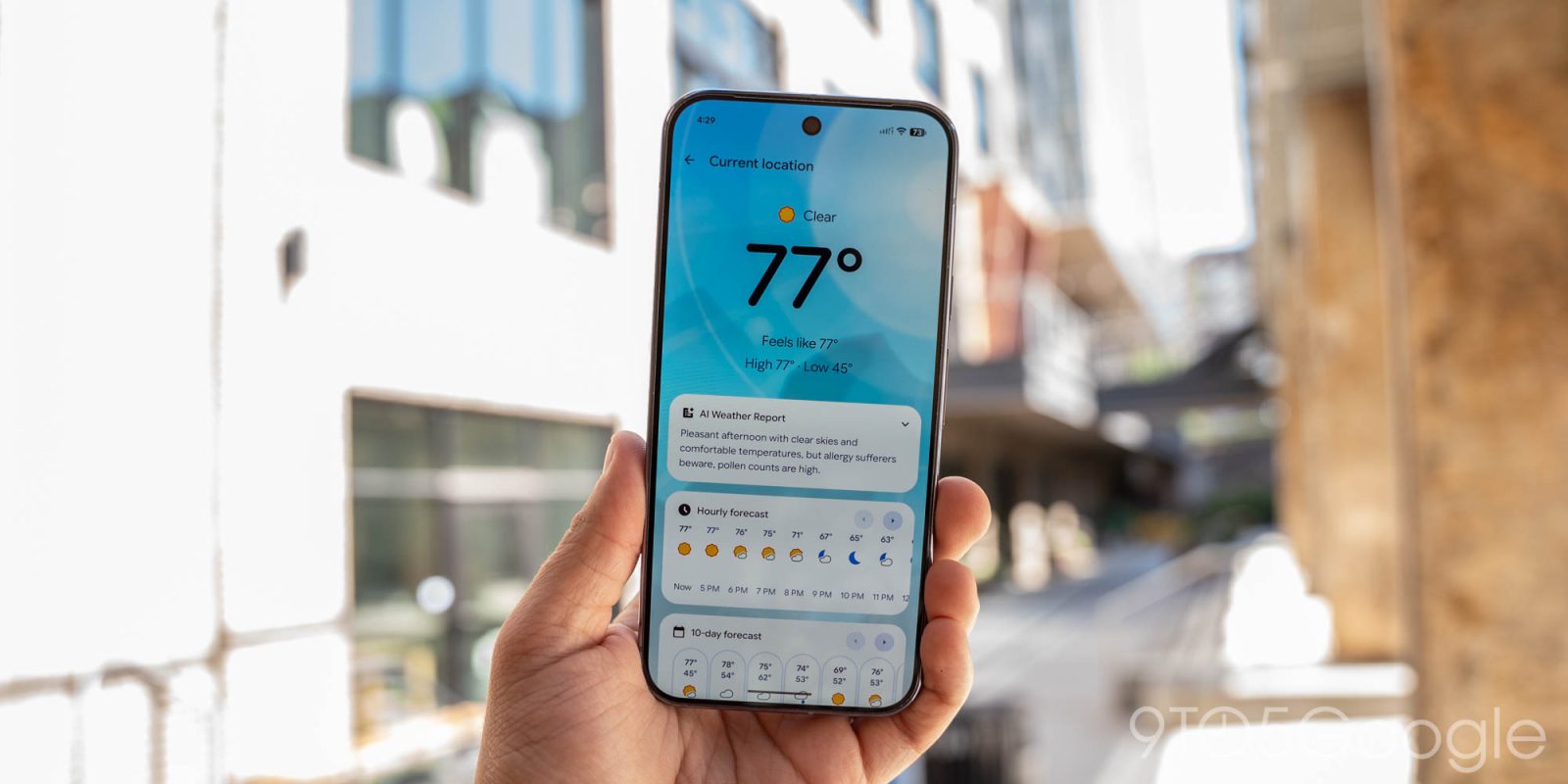
The removal of navigation buttons in the hourly and 10-day forecast views within the app itself is equally notable. By forcing users to rely on intuitive swipes, Google is aligning the Pixel Weather experience with modern mobile design standards, where navigation is increasingly handled through tactile interaction rather than on-screen controls. This creates more screen real estate, allowing for larger, more readable weather data cards.
Supporting Data and Technical Infrastructure
The Pixel Weather app operates on a complex backend architecture that aggregates data from multiple meteorological services, including the National Weather Service (NWS) and various global forecasting models. The accuracy of these forecasts is heavily dependent on the frequency of data polling. By introducing a manual refresh button, Google is essentially granting the user agency over the polling interval.
According to mobile usage statistics, the average user checks their weather application between three and five times per day. In scenarios of extreme weather—such as thunderstorms or heatwaves—this frequency can increase tenfold. The new widget update is specifically designed to accommodate this high-frequency usage pattern, ensuring that data integrity is maintained during critical moments.
Expansion to the Googlebook Ecosystem
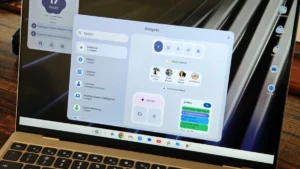
Perhaps the most significant development accompanying this update is the announcement that the Pixel Weather app, along with the Google Recorder application, will be made available across the entire Googlebook line of devices. Previously, these applications were strictly gated as "Pixel-exclusive" software, serving as a value-add for owners of the Google Pixel smartphone series.
This shift suggests a move toward a more unified Google-branded ecosystem. By decoupling these applications from the smartphone-only restriction, Google is fostering a more cohesive experience across its tablets and laptops. Industry analysts have pointed out that this strategy helps Google maintain a consistent user experience regardless of the hardware form factor. It also mitigates the "silo effect," where users might be hesitant to adopt new hardware if it lacks the specific software tools they have grown accustomed to on their phones.
Implications for the Competitive Landscape
The mobile weather application market is highly saturated, featuring established players like The Weather Channel, AccuWeather, and various third-party developers. Google’s decision to keep its weather solution proprietary and high-quality is a strategic move to ensure that Android users remain within the Google ecosystem rather than turning to external services.
By continuously updating the Pixel Weather app with features like manual refresh and interface refinements, Google is positioning its service as a premium utility. Furthermore, the integration into the Googlebook platform suggests that the company is aiming to provide a complete "out-of-the-box" experience that rivals Apple’s ecosystem integration. Apple, for instance, has long maintained tight integration between its Weather app and its entire hardware suite, including Mac, iPad, and iPhone. Google’s latest move is a direct attempt to achieve parity in this regard.

Future Projections and Industry Trends
As Google continues to integrate advanced machine learning models into its software, it is highly probable that future updates to the Pixel Weather app will focus on hyper-local forecasting. The current infrastructure already supports granular, location-specific data; however, the next logical step involves predictive alerts. For example, the app could leverage the data being refreshed by the new button to provide real-time alerts about precipitation start times, calculated to the exact minute.
Moreover, the cross-platform availability of these apps on Googlebooks indicates that Google is serious about its "software-first" identity. As hardware becomes increasingly commoditized, the value proposition shifts toward the software experience. Features like the Pixel Recorder’s transcription capabilities and the Pixel Weather’s reliable, clean interface act as "sticky" features that encourage brand loyalty.
Conclusion
The release of version 1.1.20260716.x of the Pixel Weather application is a measured, necessary step in the evolution of Google’s mobile software. While the addition of a refresh button may seem minor, it represents a commitment to user-centric design that prioritizes efficiency and responsiveness. By expanding the availability of its proprietary applications to the broader Googlebook ecosystem, Google is signaling a long-term commitment to a unified and highly functional software environment.
Users can expect the update to be delivered automatically via the Google Play Store as the rollout progresses globally. Those who prefer not to wait for the automatic update can navigate to the Play Store, locate the "Manage apps & device" section, and manually check for updates. As Google continues to refine its weather and productivity tools, it is clear that the focus will remain on enhancing the utility of the hardware already in the hands of its users, thereby reinforcing the strength of the Google brand in an increasingly competitive technological landscape.
The integration of these tools across multiple device categories serves as a testament to Google’s broader ambition: a world where hardware is merely a vehicle for the seamless delivery of information, and where the software experience is both consistent and highly adaptable to the user’s immediate environment.