Are You Getting Motion Sickness While Using Apple Vision Pro Heres The Fix

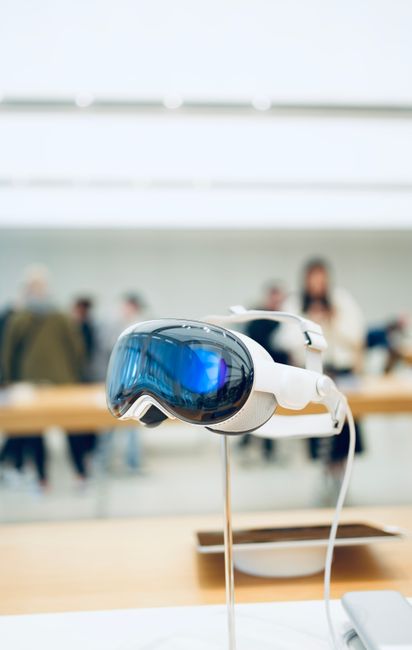
Motion Sickness with Apple Vision Pro: Causes, Symptoms, and Effective Fixes
Experiencing motion sickness while using Apple Vision Pro is a legitimate concern for many users and a significant barrier to widespread adoption. This sophisticated spatial computing device, while groundbreaking, can induce symptoms akin to traditional motion sickness due to the complex interplay of visual, vestibular, and proprioceptive inputs it manipulates. Understanding the root causes is paramount to implementing effective solutions. The primary culprit often lies in the disconnect between what the eyes see and what the inner ear (vestibular system) senses. When the visual system perceives movement – whether simulated through the Vision Pro’s display or by the user’s physical movement within its spatial environment – but the vestibular system does not detect corresponding acceleration or deceleration, a sensory conflict arises. This mismatch sends confusing signals to the brain, triggering the classic symptoms of nausea, dizziness, headaches, and general discomfort.
Several factors contribute to this sensory conflict. The high resolution and immersive nature of the Apple Vision Pro, while its strengths, can also amplify these discrepancies. If the refresh rate of the display, the latency between head movement and visual update, or the accuracy of head tracking falls short of the brain’s expectations for natural motion, the sensory mismatch intensifies. Furthermore, the content being displayed plays a crucial role. Rapid or unpredictable camera movements in 3D environments, especially those that don’t align with the user’s perceived physical orientation, are particularly potent triggers. Applications designed without a keen understanding of spatial perception and the potential for induced motion sickness can inadvertently create intensely uncomfortable experiences. User-specific sensitivities also vary greatly. Some individuals are inherently more prone to motion sickness due to differences in their vestibular system’s sensitivity or their brain’s processing of sensory information.
The symptoms of motion sickness associated with Apple Vision Pro are varied but typically mirror those experienced in traditional settings like car rides or boat trips. The most common and debilitating symptom is nausea, which can range from a mild queasiness to severe vomiting. Dizziness and vertigo, a sensation of spinning or unsteadiness, are also prevalent. Headaches, often described as a dull throbbing, can develop, sometimes accompanied by eye strain or blurred vision. Cold sweats, paleness, and an overall feeling of malaise are additional indicators. In some cases, users might experience disorientation or a general feeling of being unwell that persists even after removing the device. The severity and onset of these symptoms can be influenced by the duration of use, the type of content, the user’s physical and mental state (e.g., fatigue, stress), and even environmental factors like lighting and airflow.
Fortunately, numerous strategies and fixes can mitigate or eliminate motion sickness when using Apple Vision Pro. The most straightforward approach involves adjusting device settings and content consumption habits. Disabling or reducing motion blur within the Vision Pro’s accessibility settings can significantly help. Motion blur, while intended to enhance realism in some contexts, can exacerbate sensory conflict by visually masking or distorting actual movement. Experimenting with different levels of intensity is key. Similarly, adjusting the visual field can be beneficial. Some users find that reducing the perceived peripheral field of view can lessen the disorienting effects of simulated motion. This might involve exploring settings that simulate a more confined viewing area, akin to looking through binoculars, which can anchor the user’s perception of stillness.
Optimizing head tracking and input latency is another critical area, though often less directly controllable by the end-user and more dependent on application design and device firmware. However, ensuring the Vision Pro’s sensors are clean and unobstructed, and that the software is up-to-date, can contribute to more accurate and responsive tracking, thereby reducing latency. If the device feels laggy or its movements don’t perfectly sync with your head turns, this is a prime suspect for motion sickness. Developers of Vision Pro applications have a significant role to play. They should prioritize smooth and predictable camera movements, avoiding abrupt changes in direction or speed. Implementing fixed reference points within the virtual environment can provide visual anchors that help the brain stabilize perception. For instance, persistent UI elements or a static background element can offer a sense of grounding.
Gradual exposure and desensitization are powerful tools, particularly for individuals who are more sensitive. Instead of diving into intense, fast-paced virtual experiences, start with short sessions using static or slow-moving content. Gradually increase the duration of use and the complexity of the visual stimuli as your brain adapts. This is analogous to how people build up tolerance to motion sickness in other scenarios. Taking frequent breaks is non-negotiable. If you begin to feel any symptoms, immediately remove the Vision Pro and rest in a stable environment. Short breaks every 15-30 minutes, even if you don’t feel unwell, can prevent the onset of severe symptoms. During these breaks, focus on a stable, distant object in the real world to help recalibrate your visual-vestibular system.
Environmental factors can also play a role in mitigating motion sickness. Ensure the room you are using the Vision Pro in is well-ventilated. Stale or warm air can worsen nausea. Good lighting can also be beneficial; avoid using the device in a completely dark room, as this can increase reliance on the artificial visual input and make sensory conflicts more pronounced. Natural, diffused light is often ideal. Some individuals find relief by chewing gum or sipping on ginger ale, both traditional remedies for nausea, though their effectiveness can vary. Focusing on your breathing can also help manage anxiety and nausea. Practicing slow, deep breaths can calm the nervous system.
For developers, adhering to ergonomic design principles for VR/AR interfaces is paramount. This includes careful consideration of the "frame of reference." If an application is designed to simulate movement, it’s crucial that the user feels they are the agent of that movement. For instance, if the user is "walking" in a virtual environment, the visual cues should correspond to the feeling of forward locomotion. Applications that force arbitrary or uncontrollable movement can be highly problematic. User customization of comfort settings should be a standard feature in all Vision Pro applications. This allows users to fine-tune parameters like field of view, motion speed, and visual effects to their personal tolerance levels. Providing options to disable certain visual effects, such as artificial head bobbing or camera shake, can also greatly improve the experience for sensitive users.
Eye tracking and gaze stabilization are advanced features that can also contribute to comfort. If the Vision Pro’s eye-tracking technology is used to inform rendering and adjust the visual scene based on where the user is looking, it can create a more stable and natural experience. For instance, the system could subtly adjust rendering to compensate for slight head movements that are not intended to be perceived as locomotion. However, if the eye tracking itself is inaccurate or has high latency, it could ironically contribute to motion sickness. Therefore, the implementation of these features must be flawless.
When addressing motion sickness with Apple Vision Pro, a holistic approach combining hardware, software, and user behavior is most effective. It’s not just about a single fix but a constellation of adjustments. For instance, an application might have excellent design principles, but if the user’s headset is not fitting properly, leading to light leakage or an unstable image, this can still induce discomfort. Ensure the Vision Pro is worn snugly and correctly for optimal visual clarity and sensor performance. The psychological component of motion sickness should not be overlooked either. Anxiety about experiencing motion sickness can actually make it more likely to occur. By approaching the experience with a calm and experimental mindset, focusing on the positive aspects and being prepared to take breaks, users can improve their tolerance over time.
Finally, for persistent or severe cases, it may be beneficial to consult with healthcare professionals. While rare, underlying medical conditions can sometimes exacerbate motion sickness. However, for the vast majority of users, a combination of the aforementioned technical adjustments, mindful content selection, and gradual acclimatization will lead to a significantly more comfortable and enjoyable experience with Apple Vision Pro, unlocking its full potential without the debilitating effects of simulated motion. The goal is to achieve a seamless integration of visual and vestibular cues, creating an illusion of presence that is both immersive and comfortable. This requires a collaborative effort from Apple in refining the device’s core technologies, from application developers in designing with user comfort as a priority, and from users in understanding their own sensitivities and implementing proactive strategies.


