LinkedIn has cemented its position as an indispensable platform for Business-to-Business (B2B) marketers, offering unparalleled access to a professional audience and robust targeting capabilities. In 2026, advertising on LinkedIn remains a critical strategy for companies aiming to reach decision-makers within a professional context that is difficult to replicate on other digital channels. The platform’s foundation in real career data allows advertisers to precisely target individuals by job title, company, seniority, and industry, moving beyond speculative interest-based targeting.
The Strategic Imperative of LinkedIn Advertising in 2026
The emphasis on precision targeting is particularly vital in B2B sales, which often involves navigating a complex buying committee rather than engaging a single consumer. With evolving B2B social trends in 2026 increasingly favoring first-party data strategies, LinkedIn’s unique data repository offers a compelling case for continued investment. The platform now boasts over 1.3 billion members globally, providing advertisers with a significant scale to reach professional audiences. For B2B teams prioritizing the quality of engagement over sheer volume, this combination of scale and precision forms the cornerstone of LinkedIn’s advertising value proposition. This focus on high-quality engagement helps bridge the gap between initial brand exposure and the cultivation of qualified sales pipelines, a crucial metric for B2B success.
Navigating the LinkedIn Advertising Ecosystem: Account Setup
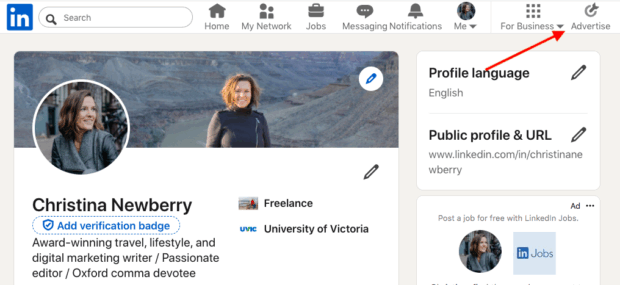
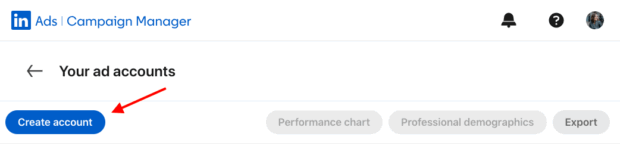
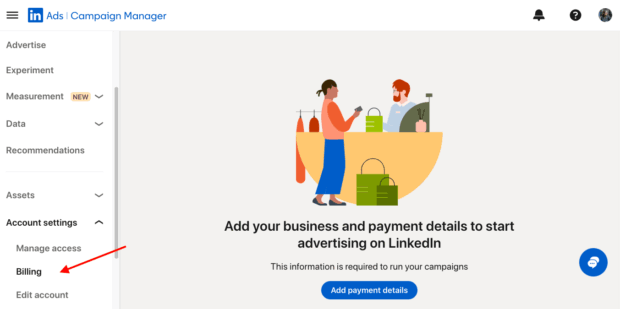
Establishing an advertising presence on LinkedIn is a streamlined process facilitated by LinkedIn Campaign Manager. The initial setup typically involves four key steps, allowing marketers to prepare for their first campaign launch in 2026. First, users must log in to LinkedIn and access the Campaign Manager by clicking "Advertise" in the top navigation bar. Following this, the creation of an ad account requires inputting an account name and selecting a billing currency. The administrative setup then involves associating a LinkedIn Company Page with the ad account—a best practice, though some ad formats can run independently. This stage also includes configuring payment methods and setting access permissions for team members, ensuring proper governance and collaboration. Finally, from the account dashboard, advertisers can initiate their first campaign by selecting an objective and choosing between LinkedIn’s Accelerate or Classic campaign modes.
Understanding the LinkedIn Ad Auction and Cost Dynamics
LinkedIn employs an auction system to determine ad placement and cost. In this environment, an advertiser’s bid competes with others targeting similar audiences and formats. The winning ad is selected based on a combination of bid amount, ad relevance, and predicted engagement, ultimately aiming to maximize value for both the member and the advertiser.
Advertisers can choose from various bid strategies tailored to different campaign goals. "Maximum delivery" is an automated strategy where LinkedIn optimizes bids to efficiently spend the budget and maximize results for the chosen objective, ideal for achieving scale and simplicity. For those seeking more control over expenditure, "Cost cap" allows advertisers to set a target cost per result. LinkedIn then adjusts bids automatically to keep the average cost at or below this cap while still maximizing volume, available for objectives like brand awareness, website visits, engagement, video views, and lead generation. Conversely, "Manual bidding" provides the strictest control, allowing advertisers to specify bid amounts, which is often preferred for tight test designs or highly niche audiences, though it requires more active monitoring.
Budgeting on LinkedIn can be managed through daily or lifetime budgets. Lifetime budgets enable LinkedIn to pace spending over time, potentially leading to more efficient achievement of objectives. Advertisers are advised to avoid frequent, reactive changes to budgets and bids, as the platform’s pacing and learning algorithms perform best with stable settings. A recommended approach is to initiate new campaigns with "Maximum delivery" to establish a performance baseline, then transition to "Cost cap" or "Manual bidding" once sufficient data has been gathered. Small, incremental changes and adequate time for the system to re-learn are crucial for effective optimization.
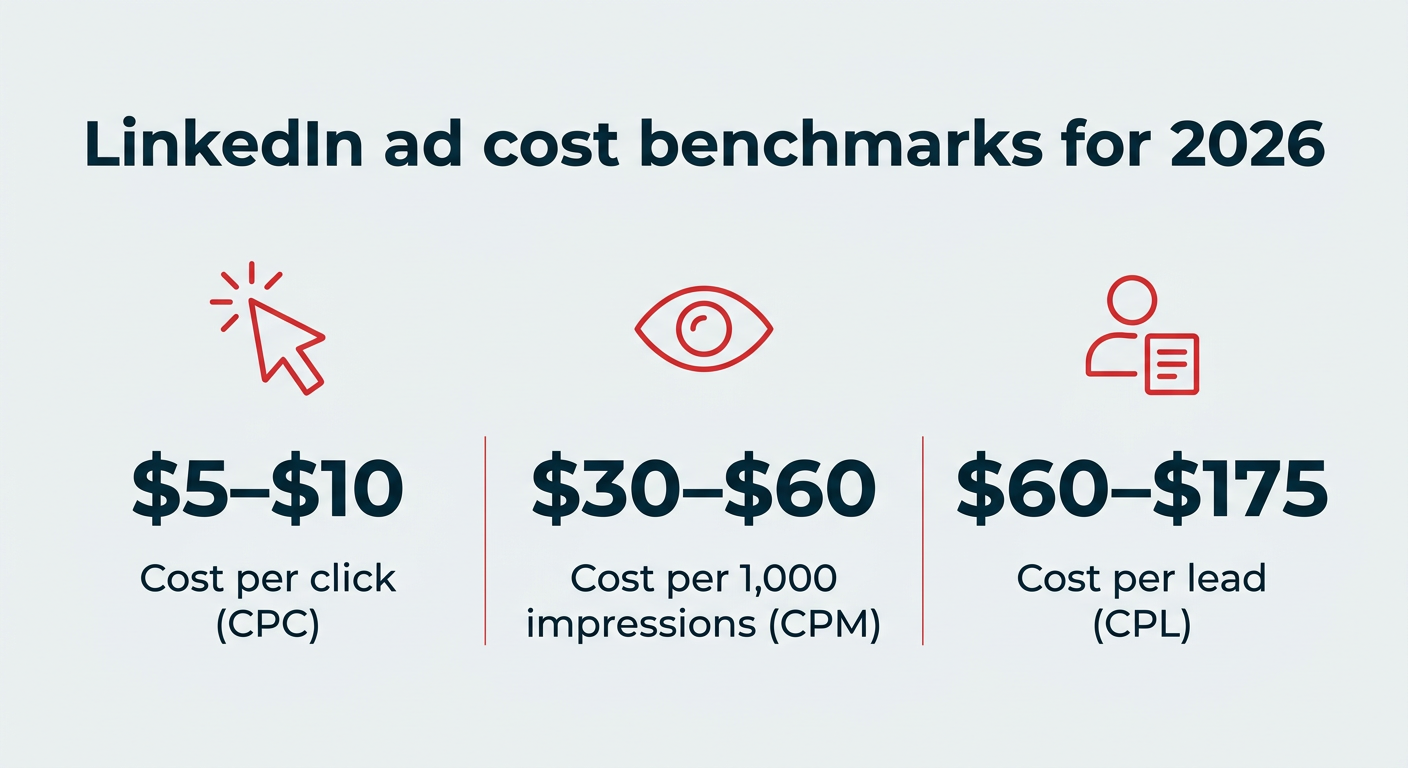
In 2026, LinkedIn ads generally incur higher costs per click compared to other social media platforms. While LinkedIn does not publish fixed rates due to the auction-based pricing model, third-party benchmarks for the year commonly indicate costs ranging from $5 to $10 per click, $30 to $60 per 1,000 impressions (CPM), and $60 to $175 per lead. These figures are directional, with actual costs fluctuating based on audience specificity, campaign objective, industry competitiveness, and the chosen bid strategy. Key factors influencing ad costs include target audience size and competitiveness, ad relevance and quality score, bid strategy, and market demand for impressions. While LinkedIn’s cost per lead may appear higher, the platform consistently delivers leads of superior quality, aligning closely with an ideal buyer profile. The true value, therefore, is measured not just by raw click price but by the downstream quality of opportunities generated and their contribution to qualified pipeline.
Strategic Campaign Types: Accelerate vs. Classic
LinkedIn offers two primary campaign building approaches: Accelerate and Classic, both supporting the same range of objectives and formats but differing in the level of advertiser control and launch speed.
"Accelerate" campaigns are an AI-assisted mode designed for rapid deployment. Leveraging LinkedIn’s artificial intelligence, Accelerate identifies optimal combinations of targeting, creative elements, bidding strategies, and placements based on the advertiser’s objective. It then continuously optimizes towards the campaign goal over an initial 10-to-14-day learning period. This mode is particularly beneficial for marketers seeking quick launches, those new to LinkedIn advertising, or teams with limited resources for campaign management. While Accelerate campaigns offer fewer manual levers, reviewing the suggested audience and setting clear budget caps before launch is advisable. Advertisers can always transition to "Classic" mode for more granular control as they gain experience.
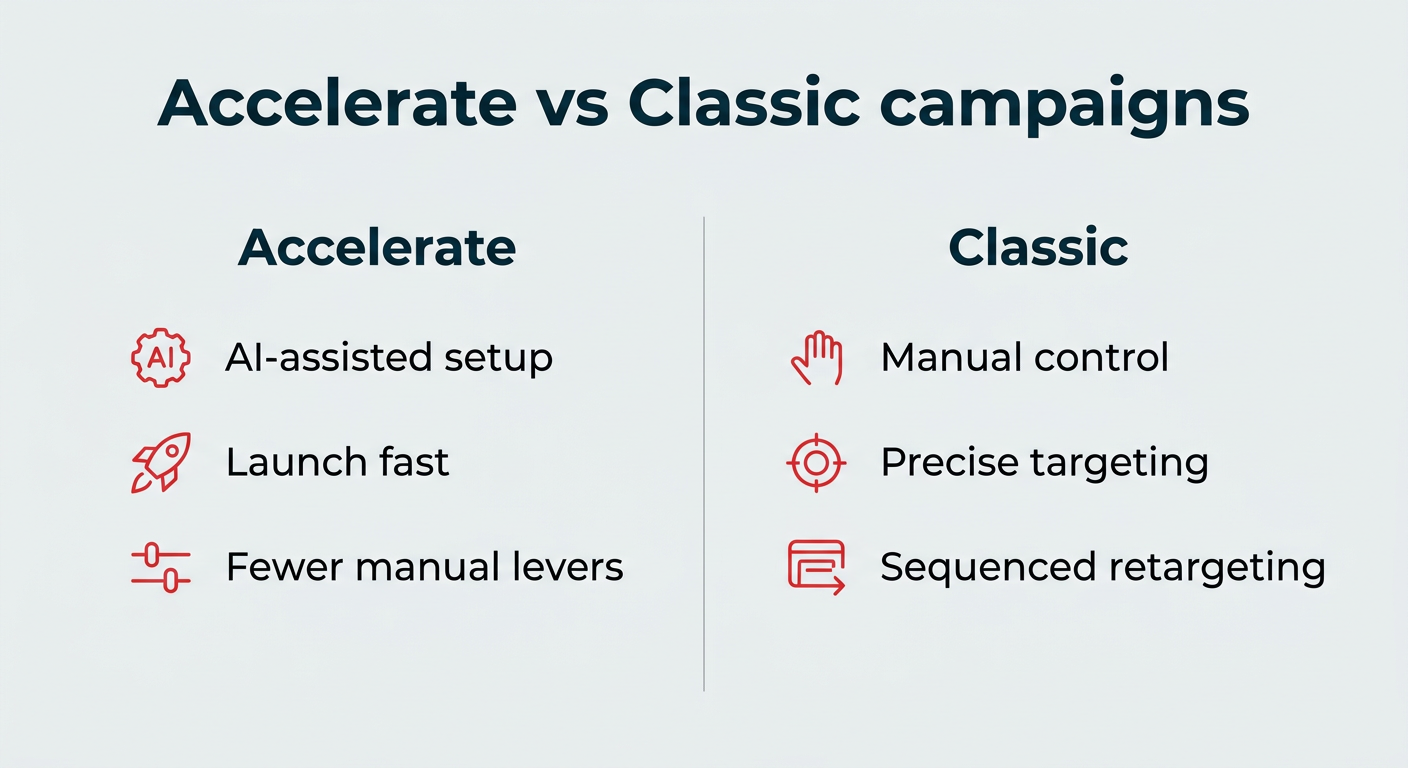
"Classic" campaigns represent LinkedIn’s traditional ad builder, providing advertisers with full manual control over audience definition (attributes, lists, exclusions), placements, bidding, and scheduling. This mode is ideal for experienced marketers who require precise control over campaign parameters, want to implement complex exclusions, or aim for highly specific retargeting strategies. Many B2B teams adopt a hybrid approach, initiating with Accelerate to build qualified remarketing pools and then utilizing Classic campaigns for precise retargeting and lead capture, thus maximizing efficiency across the marketing funnel.
Precision Targeting: Reaching the Right Professional Audience
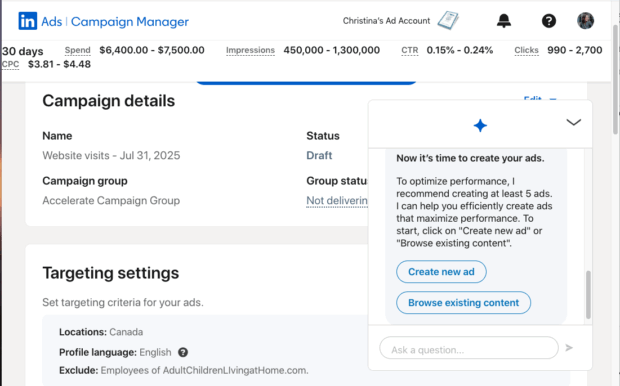
The ability to precisely target specific audiences is LinkedIn’s core advertising advantage. It allows marketers to focus their budget on ideal buyers through professional attributes, matched audiences, and strategic exclusions. As Gabe Feingold, Product Marketing Leader at LinkedIn, emphasizes, "LinkedIn is the only platform purposefully built for B2B advertisers and the most powerful platform to influence B2B decision-makers. On LinkedIn, you can engage the full buyer group, from the C-suite to daily practitioners, in a trusted, professional environment."
Professional attribute targeting enables advertisers to construct audiences based on current career data. Common attributes include job title, function, seniority, industry, company size, and specific skills. The strategy is to start with a broad enough audience for LinkedIn’s optimization algorithms to learn, then refine it with attributes that closely define the target buyer.
Matched audiences provide a powerful mechanism for reaching individuals who already have an existing relationship with the brand. This includes uploading CRM contact lists or company lists, retargeting website visitors via the LinkedIn Insight Tag, and building audiences from video viewers, lead form openers, or post engagers. Additionally, lookalike audiences can be created to identify new potential buyers who share characteristics with existing high-value customers. Crucially, when prospecting for new leads, advertisers should exclude current employees, competitors, existing customers, and recent converters to ensure budgets are focused exclusively on new demand generation. The judicious combination of professional attributes and matched audiences allows marketers to deliver their message to the entire buying group without wasteful spending.
Diverse Ad Formats and Specifications for Every Objective
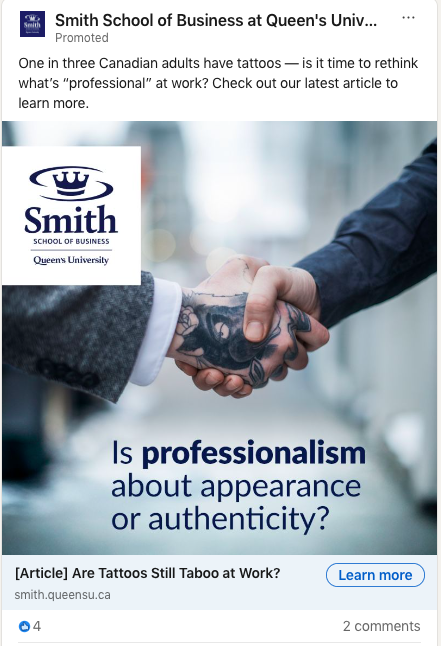
LinkedIn offers a comprehensive suite of over 12 ad formats, each designed to achieve specific marketing objectives. The selection of the appropriate format is critical to campaign success, with each carrying distinct benefits and technical requirements.
- Single Image Ads: Versatile and effective for awareness and conversions. They feature a clear visual and concise messaging, ideal for product launches or retargeting. Recommended image dimensions are 7680 x 4320 px, with text limits of 150 characters for intro and 70 for headlines.
- Carousel Ads: String multiple images into a swipeable story, excellent for showcasing features or step-by-step processes. Each card can have its own headline and link, aiding message testing. They support 2-10 cards, 1080 x 1080 px square images, and up to 255 characters for intro text.
- Video Ads: A rapidly growing format, with eMarketer identifying LinkedIn as a top platform for B2B video. Video posts receive significantly higher shares and engagement. They are best for brand building, product demos, and thought leadership. Videos auto-play muted, necessitating strong visuals, captions, and clear thumbnails. Specs include MP4 format, 3-second to 30-minute duration (15-30 seconds optimal), and various aspect ratios.
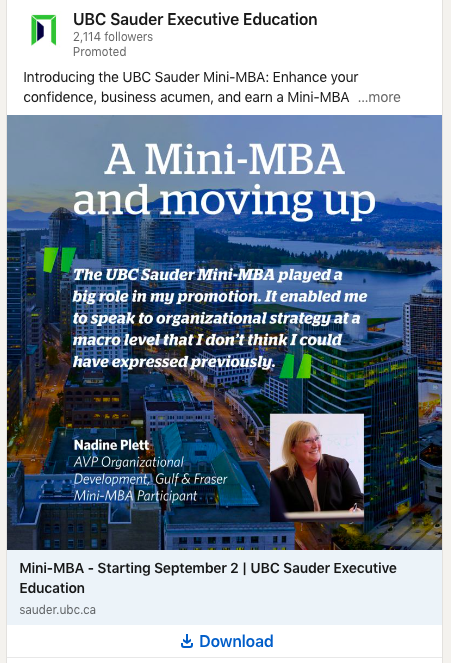
- Document Ads: Allow direct reading and downloading of assets within the feed. They can be ungated for reach or gated with a Lead Gen form. Ideal for guides, reports, and case studies, supporting PDF, DOC, PPT formats up to 100 MB. Aim for under 10 pages for in-feed browsing.
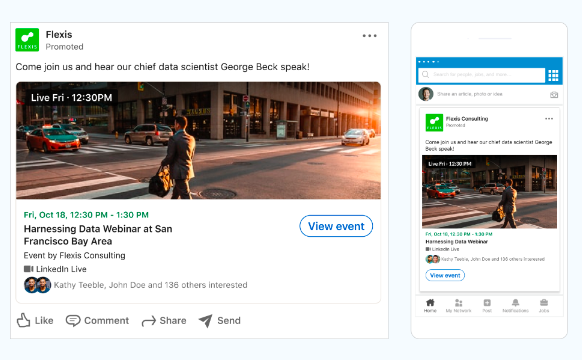
- Event Ads: Promote LinkedIn Events directly in the feed, driving RSVPs and attendance, with reports indicating up to 31x more viewership. They leverage existing LinkedIn Event details and support retargeting of registrants and viewers.
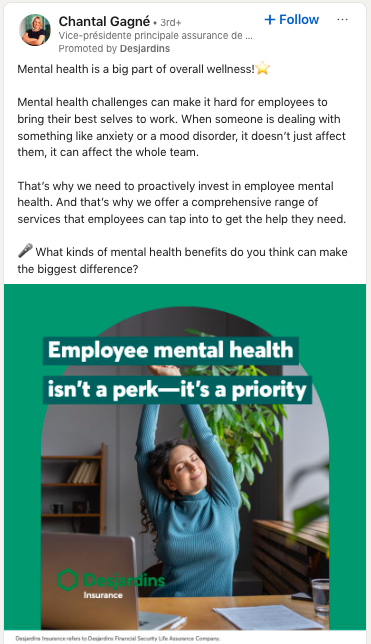
- Thought Leader Ads: Amplify a member’s LinkedIn post (e.g., executive, expert, customer), appearing with a "Promoted by [Your Company]" label. This format maintains authenticity and often yields higher engagement for brand awareness and engagement objectives.
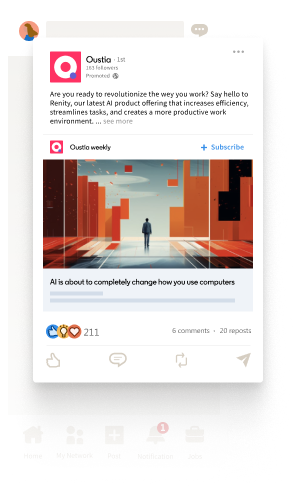
- Article and Newsletter Ads: Promote native long-form content directly, sending clicks to the Article or Newsletter page. They are effective for growing readership and, for Articles, can capture leads using an "Unlock Article" feature.
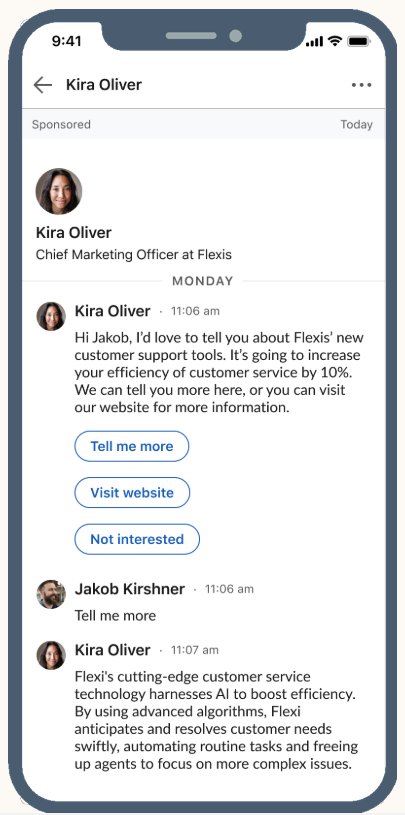
- Sponsored Messaging Ads (Message and Conversation Ads): Deliver 1:1 messages to LinkedIn inboxes. Message ads are for single, clear calls to action, while Conversation ads create multi-path, interactive experiences with up to five CTAs per message. Frequency is capped at approximately once every 45 days per member.
- Lead Gen Forms: Enable users to submit information without leaving LinkedIn, pre-filling data from their profile. These forms attach to various in-feed ads and Sponsored Messaging, or can unlock Articles. They are highly effective for demos, trials, and content downloads. Forms can have up to 12 fields (3-4 recommended).
- Dynamic Ads (Follower, Spotlight, Text Ads): Appear on the desktop right rail, personalized with a member’s name and profile photo. Follower ads grow Page followers, Spotlight ads drive traffic to specific landing pages, and Text ads offer efficient, cost-per-click/impression reach.
- Connected TV (CTV) Ads: Reach professional audiences streaming content on platforms like Paramount and NBCUniversal. Set up in Campaign Manager, CTV ads use LinkedIn’s data for targeting and allow subsequent retargeting with in-feed formats. Ideal for upper-funnel reach and brand storytelling, with video durations of 6-60 seconds.
Building High-Impact LinkedIn Ads: Best Practices
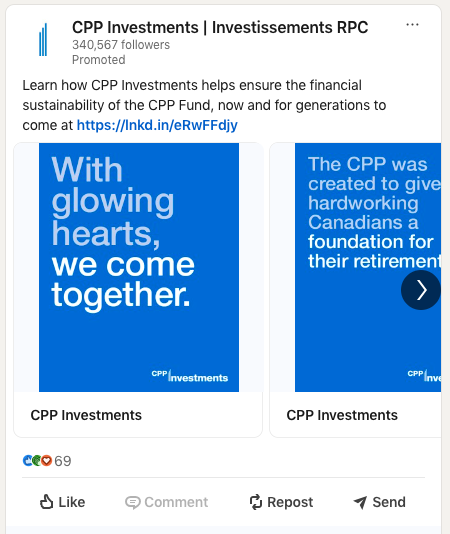
Creating effective LinkedIn campaigns necessitates a strategic approach, beginning with the end goal in mind. As Gabe Feingold advises, "One of the most effective ways to create a LinkedIn campaign is to start with your business objective and work backwards. Begin by choosing the right campaign objective in Campaign Manager, tailor the creative to the business outcome you want to drive, and make sure you have the right measurement in place to measure what actually drives pipeline, rather than vanity metrics."
This principle underscores the importance of aligning all campaign elements—from creative to measurement—with the overarching business objective. An awareness campaign, for instance, should prioritize immediate visual impact and clear value propositions, while a lead generation campaign must minimize friction and present the next step as valuable and secure.
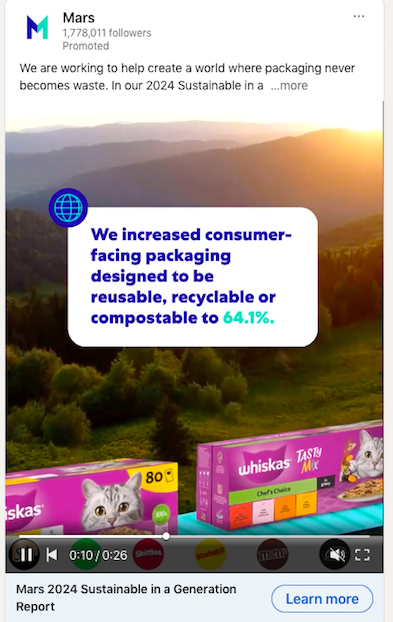
Creative elements must be designed to capture attention swiftly. Leading with the outcome the buyer will experience, using concise copy, and featuring brand or product elements early are crucial. Mobile optimization is paramount, necessitating square or vertical crops and legible typography. For video ads, captions are essential for muted autoplay, and the initial three seconds must compellingly draw the viewer in. Document ads benefit from clear, promise-driven cover titles and content short enough for in-feed skimming, even if the downloadable version is more extensive.
Campaigns should be viewed as a journey. A well-structured LinkedIn strategy often involves sequencing content: initiating with thought leadership or educational materials (video, document, article) to warm new audiences, following up with single image or carousel offers, and finally requesting a form fill when curiosity is established. Throughout this sequence, targeting the entire buying group is critical. Advertisers should launch distinct creative concepts, allow sufficient time for learning algorithms to optimize, and implement small, spaced-out changes to ensure stable delivery.
Measuring and Tracking Performance for Real ROI
Accurate measurement of LinkedIn ad performance hinges on aligning metrics with the initial campaign objective and establishing robust conversion tracking. For awareness campaigns, key metrics include reach, frequency, and video completion rates. Engagement objectives track reactions, comments, shares, and follows. Consideration campaigns focus on landing page views, click-through rates (CTR), and cost per landing page view (CPLPV). Lead generation campaigns monitor open rates, completion rates, and cost per lead (CPL). Ultimately, for B2B, the most critical metric is pipeline generation, tracking opportunity creation and cost per opportunity. Early signals should be monitored on day one and day three for any technical issues, with weekly reviews informing subsequent decisions.
To accurately measure ROI, the LinkedIn Insight Tag—a lightweight JavaScript snippet—must be installed on every page of the advertiser’s website. This tag, accessible in Campaign Manager, enables conversion tracking, website retargeting, and provides valuable demographic data on site visitors. Once live, conversion actions can be created in Campaign Manager for key events such as demo requests or sign-ups, assigning a value to each to facilitate reporting on cost per conversion and return on ad spend. For comprehensive pipeline attribution, integrating these conversions with a Customer Relationship Management (CRM) system allows for tracing a lead from initial click through to a closed deal. This meticulous tracking transforms raw click data into meaningful ROI narratives for leadership.
Optimizing and Scaling LinkedIn Ads for Sustainable Growth
With accounts established, formats chosen, and measurement plans in place, the focus shifts to optimizing campaigns for rapid learning, maintaining fresh creative, and strategically scaling successful initiatives.
Optimization efforts should prioritize improving creative before micromanaging bids, as clearer offers and stronger first impressions typically yield greater performance gains. Rotating three to five distinct creative concepts, retiring those experiencing fatigue, leading with the outcome, and ensuring the first three seconds of video captivate the audience are crucial.
Audience segmentation and sequencing are vital. Creating distinct audiences for site visitors, video viewers, lead form openers, and post engagers, then managing them in separate ad sets, allows for tailored pacing and messaging. The customer journey should be carefully sequenced: educating new viewers, using social proof for warm visitors, and only asking for form fills when genuine curiosity has been established. For Sponsored Messaging, adherence to frequency caps (approximately once every 45 days per member) ensures messages are perceived as useful rather than intrusive.
Scaling successful campaigns requires a cautious approach. When a campaign consistently meets its goals, expansion can involve widening reach, testing adjacent audiences, or gradually increasing the budget. If performance stalls during expansion, reverting to the last stable settings and adjusting one variable at a time (creative, audience, or bid) is recommended. Feingold emphasizes that "just like B2B advertising, LinkedIn Ads is not about quick wins; it’s about quality outcomes that advance pipeline performance by nurturing your ideal customers and building your brand." He further advises B2B marketers to target the entire buyer group and to engage audiences with thought leadership and brand storytelling before directly soliciting leads. This strategic, patient approach fosters long-term relationships and drives sustainable pipeline growth.
Ultimately, LinkedIn provides a unique and powerful advertising ecosystem for B2B marketers. Its unparalleled professional targeting, diverse ad formats, and robust measurement tools, when combined with a strategic approach focused on quality outcomes and audience nurturing, make it an essential component of any comprehensive B2B marketing strategy in 2026 and beyond.