Mastering Advanced Multitasking on the Samsung Galaxy Z Fold 8: A Comprehensive Guide to Maximizing the Inner Display

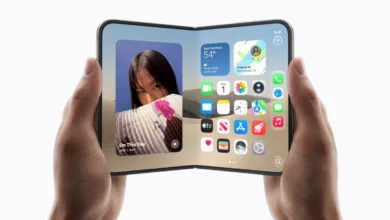
The evolution of foldable smartphones has transitioned from a proof-of-concept novelty into a mature product category capable of replacing traditional mobile computing devices for a significant portion of power users. Since the introduction of Samsung’s Galaxy Z Fold series, consumers have grown accustomed to the unique value proposition of a compact smartphone that unfolds into a tablet-sized canvas. With the release of the Samsung Galaxy Z Fold 8, Samsung has further refined this hardware paradigm, introducing sophisticated software features designed to address the historical limitations of mobile multitasking. While early foldable iterations focused heavily on basic dual-app split screens, the Galaxy Z Fold 8 introduces robust three-way window management, advanced taskbar anchoring, and dynamic grid layouts that closely mimic desktop operating systems. For enterprise users, mobile professionals, and heavy content consumers, understanding these software capabilities is essential for unlocking the full hardware potential of the device.
Evolution of Mobile Productivity and the Foldable Form Factor

To understand the significance of the Galaxy Z Fold 8 multitasking suite, it is necessary to examine the trajectory of mobile productivity over the past decade. Traditional smartphones have long been constrained by single-app workflows, forcing users to constantly switch back and forth between applications via home screen menus or recent-apps drawers. While tablets offered larger screens, their software environments often merely scaled up smartphone interfaces rather than rethinking how screen real estate could be utilized.
Samsung entered the foldable market to bridge this gap, steadily introducing features like App Pair, pop-up windows, and multi-window views. Industry analysts note that as internal foldable displays surpassed the seven-inch threshold with minimal bezels and higher refresh rates, the bottleneck shifted from hardware size to software ergonomics. Users demanded true parallel processing of tasks—such as referencing a source document in a web browser while drafting an email and participating in a video conference—without the friction of constant window swapping. The Galaxy Z Fold 8 represents a milestone in addressing this demand, combining Qualcomm’s latest processing architecture with Samsung’s One UI optimizations to deliver stutter-free, multi-app execution.
Optimizing Workflow Efficiency via the Pinned Taskbar

The foundation of advanced multitasking on the Galaxy Z Fold 8 relies heavily on the device’s taskbar functionality. In previous iterations, the taskbar often behaved as a transient element, disappearing when users interacted with active applications to maximize visual space. However, One UI allows users to lock the taskbar in place on the primary inner display, transforming the lower portion of the screen into a persistent application launcher.
Enabling this feature requires navigating through the device settings framework:
- Unfold the device to engage the primary inner display.
- Access the main system Settings menu.
- Select the Display submenu.
- Locate and tap the Taskbar configuration option.
- Select Taskbar style.
- Toggle the setting to Stay on screen.
Once pinned, the taskbar remains accessible regardless of active application states. Industry productivity studies indicate that persistent navigation docks reduce micro-frictional delays in daily device usage by eliminating the need to return to the home screen. By pressing and holding any application icon within this taskbar, users can instantly drag and drop programs directly onto the active workspace, initiating split-screen sessions with minimal input latency.

Implementing Three-Way Split Screen and Dynamic Grid Layouts
One of the standout software additions in the Galaxy Z Fold 8 generation is the native support for complex three-way application splits coupled with fluid window resizing. Traditional mobile split-screen views restricted users to a strict 50/50 horizontal or vertical division. The Z Fold 8 expands this capability, allowing three distinct applications to occupy the primary display simultaneously.
To execute a three-way split workflow:

- Unfold the device and launch the primary application—for instance, a web browser.
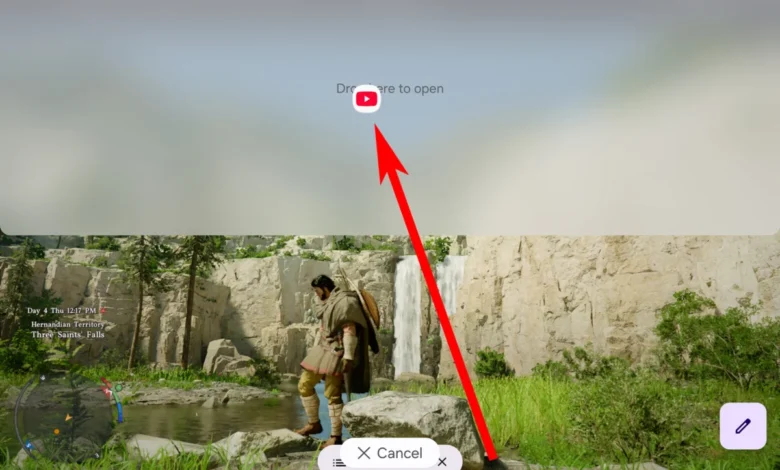
- Press and hold a secondary application icon from the taskbar or app drawer, dragging it toward any edge of the display until visual snap indicators appear.
- Select a third application and drag it into the remaining open quadrant or section of the screen.
Rather than locking these applications into rigid proportions, Samsung has introduced dynamic spatial management. Users can manipulate the separator lines—distinguished by visual indicator handles containing distinct touch points—to resize individual windows. Pulling a separator outward expands the target application while maintaining the secondary apps in a functional, easily accessible state adjacent to the main workspace.
Furthermore, tapping the grid icon embedded within the separator handles allows users to instantly cycle through predefined layout configurations. This includes an asymmetrical arrangement featuring one primary half-sized application flanked by two quarter-sized applications. Additional contextual controls permit users to swap application positions between frames instantly or transition background apps into floating, desktop-style windows via a simple drag-and-drop gesture to the center of the display.
Market Implications and Industry Competitor Analysis

The introduction of advanced window management features in devices like the Galaxy Z Fold 8 highlights a broader shift in the smartphone industry. As hardware innovation cycles plateau regarding raw processing power and camera sensor resolutions, manufacturers are increasingly competing on software-driven productivity ecosystems. Competitors in the foldable space, including Google with its Pixel Fold line and various Chinese OEMs such as OnePlus, Honor, and Vivo, have all attempted to solve the multitasking usability puzzle.
Analysts observe that while competitors have matched Samsung in hardware thinness and hinge durability, Samsung maintains an advantage in software polish and deep ecosystem integration. Features like persistent taskbars and flexible grid layouts draw heavily from desktop operating systems like Windows and macOS, signaling a convergence between mobile and desktop computing paradigms. For enterprise purchasers, this convergence lowers the barrier to adopting foldables as primary deployment devices for traveling executives, field service technicians, and financial analysts who require multi-window access to data feeds while on the move.
Broader Impact on Mobile Software Development

As foldable form factors gain broader market penetration, the implications extend directly to third-party software developers. Historically, Android applications were designed primarily for single-column, vertical scrolling layouts native to standard candy-bar smartphones. The proliferation of three-way split screens and dynamic resizing on devices like the Galaxy Z Fold 8 places new demands on application responsiveness.
Developers are increasingly required to optimize their applications for variable aspect ratios, multi-instance execution (running two instances of the same app simultaneously), and drag-and-drop data sharing between independent windows. Industry developers note that Samsung’s robust multitasking framework serves as a de facto testing ground for broader Android tablet and foldable standards governed by Google. Consequently, optimizations made to accommodate the Galaxy Z Fold 8’s window management system frequently benefit the entire ecosystem of large-screen Android devices.
Future Outlook for Foldable Productivity

As silicon architecture becomes more energy-efficient and thermal management improves in ultra-thin chassis designs, future iterations of foldable devices will likely push multitasking capabilities even further. Rumors surrounding upcoming One UI updates point toward enhanced workspace memory presets—allowing users to save specific multi-app configurations as single-tap launch shortcuts—and deeper integration with external desktop environments like Samsung DeX.
For current owners of the Galaxy Z Fold 8, mastering the device’s advanced taskbar settings, three-way splits, and layout adjustments transforms a high-end consumer gadget into a genuine productivity workstation. By bridging the gap between pocket-sized portability and multi-window computing utility, Samsung’s latest hardware and software integration underscores why foldables continue to capture the attention of technology enthusiasts and enterprise professionals alike.