Apple Unveils the Groundbreaking MacBook Pro with PROLED XDR and Touch Integration in macOS 27 Golden Gate

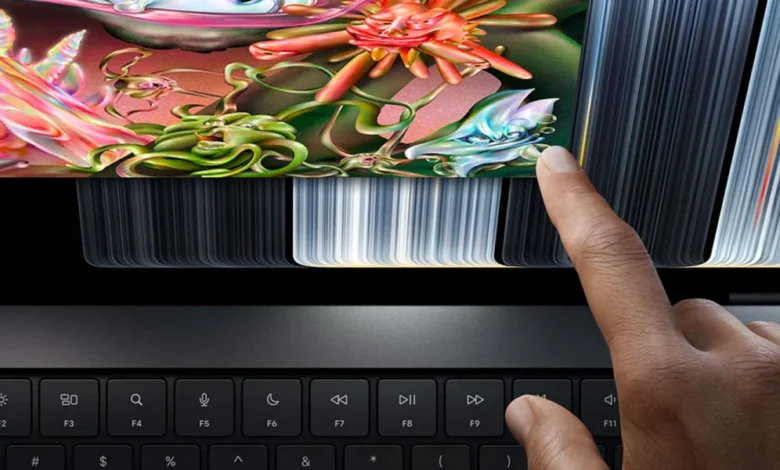
The technology sector witnessed a paradigm shift today as Apple officially pulled back the curtain on its long-rumored flagship portable computer: the MacBook Pro featuring a revolutionary PROLED XDR touch display. For over a decade, company leadership—most notably former CEO Steve Jobs—maintained a firm stance against bringing touchscreens to the Mac lineup, arguing that vertical touch interfaces led to ergonomic fatigue and redundancy alongside the industry-standard Magic Trackpad. However, continuous advancements in display engineering, panel durability, and software design have culminated in a device that challenges traditional computing paradigms. Built upon the foundation of macOS 27 Golden Gate, this release marks the Cupertino-based tech giant’s official entry into touchscreen laptop hardware, prompting a wave of specialized user interface adaptations designed to bridge the gap between desktop productivity and tactile interaction.
Background Context and Historical Shift
The path to a touchscreen Mac has been paved with years of speculation, patent filings, and engineering breakthroughs. Historically, Apple positioned the iPad lineup for touch-based computing while reserving macOS strictly for keyboard, mouse, and trackpad inputs. The introduction of the Touch Bar on 2016 MacBook Pro models served as an early, albeit controversial, experiment in blending physical keys with contextual touch capabilities, though it was eventually phased out due to mixed consumer reception and developer adoption.

In the years following, competitors in the Windows ecosystem—including Microsoft’s Surface line and various offerings from Dell, HP, and Lenovo—fully embraced touch-enabled laptops. As display technologies matured, particularly with the widespread adoption of high-brightness, high-contrast OLED and Mini-LED architectures, consumer demand for a touch-capable macOS device steadily increased. Apple’s internal teams spent years solving the ergonomic and mechanical challenges of a vertical touch display, ultimately deciding that the newly minted PROLED XDR panel possessed the necessary structural rigidity, anti-reflective coatings, and calibration fidelity to support direct finger input without compromising professional color accuracy or touch registration precision.
Deep Dive into macOS 27 Golden Gate Touch Optimizations
To ensure a seamless user experience that avoids the clumsiness often associated with retrofitting touch onto desktop operating systems, Apple has engineered a comprehensive suite of interface adjustments within macOS 27 Golden Gate. These localized tweaks are automatically activated when the system detects direct interaction with the PROLED XDR screen, transforming standard desktop elements into touch-friendly targets.
Among the primary visual updates are enlarged traffic light icons. Situated traditionally in the top-left corner of every application window, the red close, yellow minimize, and green full-screen buttons now dynamically expand in touch-target area whenever a user’s hand approaches or makes contact with the display. This clever adjustment mitigates the inherent inaccuracy of human fingertips compared to cursor-driven pointers, minimizing accidental misclicks and streamlining window management.

Furthermore, system-wide gesture controls have been intelligently ported from the trackpad directly onto the glass surface. Users can now execute familiar multi-touch inputs directly on the workspace canvas. A three-finger swipe upward invokes Mission Control, horizontal three-finger swipes allow for fluid navigation between full-screen spaces and active virtual desktops, and standard pinch-to-zoom gestures function natively across web browsers, document editors, and photo-viewing applications. Additionally, invoking Spotlight search has been streamlined; users can pull down from the newly integrated Dynamic Island area at the top of the display—a design philosophy borrowed directly from iOS 27—to instantly search files, applications, and web queries.
Developer Implications and the iOS Simulator Revolution
While everyday consumers will undoubtedly benefit from intuitive navigation, the professional developer community stands to gain some of the most profound workflow enhancements with the new MacBook Pro. Historically, testing iOS and iPadOS applications on a Mac required developers to use the iOS Simulator, painstakingly attempting to map multi-touch gestures, pinches, and swipes using a standard mouse or trackpad.
With the launch of the touchscreen MacBook Pro and macOS 27 Golden Gate, the iOS Simulator has achieved true parity with mobile hardware. Developers can now physically interact with their simulated applications using natural touch input, testing gesture responsiveness, button sizing, and touch-drag mechanics precisely as an end-user would on an iPhone or iPad. This integration dramatically cuts down debugging time and removes a longstanding friction point in cross-platform software development within Xcode.

Fine-Tuning the Desktop Environment for Tactile Precision
Beyond obvious interface elements, Apple’s Human Interface Guidelines team analyzed every corner of the desktop operating system to identify pain points associated with finger navigation. Context menus accessed via the system menu bar have received targeted geometry updates. When a user taps a menu bar item, the resulting dropdown list dynamically spaces out its individual entries, expanding the vertical hit-boxes of each selection to prevent unintended activations.
Crucially, Apple has implemented an invisible scaling architecture for optimized third-party applications. Even when individual UI buttons or toggle switches appear visually consistent with their traditional desktop counterparts, their underlying interactive boundaries—or touch targets—expand invisibly. This ensures that software not explicitly rewritten from the ground up for touch remains entirely usable via direct finger contact, preserving backward compatibility across the vast macOS software ecosystem.
System-Wide Enhancements and the Road Ahead

The rollout of touchscreen support is not entirely exclusive to the newly announced hardware; macOS 27 Golden Gate introduces universal quality-of-life improvements destined for all compatible Mac models. Most notably, Safari now supports the ubiquitous "pull-to-refresh" gesture, a staple of mobile browsing that allows users to reload web pages by dragging downward from the top of the viewport. Moreover, system font rendering and menu bar item spacing have received subtle, uniform adjustments to accommodate varying input methods seamlessly.
During the hardware unveiling, Apple executives emphasized that this release represents merely the foundational first step in adapting macOS for touchscreens. Industry analysts predict that as supply chains scale and manufacturing efficiencies improve, the PROLED XDR touch technology will eventually trickle down to lower-tier MacBook Air configurations and external Studio Display peripherals in future product cycles.
As the tech community prepares for the upcoming Worldwide Developers Conference (WWDC), speculation is already mounting regarding what further touch-centric APIs and developer tools Apple will introduce. For now, the launch of the touchscreen MacBook Pro establishes a bold new direction for personal computing, successfully challenging long-held dogmas and redefining the boundaries between mobile and desktop operating systems. Consumer and enterprise reactions to this release will undoubtedly shape the trajectory of hardware design for the remainder of the decade.
Related posts: