Google Gemini for macOS Receives Neural Expressive Redesign, Enhancing Cross-Platform Consistency and User Experience

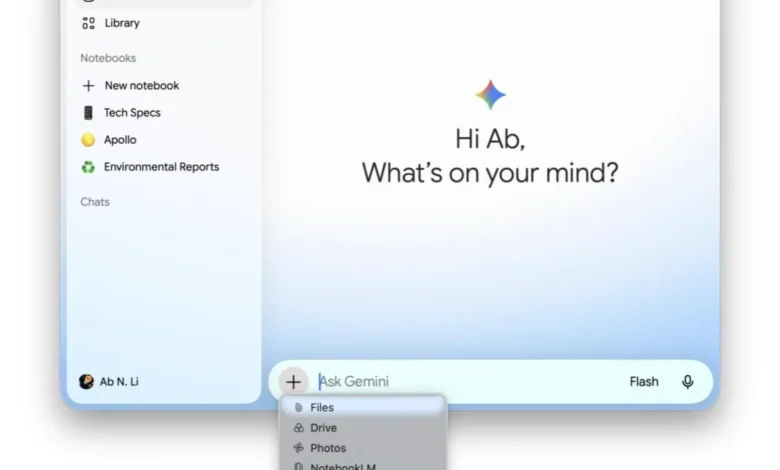
Google has officially rolled out the Neural Expressive redesign to its Gemini application for macOS, marking a significant step in unifying the visual and interactive experience across its AI assistant’s various platforms. This update, coinciding with the launch of Gemini 3.6 Flash, brings the Mac app into alignment with the modern aesthetic previously introduced to Gemini on Android, iOS, and the web, reinforcing Google’s commitment to a cohesive and intuitive user journey within its burgeoning AI ecosystem.
The Evolution of Gemini: A Strategic Imperative
Gemini, Google’s advanced multimodal AI assistant, represents a cornerstone of the company’s ambitious artificial intelligence strategy. Evolving from its predecessor, Bard, Gemini was launched with the explicit goal of providing a more powerful, versatile, and integrated AI experience, capable of understanding and generating content across text, images, audio, and video. Its strategic importance lies not just in its capabilities but also in its omnipresence, aiming to be available wherever users interact with Google’s services – from smartphones and web browsers to desktop applications.
The initial rollout of the Neural Expressive design language for Gemini was a highlight of Google I/O 2026 in May. This developer conference often serves as the platform for Google to unveil its most significant advancements and strategic directions. At I/O, the company articulated a vision for a harmonized user interface across its AI offerings, emphasizing fluidity, clarity, and an engaging aesthetic that could adapt seamlessly to different form factors and user contexts. The introduction of Neural Expressive was presented as a critical component of this vision, moving beyond merely functional design to one that also evokes a sense of intelligence and responsiveness, echoing the "neural" aspect of the underlying AI models.

Prior to this comprehensive redesign, Google had experimented with various UI approaches to unify its AI experience. Notably, the "bottom sheet look" for prompt boxes was a previous attempt to create a consistent feel across different applications. While this provided a degree of uniformity, the Neural Expressive redesign signals a more ambitious and refined approach, likely informed by extensive user research and evolving design trends. The shift indicates a move towards a more dynamic and less constrained interface, allowing for greater flexibility and visual appeal, as exemplified by the floating prompt box introduced in parallel Android updates.
Detailed Examination of the Neural Expressive Redesign on macOS
The arrival of Neural Expressive on Gemini for macOS, accessible with version 1.86 of the application, introduces a suite of visual enhancements designed to modernize the interface and improve user interaction. These changes are not merely cosmetic; they reflect a deeper commitment to intuitive design principles that aim to make the AI assistant more approachable and efficient.
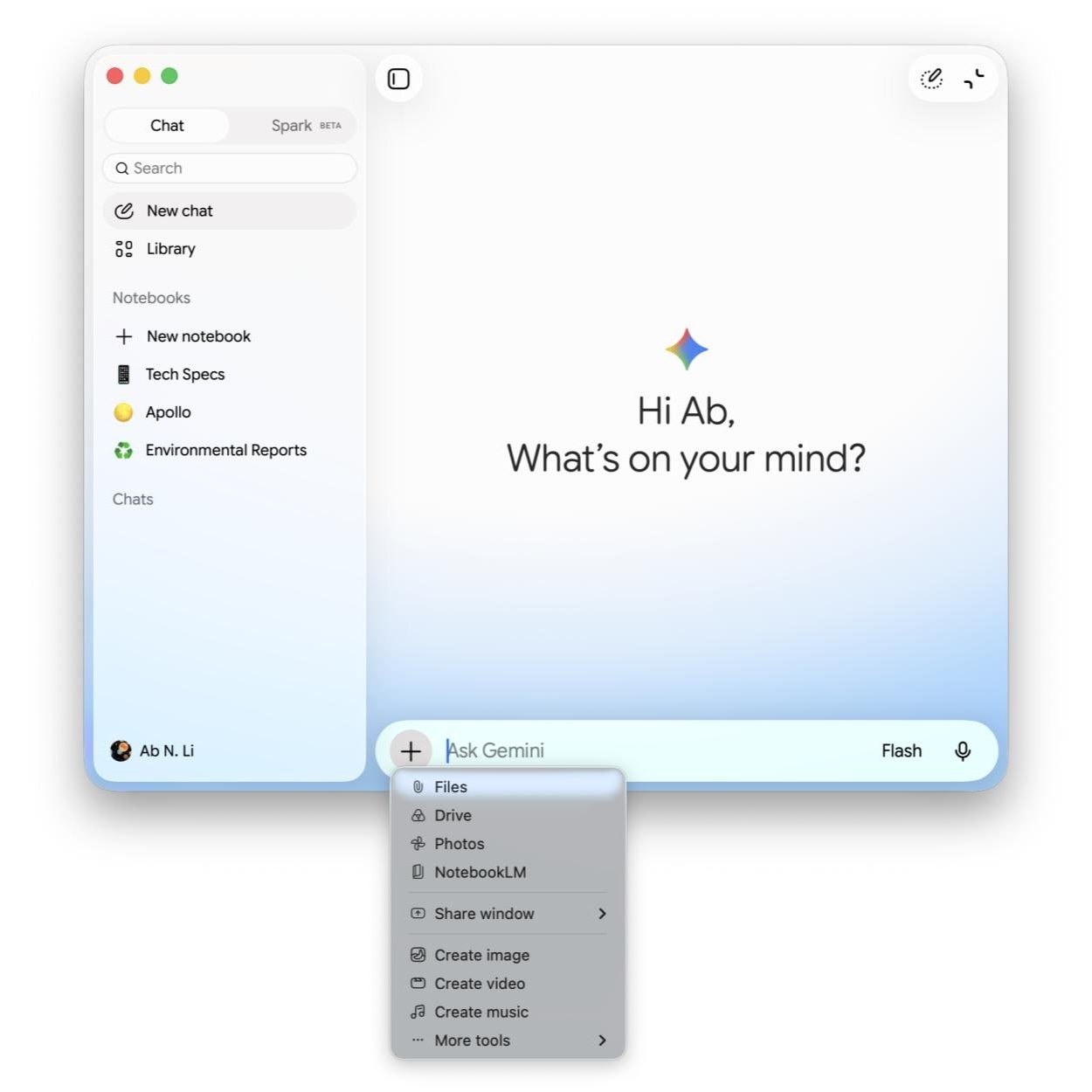
Upon launching the updated Gemini Mac app, users will immediately notice a vibrant, colorful gradient temporarily encircling the prompt bar. This dynamic visual element serves as an engaging welcome, drawing attention to the primary input area and subtly indicating the AI’s readiness for interaction. It’s a departure from static design, hinting at the intelligent and responsive nature of the underlying AI.
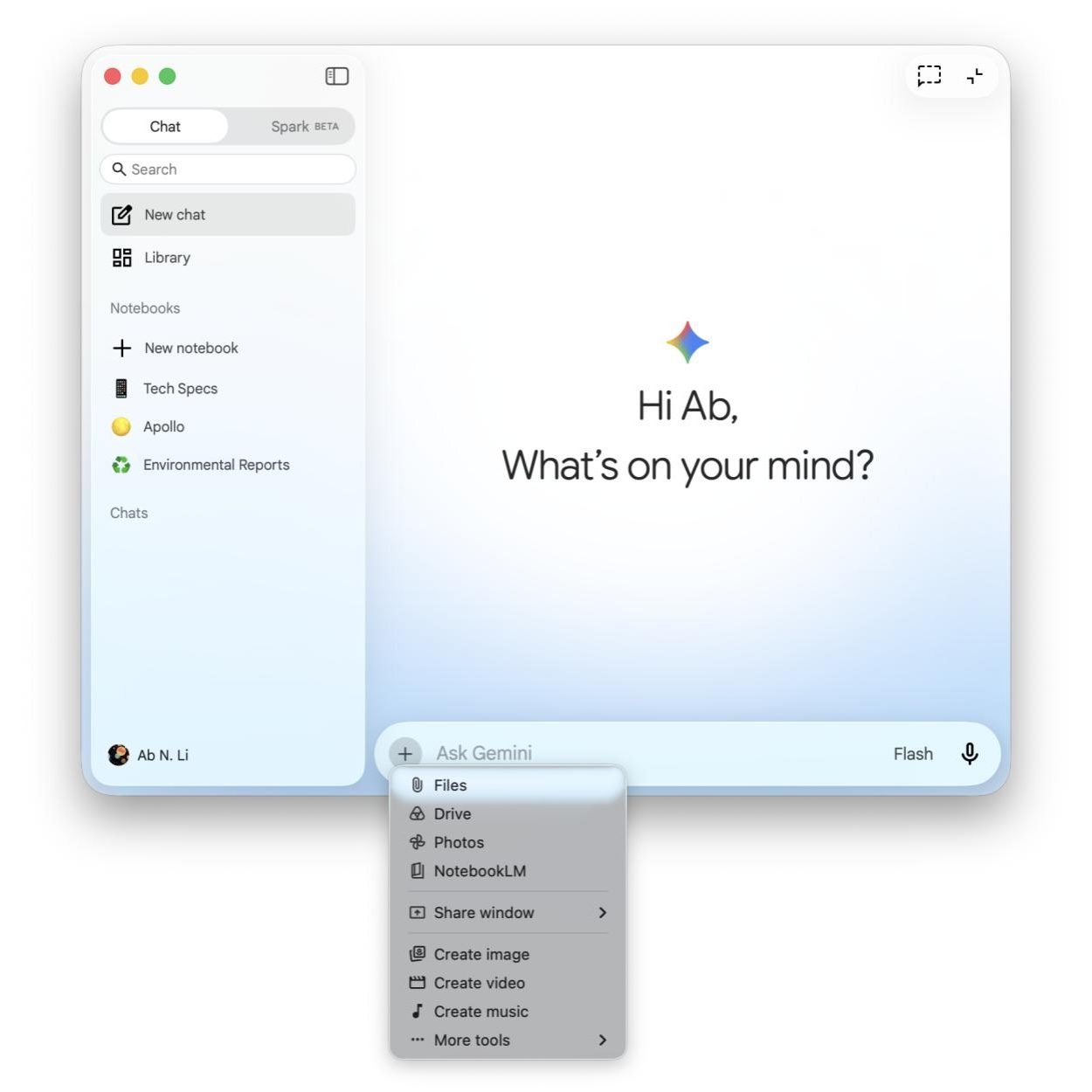
A significant update is evident in the iconography throughout the application. All icons have been meticulously redesigned to adopt a thin outline style. This minimalist approach contributes to a cleaner, less cluttered interface, enhancing readability and visual sophistication. Thin outline icons are a prevailing trend in contemporary UI design, often associated with a modern, elegant, and light aesthetic. They reduce visual noise, allowing users to focus more effectively on content and functionality.
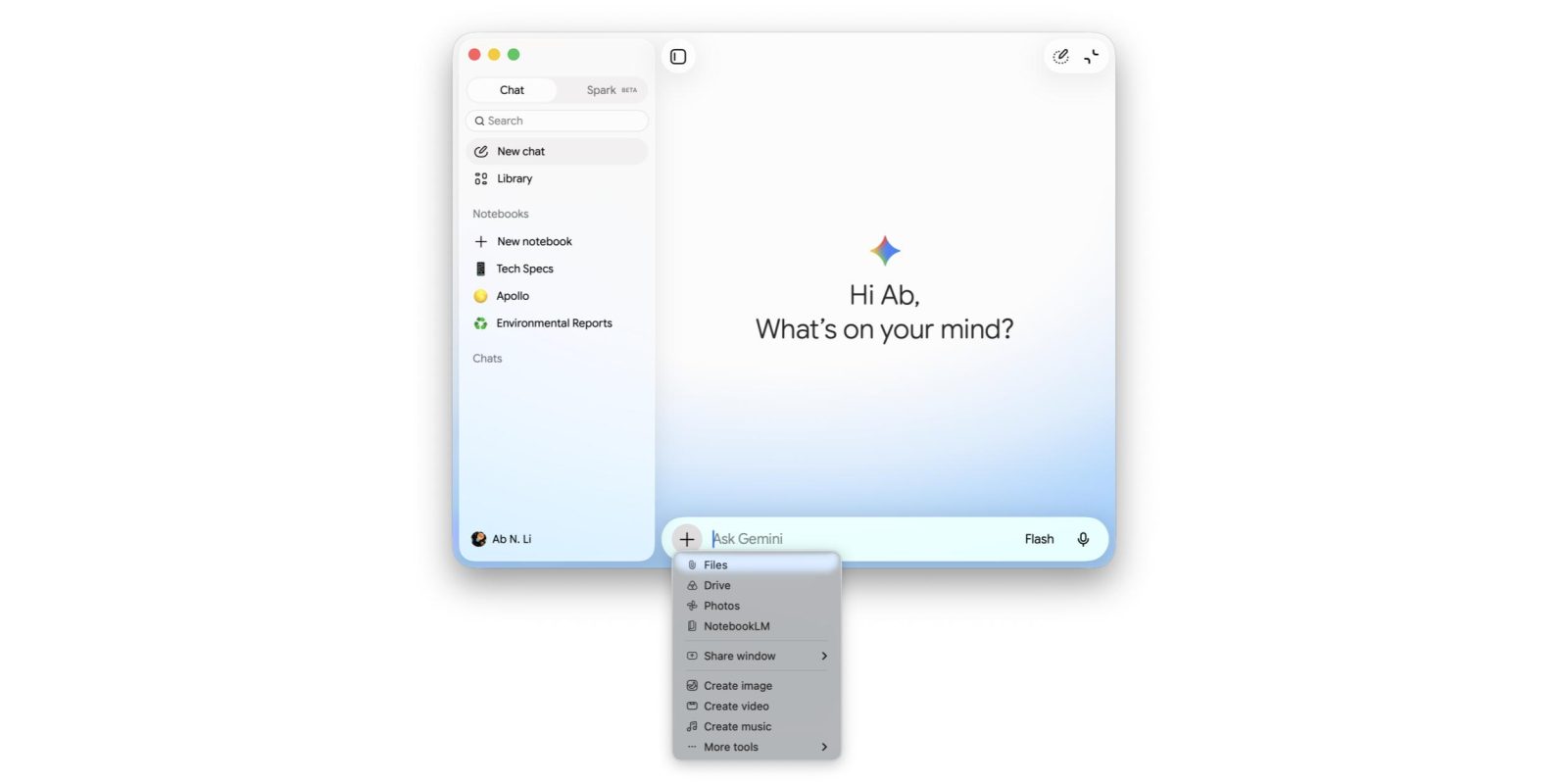
The homepage, serving as the primary hub for Gemini interactions, features several refreshed buttons that embody the new design language. The side panel button, which controls access to navigation and past conversations, has been updated for improved clarity. The voice input button, crucial for multimodal interaction, also receives a visual refresh. The "Temporary chat" button, offering a quick way to initiate short-lived AI conversations without saving them to history, now sports a more refined appearance. Furthermore, the toggle for switching between the full application view and the mini-view has been redesigned with a more rounded aesthetic, contributing to a softer, more approachable feel across interactive elements.
Consistency across platforms is a key tenet of the Neural Expressive design, and this is particularly evident in the "plus" menu. This menu, which typically provides access to additional functionalities like uploading files or generating specific content types, now features new icons that mirror their counterparts on Android, iOS, and web versions of Gemini. This uniformity is crucial for users who frequently switch between devices, reducing the cognitive load and making the application instantly familiar regardless of the platform.
Navigation within the application has also seen enhancements. The navigation drawer, which typically houses chat history and different modes, now utilizes pill-shaped indicators to denote the user’s current view or selected option. These indicators offer a clear, distinct visual cue, making it easier for users to ascertain their current location within the application’s structure. This design choice improves visual hierarchy and user feedback, contributing to a smoother and more intuitive navigation experience. The Settings menu, the hub for customizing Gemini’s behavior and preferences, has also been comprehensively updated, likely streamlining options and presenting them in a more organized, accessible manner.
Parallel Developments and Unification Efforts
The rollout of Neural Expressive for Gemini on macOS is not an isolated event but part of a broader, concerted effort by Google to standardize and elevate the design of its AI offerings. This week, Google also pushed out the latest design for AI Mode on Android, which features significant visual tweaks. Most notably, the prompt box on Android’s AI Mode is now presented as a floating container, rather than being docked to the bottom of the screen like a traditional sheet. This floating design provides a sense of dynamism and allows for greater screen real estate utilization, enhancing the overall visual experience. Complementing this, the "plus" menu and the submit button within AI Mode on Android have also been encapsulated in pill-shaped containers, further reinforcing the new design aesthetic and ensuring visual harmony across these key interaction elements.
It’s noteworthy that the Gemini for Chrome side panel, a popular way to interact with Gemini directly within the browser, currently retains the previous design language. This suggests a phased rollout approach, where critical standalone applications and core mobile experiences are prioritized for the new design, with browser extensions and integrated features to follow. This strategic staging allows Google to gather feedback and refine the implementation before a full, universal deployment.
The move away from the unified "bottom sheet look" that characterized prompt boxes in both Gemini apps and even services like the Google Health Coach (which still retains this design) indicates a deliberate evolution in Google’s design philosophy for AI. While the bottom sheet offered a degree of consistency, the Neural Expressive design, with its floating elements, dynamic gradients, and refined iconography, appears to prioritize a more modern, expressive, and less constrained interaction model. This suggests Google is striving for a design that not only unifies but also enhances the perceived intelligence and capability of its AI.
Market Context and Strategic Implications
The consistent rollout of a refined design language across Google’s AI products carries significant strategic implications in the fiercely competitive artificial intelligence landscape. With a substantial and growing user base on macOS, integrating Gemini seamlessly into the Apple ecosystem with a polished and consistent UI is crucial for user adoption and retention.
The global market for AI assistants is expanding rapidly, with millions of users relying on these tools for productivity, information retrieval, and creative tasks. By offering a high-quality, visually appealing, and functionally consistent experience, Google aims to solidify Gemini’s position as a leading AI assistant, capable of rivaling established players like Apple’s Siri, Microsoft’s Copilot, and Amazon’s Alexa. A well-executed UI/UX strategy can differentiate an AI product, making it more intuitive, enjoyable, and ultimately, more indispensable to users.
Industry analysts often highlight the importance of brand identity and user experience in the adoption of new technologies. For Google, a unified design language like Neural Expressive helps build a strong, recognizable brand for Gemini across diverse platforms. This consistency reduces friction for users who switch between devices, fostering a sense of familiarity and reducing the learning curve. It signals a mature and well-thought-out product strategy, which can be a decisive factor for users evaluating their AI tool choices.
Furthermore, the emphasis on a "Neural Expressive" design hints at Google’s long-term vision for AI interfaces. It suggests a future where AI interactions are not just functional but also aesthetically pleasing, intuitive, and perhaps even empathetic. The dynamic elements, clear indicators, and minimalist iconography contribute to an interface that feels intelligent and responsive, mirroring the sophisticated capabilities of the underlying AI models. This design philosophy could pave the way for more adaptive and context-aware interfaces in the future, where the UI dynamically adjusts to user needs and preferences.
The decision to update the macOS app simultaneously with significant model updates like Gemini 3.6 Flash underscores Google’s holistic approach to product development. It implies that user experience is considered as critical as raw AI performance. A powerful AI model can only achieve its full potential if it is wrapped in an interface that is easy to use, visually appealing, and inspires confidence.
Concluding Thoughts
The Neural Expressive redesign for Gemini on macOS is more than just a visual refresh; it is a strategic move by Google to consolidate its AI brand, enhance user experience across its ecosystem, and reinforce its competitive standing. By bringing design consistency to a core platform like macOS, Google is ensuring that Gemini users, regardless of their device preference, can expect a modern, intuitive, and unified interaction with their AI assistant. As AI continues to integrate deeper into daily digital life, the importance of a thoughtful and consistent user interface will only grow, and Google’s latest update positions Gemini strongly for this evolving future. The phased rollout and ongoing refinements across various Google AI interfaces demonstrate a meticulous approach to perfecting the user journey, ensuring that the power of Gemini is matched by an equally compelling and accessible design.