Gemini Notebook expands its mobile utility with the launch of an integrated audio recording feature on Android and iOS

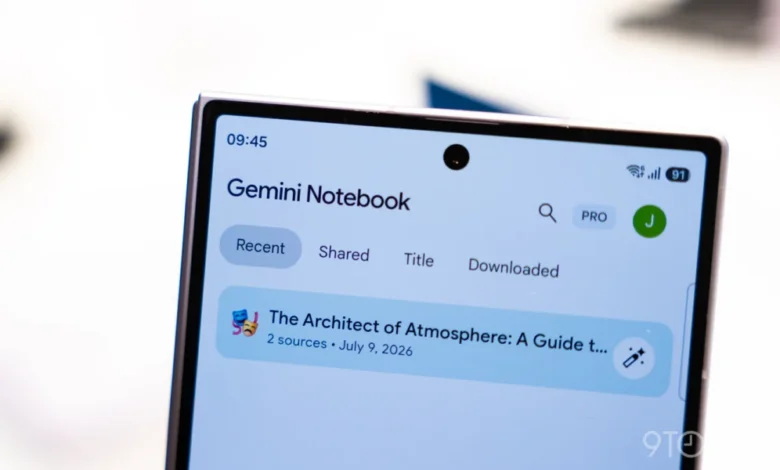
Google has officially expanded the capabilities of its Gemini Notebook platform, introducing a native audio recording feature designed to streamline the capture of lectures, meetings, and spontaneous ideas. Following a series of iterative updates, including the recent integration of Connected Apps, this latest development marks a significant shift in how users can interact with Google’s AI-powered research and organization tool. The new microphone icon, now appearing in the mobile interface, allows for direct audio ingestion into the Gemini ecosystem, bridging the gap between verbal information and structured digital note-taking.
A New Chapter for Mobile Productivity
The integration of an audio recorder into the Gemini Notebook mobile application represents a strategic move by Google to compete with established productivity platforms like Otter.ai, Notion, and Evernote. By embedding the recorder directly between the camera and the "Create New" floating action button (FAB), Google has prioritized accessibility for mobile users who frequently find themselves in environments where typing is impractical or impossible.
When a user initiates a recording from the homepage, the application automatically creates a new notebook to house the resulting audio file and any subsequent transcriptions. Conversely, if the recorder is activated from within an existing "Sources" tab, the audio file is seamlessly appended to the current document. This organizational logic ensures that users can maintain context without needing to manually categorize files, reinforcing the platform’s utility as a central repository for research and brainstorming.
Technical Specifications and User Interface
The recording interface is characterized by a minimalist design language consistent with Google’s Material You guidelines. Users are presented with a simplified control set: a pause button for temporary interruptions and a checkmark that triggers the finalization and upload process. During active recording, the application displays a dynamic, Gemini-branded waveform alongside a live duration counter.
To ensure reliability for power users, the system supports background processing. Users can lock their devices, switch to other applications, or navigate away from the Gemini Notebook app without interrupting the recording session. However, the platform currently enforces a one-hour capture limit per session. Once a recording is finalized, the AI processes the audio, allowing users to leverage Gemini’s generative capabilities to chat with their recordings, generate citations, or summarize complex discussions. This workflow enables a continuous loop of creation and editing, where the audio serves as a primary source document for the AI’s generative outputs.
The Timeline of Evolution
The rollout of this feature follows a steady cadence of updates for Gemini Notebook throughout the latter half of 2026. The trajectory of these enhancements highlights Google’s intent to make the platform an indispensable tool for students, journalists, and professionals alike.
- September 2026: Google initially announces the forthcoming audio recorder feature, signaling a move toward more multimodal data input.
- October 2026: Gemini Notebook introduces "Connected App" integration, allowing the platform to draw context from various Google Workspace services.
- Late October 2026: The Live button feature is introduced in the Chat tab, enabling real-time, fluid conversations with notebooks.
- Current Rollout: The audio recorder enters general availability on Android and iOS, accompanied by UI refinements to the "Create New" FAB, which now bypasses the "Add a source" menu to initiate a new notebook immediately.
This rapid sequence of updates reflects an aggressive development cycle, likely intended to maintain momentum in the highly competitive generative AI market.
Strategic Implications for Google
The integration of audio recording into Gemini Notebook is more than a mere convenience; it is a fundamental shift in how Google envisions the AI workspace. By allowing users to treat audio as a "source," Google is positioning Gemini Notebook as a hub for multimodal information processing. In an era where "data bloat" is a common professional challenge, the ability to record, transcribe, and query information in a single interface reduces the friction associated with information management.
Analysts observing the productivity software market have noted that the move toward "intelligent notes" is becoming a standard expectation for AI-integrated suites. By lowering the barrier to entry for recording and analyzing audio, Google is effectively lowering the cognitive load on its users. Instead of manually synthesizing notes after a meeting, the user can rely on the AI to maintain a persistent, queryable archive.
Broader Context and Industry Reaction
While Google has not released specific user statistics for Gemini Notebook, the shift toward mobile-first, AI-driven organization is part of a broader trend. Companies like Microsoft with its Copilot integration and various specialized AI startups are all vying for the "digital assistant" space. The key differentiator for Google lies in the integration of its existing ecosystem. When a user records a lecture, the ability to pull in related documents from Google Drive or emails via the "Connected Apps" feature creates a powerful, unified knowledge graph that few competitors can easily replicate.
Industry observers suggest that the one-hour limit on recordings is likely a calculated threshold to balance server-side processing costs with the needs of the average user. While professional stenographers or long-form researchers might find this limit restrictive, it covers the vast majority of academic lectures and standard business meetings, positioning the tool for mass-market adoption rather than niche industrial use.

Operational Adjustments and Best Practices
For users currently encountering issues with the update, Google has advised that the feature is a wide rollout; however, if the microphone icon does not appear, a "force stop" of the application or a manual update via the Google Play Store or Apple App Store is recommended.
The recent UI tweak—where the "Create New" FAB now immediately launches a blank notebook rather than a submenu—is a subtle but significant change in user experience design. By reducing the number of taps required to start a task, Google is optimizing for "speed to capture," an essential metric for productivity software. This aligns with the overall design philosophy of Gemini Notebook: minimize the steps between an idea and its digital representation.
Looking Ahead
As Gemini Notebook continues to evolve, the integration of audio is likely only the beginning. Industry experts anticipate that future updates will likely include more advanced features such as speaker identification, automatic indexing of key points, and perhaps even real-time translation for multilingual settings. As the AI backend becomes more sophisticated, the role of the user will shift further from "writer" to "editor" and "curator," with the AI handling the heavy lifting of transcription and summarization.
For now, the inclusion of the audio recorder solidifies the platform’s position as a robust, mobile-centric tool. By bridging the gap between voice-based interaction and structured text, Google has effectively made the Gemini Notebook a more versatile instrument for the modern, mobile-first knowledge worker. Whether this update will lead to widespread adoption remains to be seen, but the intent to integrate AI into the daily workflow of the average user is clearer than ever. As the ecosystem matures, the distinction between a "note-taking app" and an "AI research assistant" will likely continue to blur, with Gemini Notebook at the forefront of this convergence.
The ongoing development of these tools underscores a pivotal moment in software history where the interface is no longer just a window into a file, but a dynamic, conversational partner capable of processing the human voice as a primary source of knowledge. As Google continues to iterate, the platform’s utility will almost certainly hinge on its ability to maintain this balance between complexity and simplicity, ensuring that as more features are added, the user experience remains intuitive and efficient.