Apple Music Collaborative Playlists

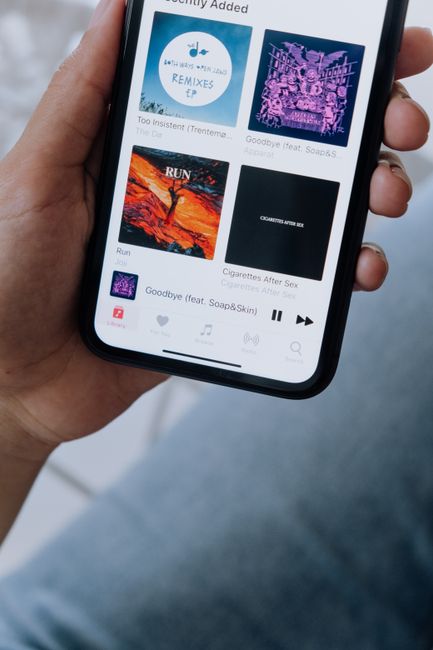
Apple Music Collaborative Playlists: Unleash Shared Musical Journeys
Apple Music collaborative playlists represent a significant evolution in how users interact with music, transforming passive listening into an active, shared experience. This feature empowers users to invite friends, family, or even a wider audience to contribute to a single playlist, fostering a dynamic and personalized musical tapestry. Unlike traditional playlists that are curated by a single individual, collaborative playlists become a melting pot of diverse tastes, introducing participants to new artists and genres through the collective contributions of others. This article will delve deep into the functionality, benefits, best practices, and creative applications of Apple Music collaborative playlists, providing a comprehensive guide for both novice and experienced users seeking to harness their full potential.
At its core, the creation and management of collaborative playlists on Apple Music are remarkably intuitive, designed to facilitate seamless sharing and contribution. To initiate a collaborative playlist, a user first needs to create a new playlist or select an existing one they wish to make collaborative. Within the playlist interface, a dedicated "Collaborate" or "Add People" option is present, typically accessible via a share icon or a context menu. Tapping this option reveals the core sharing mechanism. Users can then choose to share a direct link to the playlist via various communication channels, including iMessage, email, or other messaging applications. Alternatively, for more controlled access, users can invite specific contacts directly from their Apple Music library or device contacts. Once an invitation is sent, recipients can accept it and begin adding songs, albums, or even other playlists to the shared collection. The power lies in this simplicity, making it effortless to onboard new collaborators and begin building a shared musical narrative. The ability to control who can access and contribute is paramount for maintaining playlist integrity, and Apple Music offers granular control over these permissions, ensuring a positive experience for all involved.
The advantages of leveraging Apple Music collaborative playlists are multifaceted, extending beyond mere song sharing. The most apparent benefit is the amplification of musical discovery. When multiple individuals contribute, a wider spectrum of musical tastes and preferences is introduced to each participant. A friend’s obscure indie gem might become your new favorite, or a family member’s classic rock deep cut could reignite a passion for a genre you thought you’d outgrown. This collective curation breaks down individual listening bubbles, fostering a richer and more eclectic musical library. Furthermore, collaborative playlists serve as powerful tools for social connection. They transform music listening from a solitary activity into a shared event, perfect for parties, road trips, or even just staying connected with distant friends. Imagine creating a playlist for a wedding reception where guests can add their favorite dance tracks in advance, ensuring the music caters to everyone’s preferences. For long-distance relationships or friendships, a collaborative playlist can serve as a constant digital connection, a shared space where musical tastes intertwine and conversations can spark around newly added songs. The communal aspect also promotes a sense of ownership and investment in the playlist, encouraging more active participation and engagement.
Beyond personal enjoyment and social connection, Apple Music collaborative playlists offer compelling applications for various professional and creative endeavors. Musicians and bands can utilize them to share song ideas, gather feedback on demos, or even collaboratively build setlists for live performances. Producers might create shared playlists of inspiration tracks for a specific project, allowing collaborators to contribute sonic references and moods. Content creators, such as podcasters or YouTubers, can use them to curate theme music or background tracks for their projects, soliciting input from their audience or creative team. Educators can employ them to create curated listening experiences for students, introducing them to diverse musical periods, genres, or thematic collections. Event organizers can leverage collaborative playlists to gather song requests from attendees, ensuring a perfectly tailored musical atmosphere for their events. The flexibility of this feature allows for a broad range of practical and innovative uses, limited only by the user’s imagination.
Effective management of collaborative playlists hinges on clear communication and established guidelines. To ensure a harmonious and productive collaborative experience, it is advisable to set expectations upfront. This might involve discussing the overall theme or purpose of the playlist. Is it for a specific mood, event, or genre? Establishing a general direction can prevent the playlist from becoming a chaotic jumble of unrelated tracks. Deciding on the acceptable level of diversity is also important. For instance, some collaborative playlists might aim for a broad mix, while others might focus on a very niche genre. Setting a limit on the number of songs each person can contribute can help maintain balance and prevent any single individual from dominating the playlist. Encouraging respectful curation is also crucial. While diverse tastes are celebrated, it’s important to foster an environment where collaborators feel comfortable adding their selections without fear of immediate removal or criticism. Consider designating a primary administrator who can oversee the playlist, remove any inadvertently inappropriate additions, and ensure the overall cohesion. Regular communication through messaging apps or within the playlist’s shared space can help address any emerging issues or suggestions, further refining the collaborative process.
The technical aspects of managing collaborative playlists involve understanding who has what permissions. The creator of a collaborative playlist inherently possesses administrative rights, allowing them to invite or remove collaborators, and, in some cases, manage song additions. Collaborators typically have the ability to add songs, albums, or even other playlists to the shared collection. Depending on the specific implementation and updates from Apple Music, there might be options to grant or revoke specific editing privileges to collaborators, such as the ability to reorder songs or remove tracks. Keeping track of who added which song can be a valuable feature, offering insight into individual contributions and potentially sparking conversations about their choices. Apple Music’s interface provides clear indicators of who added each track, fostering transparency and accountability within the collaborative environment. Understanding these permission structures is key to ensuring smooth operation and avoiding potential misunderstandings or conflicts.
When curating a collaborative playlist, several best practices can elevate the listening experience for everyone involved. Firstly, clearly define the playlist’s purpose or theme. This could be "Road Trip Anthems," "Chill Study Vibes," "Party Starters," or a specific artist tribute. A well-defined theme acts as a guiding principle, ensuring that contributions are relevant and contribute to a cohesive listening experience. Secondly, invite collaborators whose musical tastes you believe will complement yours or contribute to the playlist’s theme. A diverse group can lead to more exciting discoveries, but ensure that the individuals invited are likely to engage with the concept. Thirdly, communicate clearly with your collaborators. Before starting, have a brief discussion about the playlist’s goals, any desired mood, and perhaps a rough idea of how many songs each person might contribute. During the playlist’s creation, encourage feedback and open communication about song choices. This can be done through group chats or by leaving comments on specific songs within the playlist, if such functionality is available. Fourthly, actively listen to and engage with the songs added by others. This shows appreciation for their contributions and encourages further participation. Finally, consider periodically reviewing and pruning the playlist if necessary. While the goal is collaboration, sometimes a track might feel out of place or no longer fit the evolving theme. Gently removing or reordering songs, with clear communication, can help maintain the playlist’s quality and overall appeal.
Exploring advanced strategies for Apple Music collaborative playlists unlocks even greater creative potential. For instance, themed "listening parties" can be organized where collaborators actively listen to the playlist in real-time, discussing song choices and discovering new music together virtually. This can be facilitated through video conferencing tools. For more structured projects, creators can establish a "curation committee" for a collaborative playlist, appointing specific individuals to oversee different aspects, such as genre diversity or historical accuracy. Gamification can also be introduced. Challenge collaborators to add songs that fit a specific prompt each week or to introduce a new artist to the group. This adds an element of fun and friendly competition. For those managing larger, more public collaborative playlists, setting clear community guidelines and moderation practices is essential. This ensures a positive and respectful environment for all contributors. Additionally, utilizing the "smart playlist" feature in conjunction with collaborative playlists can add another layer of automation. For example, a collaborative playlist could be created, and then a smart playlist could be set up to dynamically include songs from that collaborative playlist that match certain criteria, such as BPM or release year, offering a curated subset for specific listening needs.
The ongoing evolution of Apple Music’s features means that collaborative playlist functionalities may be updated and enhanced over time. Users should remain aware of new additions, such as improved discovery tools within collaborative playlists, enhanced social sharing options, or more sophisticated management controls. The ability to integrate collaborative playlists with other Apple Music features, such as radio stations or artist pages, could also emerge, further enriching the user experience. Staying informed about these updates is crucial for maximizing the benefits of this dynamic musical tool. The core concept of shared musical journeys, however, remains central to the appeal of Apple Music collaborative playlists, offering a powerful and engaging way to connect with others through the universal language of music. The platform’s commitment to fostering community and personalized experiences is clearly demonstrated by the continued development and accessibility of this innovative feature.

