Mastering the Art of Swift Mobile Communication: Unlocking Peak Typing Speed on Android Devices

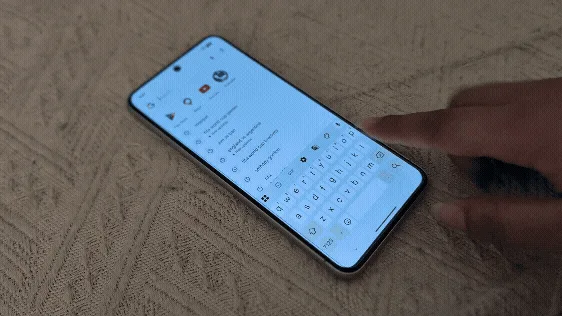
In an era where smartphones have firmly cemented their position as indispensable tools for communication, productivity, and information capture, the imperative to input text with speed and precision has become paramount for a vast global user base. From the demanding pace of professional correspondence to the intricate note-taking required in academic settings and internships, the ability to rapidly articulate thoughts into digital text is a skill that directly impacts daily efficiency and effectiveness. While a significant portion of smartphone users still defaults to the traditional, albeit slower, method of individually tapping each letter on their virtual keyboards, a more efficient and increasingly popular alternative exists: swipe typing. This widely available feature, often referred to as Glide Typing on Google’s Gboard or Swype mode on Samsung Keyboard, promises to dramatically elevate typing speeds, transforming the mobile communication experience for millions.
A Brief History of Touchscreen Keyboards and Gesture-Based Input
The evolution of mobile text input is a fascinating journey that mirrors the rapid advancements in mobile technology itself. Early mobile phones relied heavily on numeric keypads, employing predictive text systems like T9 (Text on 9 keys) to allow users to type words by pressing each key only once. While revolutionary for its time, T9 was cumbersome for complex words and multi-language input. The advent of smartphones, particularly with the introduction of capacitive touchscreens, ushered in the era of full QWERTY virtual keyboards. These virtual layouts replicated physical keyboards, but initially, typing on them was often slower and more prone to errors than physical counterparts due to the lack of tactile feedback and the smaller key size.
The true paradigm shift in mobile text input began with the emergence of gesture-based typing. The concept was pioneered by Swype Inc., founded in 2002 by Cliff Kushler, one of the co-inventors of T9. Swype’s groundbreaking patents, filed around 2007, laid the foundation for "path-based" or "trace-based" input, where users could slide their finger across the letters of a word without lifting it. The technology made its public debut around 2008 and quickly gained traction, demonstrating a tangible improvement in typing speed and fluidity. Swype Inc. was later acquired by Nuance Communications in 2011, and its technology became a cornerstone for many third-party keyboards and eventually influenced integrated keyboard solutions.
Google’s Gboard, originally launched as Google Keyboard in 2012 and rebranded as Gboard in 2016, integrated its own version of swipe typing, known as Glide Typing. This development was part of Google’s broader strategy to enhance its mobile ecosystem with intelligent, AI-powered features. Gboard’s evolution saw it combine predictive text, voice typing, search integration, and eventually, robust multi-language support and advanced machine learning capabilities, making it one of the most comprehensive and widely used mobile keyboards globally. Similarly, Samsung, a dominant player in the Android smartphone market, developed its own proprietary Samsung Keyboard, which also incorporated a "Swype mode" to offer a comparable gesture-based typing experience, emphasizing customization and seamless integration within its One UI ecosystem.
Unlocking Speed: How Swipe Typing Works
The fundamental principle behind swipe typing is elegantly simple: instead of tapping each letter individually, the user slides their finger or stylus across the virtual keyboard, connecting the letters that form a word. The system intelligently interprets the path drawn by the finger, leveraging sophisticated algorithms to predict the intended word. Once the finger is lifted from the screen, the system automatically inserts the predicted word, followed by a space, streamlining the entire input process.
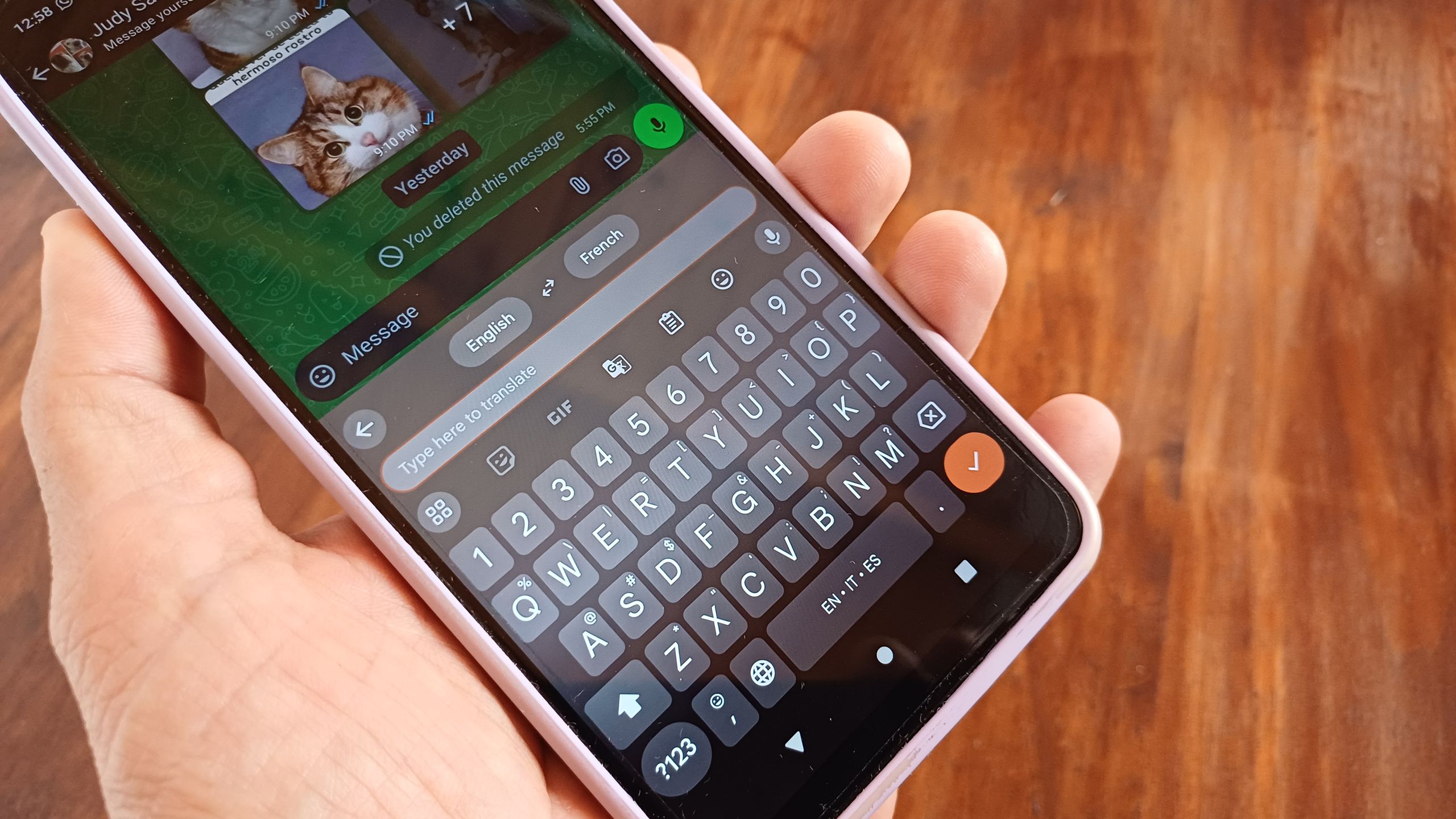
For instance, to type the word "quick," a user would place their finger on the ‘Q’, slide it to ‘U’, then ‘I’, ‘C’, and finally ‘K’, lifting their finger after ‘K’. The keyboard’s underlying technology analyzes this trajectory, cross-referencing it with its dictionary and language models to identify "quick" as the most probable word. Even if the path isn’t perfectly precise, the predictive engine can often correct minor deviations. This method significantly reduces the physical taps required, translating directly into faster typing speeds.
The demonstration of this technique, often performed on devices like the Google Pixel 8 running a modern Android iteration such as Android 16 and utilizing Gboard as the default keyboard, typically involves a few straightforward steps:
- Activate Text Input: Tap on any text box or input field within an application where text entry is required.
- Initiate Swipe: Instead of tapping, place your finger on the first letter of the desired word.
- Glide Across Letters: Without lifting your finger, smoothly slide it across the subsequent letters that spell out the word. A brief, almost imperceptible pause on each letter can sometimes aid accuracy, though modern algorithms are highly forgiving.
- Complete Word: Lift your finger once the last letter of the word has been "traced." The keyboard will automatically insert the predicted word and a space, preparing for the next word.
For users of Samsung Keyboard, a preliminary step is necessary to enable the feature. Navigating to the keyboard settings and activating "Swype mode" or a similar gesture typing option ensures that the finger-sliding functionality is active. This minor configuration allows Samsung users to enjoy the same efficiency benefits. The core requirement for most Android users is having Gboard installed and running on Android 8 or a newer version, ensuring broad accessibility across a wide range of devices.
Beyond Speed: Intelligence and Accuracy
Swipe typing’s efficacy extends beyond mere speed; it is deeply rooted in the intelligence and adaptability of modern keyboard software. Gboard, for example, is renowned for its machine learning capabilities, which allow it to become progressively smarter and more accurate over time. As a user consistently employs swipe typing, Gboard learns individual typing patterns, common phrases, and even unique finger trajectories. This adaptive learning mechanism continuously refines its predictive models, leading to more accurate word suggestions. When the keyboard occasionally misinterprets a swipe, users can correct it by tapping the correct word from the suggestion bar, further "teaching" the AI for future interactions.
This intelligent prediction system also seamlessly integrates with a user’s custom dictionary. Names, specialized jargon, abbreviations, slang, or words from other languages that are frequently used, even if not grammatically standard, can be added to the dictionary. Once added, Gboard recognizes and accurately predicts these words when swiped, significantly enhancing personalization and typing flow. This feature is particularly valuable for individuals who frequently use technical terms, proprietary names, or communicate in mixed-language environments.
Furthermore, the multilingual support within Gboard is a testament to its advanced design. Users can switch between multiple languages, and swipe typing functions just as effectively across them. The system adapts its language models, dictionaries, and predictive algorithms to the active language, enabling fluid communication without the need to switch input methods. This global capability underscores the feature’s potential to break down linguistic barriers in digital communication, making it an indispensable tool for a diverse, interconnected world. The integration of Gboard with Wear OS watches also extends this efficient input method to smartwatches, further broadening its utility.
The Impact on User Productivity and Communication
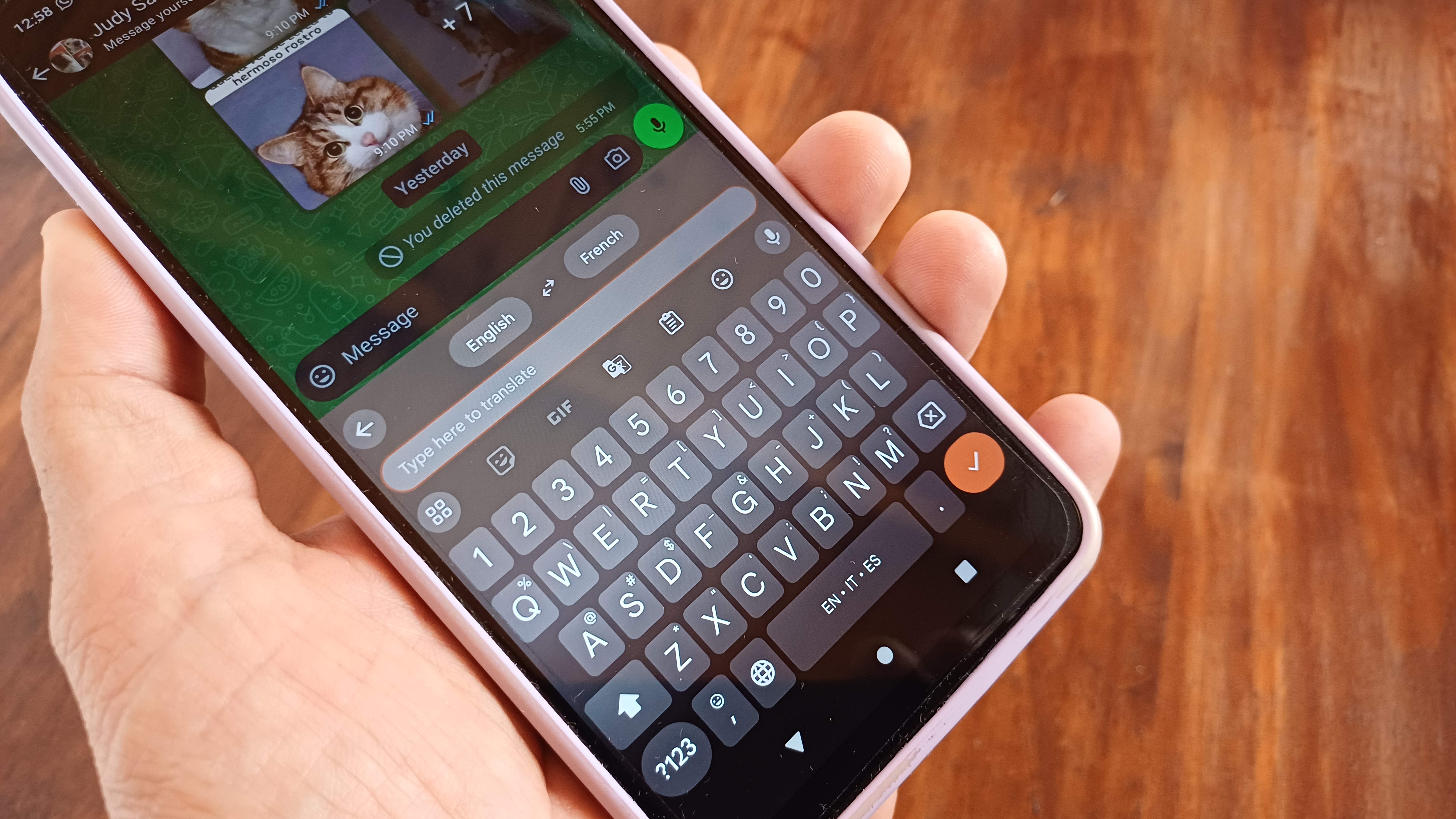
The real-world implications of mastering swipe typing are substantial, particularly concerning productivity and the overall fluidity of digital communication. Studies and user testimonials consistently point to a significant increase in words per minute (WPM) for proficient swipe typists compared to traditional tap typists. While exact figures can vary based on individual practice and device, many users report improvements ranging from 20% to upwards of 50%, transforming a slow, deliberate process into a swift, intuitive one. This enhancement in speed is not just about finishing tasks faster; it’s about reducing cognitive load, allowing users to focus more on the content of their message rather than the mechanics of input.
For students, this translates into faster note-taking during lectures or seminars, enabling them to capture more information in real-time. For professionals, it means quicker responses to emails, faster drafting of reports, and more efficient engagement in messaging applications, all contributing to a more dynamic and responsive workflow. Casual users benefit from more fluid conversations, whether texting friends or posting on social media, reducing the friction often associated with mobile typing.
Beyond speed, swipe typing also offers ergonomic advantages. It allows for more natural, continuous finger movements, potentially reducing the strain associated with repetitive tapping. It also facilitates one-handed typing with remarkable ease, a significant benefit given the increasing size of smartphone screens. Users can comfortably hold their device and swipe with their thumb, maintaining full control and quick input capabilities, which is especially useful when multitasking or on the go.
Industry Perspectives and Developer Innovation
From an industry standpoint, the widespread adoption and continuous refinement of swipe typing reflect a commitment from technology giants like Google and Samsung to enhance user experience through intelligent software design. Google’s ongoing investment in Gboard, incorporating advanced AI, seamless integration with other Google services (like Google Translate directly within the keyboard), and a relentless focus on user feedback, underscores its vision for a truly smart and predictive mobile interface. Gboard isn’t just a keyboard; it’s an intelligent assistant that anticipates user needs, from suggesting relevant GIFs to providing real-time translation.
Samsung’s approach with its native keyboard emphasizes deep integration within its Android overlay, One UI. This ensures a consistent and optimized experience across its vast range of devices, from entry-level smartphones to high-end flagships. The company’s focus often revolves around offering a highly customizable experience, allowing users to tailor the keyboard’s appearance, layout, and functionality to their specific preferences, including the activation of gesture typing modes like Swype.
The broader developer community also plays a crucial role, with numerous third-party keyboards continuously innovating on gesture-based input, offering alternative layouts, themes, and specialized features. This competitive landscape drives innovation, ensuring that mobile users have a wide array of choices, each striving to offer the most intuitive and efficient typing experience possible. The underlying APIs and SDKs provided by Android facilitate this innovation, allowing developers to tap into the device’s processing power and machine learning capabilities to enhance input methods.
Challenges and the Learning Curve
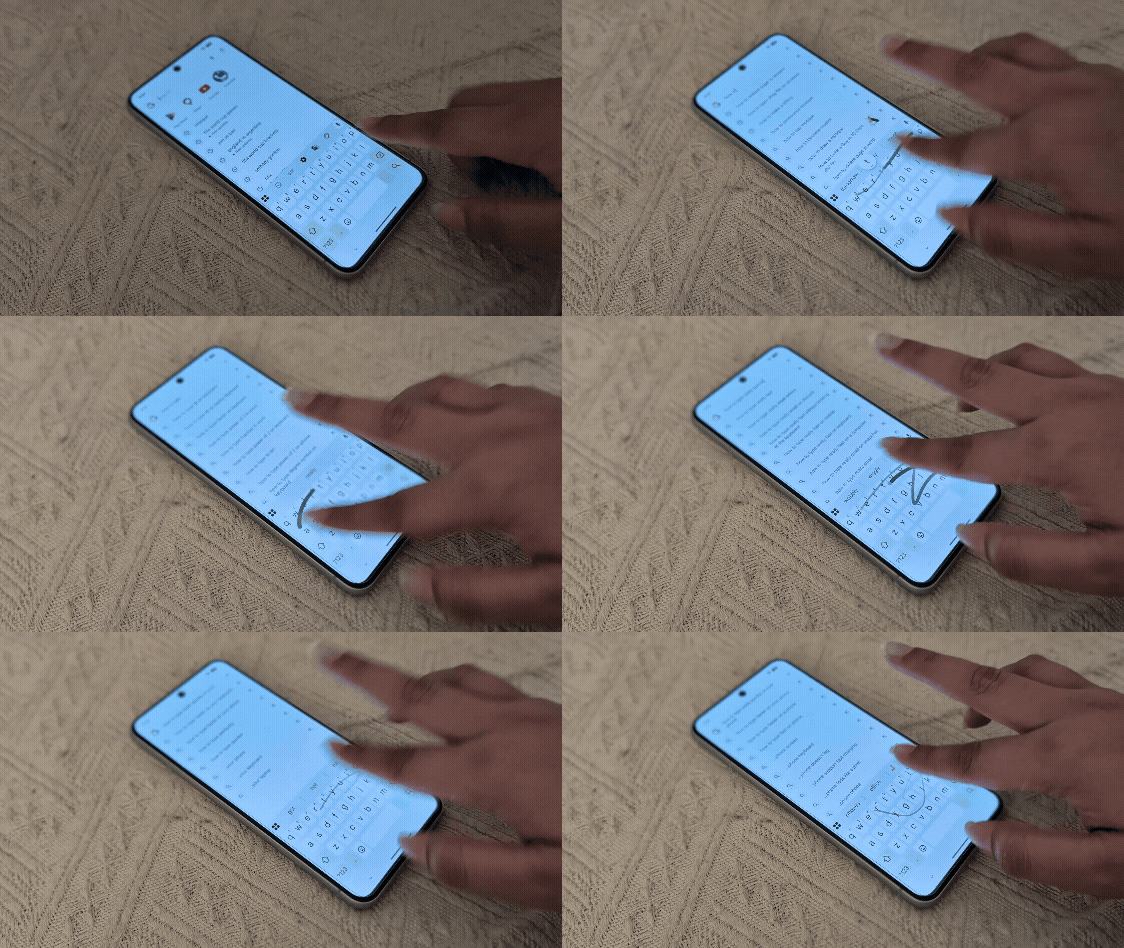
Despite its numerous advantages, the transition to swipe typing is not without its initial challenges. As with any new skill, there is a learning curve. Many users, accustomed to the deliberate nature of tap typing, may initially find themselves typing slower when attempting to swipe. The brain and finger muscles need to adapt to a new motor pattern, requiring practice and patience. Precision is key, and while modern algorithms are forgiving, wildly inaccurate swipes will still result in incorrect word predictions.
Users might also encounter occasional frustration with less common words, proper nouns, or highly specific jargon that hasn’t been added to their custom dictionary, leading to more frequent manual corrections in the initial stages. However, this transient period of adjustment typically gives way to a significantly more efficient and satisfying typing experience as muscle memory develops and the keyboard’s AI learns the user’s unique style.
The Future of Mobile Text Input
The trajectory of mobile text input suggests a future where keyboards become even more intelligent, predictive, and seamlessly integrated with broader AI capabilities. We can anticipate further enhancements in:
- Advanced AI Integration: Keyboards will likely leverage more sophisticated natural language processing to not only predict words but also complete sentences, suggest contextual phrases, and even draft entire responses based on conversational patterns and user intent.
- Hybrid Input Methods: The distinction between typing, voice input, and potentially even eye-tracking or brain-computer interfaces may blur, allowing users to switch effortlessly between modes or combine them for ultimate efficiency.
- Haptic Feedback: More nuanced and intelligent haptic feedback could provide tactile cues during swiping, enhancing accuracy and user satisfaction by mimicking the feel of physical keys or indicating successful word recognition.
- Augmented Reality Keyboards: While still nascent, the concept of projecting virtual keyboards onto surfaces or integrating them into AR/VR environments could offer new dimensions to mobile input, though practical applications for everyday mobile use remain distant.
- Contextual Understanding: Keyboards might become even more adept at understanding the context of an ongoing conversation or the specific application being used, offering highly relevant suggestions and features tailored to the situation.
Conclusion: Embracing the Gesture Revolution
Swipe typing, or Glide Typing, represents a significant leap forward in mobile text input, offering a powerful solution to the perennial quest for faster, more efficient communication on smartphones. While it may require an initial investment of time to master, the long-term benefits in terms of productivity, fluidity, and convenience are undeniable. It transforms the act of typing from a series of discrete taps into a continuous, intuitive gesture, allowing users to articulate their thoughts with unprecedented speed.
In a world that increasingly relies on digital communication, mastering this skill is becoming less of a niche trick and more of a fundamental competency. It exemplifies how thoughtful software design, powered by advanced algorithms and machine learning, can fundamentally enhance our daily interactions with technology. For anyone seeking to optimize their mobile experience and keep pace with the demands of modern communication, embracing the gesture revolution in mobile typing is not just an option—it’s an essential upgrade.