Apple’s Long-Awaited Siri AI Launch in iOS 27 Met with Early User Backlash, Performance Hurdles, and Calls for Classic Fallbacks

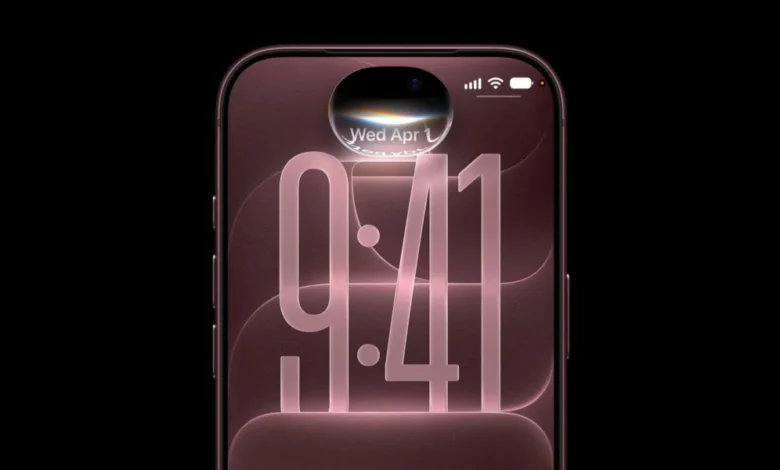
The official rollout of Apple’s next-generation digital assistant, Siri AI, has arrived to massive consumer anticipation as part of the broader iOS 27 release. Distributed gradually through a heavily managed server-side waitlist, the newly engineered intelligence platform represents a monumental shift for the tech giant’s software ecosystem. Integrating advanced on-device foundational models alongside Private Cloud Compute infrastructure, Siri AI is designed to understand complex conversational context, scan personal messaging history and application notes, and execute cross-app actions via screen-aware modalities.
However, despite these ambitious technical leaps, the initial public reception has been far from celebratory. Early adopters across global markets have taken to mainstream technology forums and social media platforms to express mounting frustration. Rather than experiencing a seamless transition into a smarter computing era, many consumers are finding themselves grappling with frequent connection errors, severe latency regressions, and unexpected indexing failures. Because Apple has officially designated the current deployment as a beta release, industry analysts note that initial friction is to be expected; nevertheless, the volume and severity of the current user complaints underscore the monumental engineering challenges Apple faces as it attempts to modernize its proprietary assistant.
The Chronology of Apple’s AI Evolution and the Road to iOS 27
To understand the current user dissatisfaction, it is necessary to examine the timeline of Apple’s artificial intelligence strategy. For years, critics and Wall Street investors accused the Cupertino-based company of falling behind competitors like OpenAI, Google, and Microsoft in the generative AI race. While competitors rapidly deployed conversational large language models into their core operating systems, Apple maintained a cautious, privacy-first approach.
The turning point occurred at Worldwide Developers Conference (WWDC) events in preceding years, where Apple first laid out its vision for a deeply integrated personal intelligence system. Promising a paradigm shift where privacy and utility co-exist through a blend of local device silicon and secure cloud architecture, the company slowly primed its user base for a late-decade rollout. The release of iOS 27 this month marks the physical realization of those promises. Yet, the complex mechanics required to merge legacy voice-command frameworks with modern neural networks have created significant operational bottlenecks. By labeling the rollout a beta and implementing a phased waitlist, Apple attempted to manage server loads and user expectations, but the sheer demand for next-generation capabilities has seemingly overwhelmed both infrastructure and software reliability.

Five Core Categories of User Complaints
As millions of users gain access to Siri AI, technical support forums and community boards have coalesced around five primary categories of systemic failure. These issues range from basic connectivity roadblocks to surprising regressions in everyday utility when compared to the classic Siri architecture.
1. Network Connectivity and Cloud Backend Failures
A prominent point of friction involves frequent invocation errors. Users attempting to trigger the assistant are repeatedly met with the generic system prompt, "Sorry, something went wrong." Diagnostics suggest these interruptions stem from communication failures between the physical iPhone and Apple’s cloud-based backend infrastructure. While disabling active Virtual Private Network (VPN) clients or altering local Wi-Fi channel settings occasionally mitigates the problem, the Siri user interface itself offers zero diagnostic transparency. Users are left completely unaware of whether the failure originates from their local hardware, residential internet provider, or intermittent downtime within Apple’s newly established server clusters.
2. Search Indexing Bugs and Retrieval Failures
One of Siri AI’s primary value propositions is its advanced ability to parse through personal data—such as text messages, notes, and reminders—to execute contextual queries. Paradoxically, numerous consumers report that the new iteration is frequently worse at finding basic items than its predecessor. Standard commands, such as adding specific grocery items to a designated Reminders list or querying existing alarms, frequently yield responses indicating that the list or data does not exist. Similar inconsistencies plague HomeKit smart home integrations, where device names that were previously recognized without issue now return error states. In extreme edge cases, cross-device ecosystems—particularly among Apple Watch users running corresponding software builds—have encountered critical errors suggesting that fundamental system utilities like the Clock application are missing from the device entirely.
3. Strict Unlocking Prerequisites for Basic Queries
Classic Siri allowed users to execute a wide variety of routine tasks while an iPhone remained locked, provided that the relevant permissions were toggled on within the system settings. Siri AI, however, enforces a much stricter security posture. It routinely demands that the host device be fully unlocked via Face ID, Touch ID, or a passcode before fulfilling requests. This security mandate applies even to basic queries that do not inherently expose sensitive personal data. For consumers attempting to use the assistant hands-free while driving, commuting, or wearing wireless earbuds like AirPods, this limitation severely degrades the utility of voice-activated computing. Analysts suspect that whenever Siri AI queries the new semantic index for personal context, the system defaults to a fail-safe lock state if biometric authentication has not been recently verified.
4. Noticeable Latency and Processing Delays
Speed has historically been a critical benchmark for virtual assistants. While Siri AI leverages powerful on-device models for localized tasks, complex queries require routing through Private Cloud Compute infrastructure. This hybrid processing model has introduced noticeable response latency. Users report substantial delays between finishing a spoken command and receiving an audible or visual response. The performance regression is especially pronounced on wearable hardware, such as Apple Watch models running watchOS 27. Simple commands—such as setting a short timer—which previously executed instantaneously, now suffer from multi-second pauses, interrupting natural user workflows.

5. Feature Regressions and Command Ambiguity
Despite expanding the overall capability ceiling of the assistant, the transition to Siri AI has inadvertently introduced feature gaps. Documentation confirms that deep queries regarding Health app metrics are temporarily unsupported by the new framework. Furthermore, previous integrations—such as direct prefix commands routed to third-party models like ChatGPT—have been stripped or decoupled during the architectural overhaul. Additionally, because Siri AI possesses a vastly expanded comprehension scope, natural language phrasing that functioned reliably under classic Siri can now produce ambiguous interpretations, leading to unpredictable or incorrect assistant behaviors.
User Interface Friction and System Navigation Changes
Beyond functional bugs and processing delays, consumers have voiced significant discontent regarding structural changes to the iOS 27 user interface. The integration of prominent, persistent "Ask Siri" interface buttons across native applications has drawn criticism for screen clutter.
Furthermore, modifications to core gesture navigation—such as repurposing the middle-of-the-screen downward swipe gesture to invoke Siri and Spotlight rather than standard notification management—have disrupted long-standing muscle memory for millions of iPhone users.
Official Status, Deployment Roadmap, and Industry Implications
Apple has maintained a measured public posture regarding the rocky launch, reiterating that Siri AI remains in a preliminary development phase. While the company has not published a comprehensive chronological roadmap for bug fixes, corporate communications indicate that language support will expand to a handful of additional regional dialects beginning in October.
Industry analysts suggest that these growing pains highlight the immense difficulty of transitioning hundreds of millions of active devices into an era of ambient, context-aware artificial intelligence. Maintaining the delicate balance between on-device privacy guarantees and heavy cloud-based neural processing requires continuous architectural refinement. If Apple fails to stabilize these core performance metrics swiftly, the company risks alienating mainstream consumers who view AI integration as a primary purchasing motivator for modern smartphone hardware.

How to Revert to Classic Siri
For users who find the current state of Siri AI too unreliable for daily productivity, Apple has provided a temporary administrative mechanism to revert to the classic assistant architecture without downgrading the operating system.
- Open the Settings application on your iPhone or iPad.
- Scroll down and tap on Screen Time.
- Select Content & Privacy Restrictions, then navigate to Siri.
- Change the Allowed Siri version parameter from Siri AI (Beta) to Siri Classic.
Alternatively, users can disable the Siri service entirely within the primary Siri settings menu; upon re-enabling the feature, the system will prompt the user to select between the classic implementation or the experimental AI framework. This fallback mechanism ensures that productivity does not have to be permanently sacrificed while Apple engineers work to resolve the software bugs in subsequent over-the-air patches.