Discover the top social media calendar tools to streamline your workflow, save time, and organize your content with ease.


In an increasingly digitized and competitive marketing landscape, the strategic management of digital content has become paramount for businesses of all sizes. The sheer volume of content required across diverse platforms—from social media networks like Instagram and LinkedIn to blogs, email campaigns, and paid advertisements—often overwhelms marketing teams. A recent study indicated that 58% of marketers report feeling overwhelmed, a sentiment largely attributed to the intricate demands of juggling multiple platforms, tight deadlines, and numerous stakeholders without a centralized system. This complexity underscores the critical need for sophisticated content calendar tools, which have evolved from simple scheduling aids into indispensable platforms for integrated content strategy.

The Evolving Landscape of Content Strategy
The journey of digital marketing has seen a dramatic shift from ad-hoc, opportunistic posting to highly structured, data-driven content strategies. Early social media efforts often relied on manual scheduling and basic spreadsheets, a method that quickly became unsustainable as the number of platforms grew and audience expectations for consistent, high-quality content intensified. Today, content marketing is a multi-billion dollar industry, with businesses investing heavily in creating compelling narratives and engaging visuals. According to industry reports, over 70% of B2B marketers utilize content marketing, and a significant portion of their budget is allocated to content creation and distribution. The rise of content calendar tools directly addresses this evolution, providing the necessary infrastructure to plan, execute, and analyze content across an omnichannel presence. These tools serve as the backbone for maintaining brand voice, ensuring timely delivery, and adapting to ever-changing algorithm demands.
Defining Content Calendar Tools: Beyond Basic Scheduling
Content calendar tools are specialized software solutions designed to facilitate the planning, scheduling, management, and distribution of digital content across an organization’s various marketing channels. Unlike rudimentary spreadsheets or Google Docs, which offer limited functionality, dedicated tools provide a robust framework that integrates multiple aspects of the content lifecycle. Carolina Horna, a Freelance Creative Director and Brand Strategist with over a decade of experience navigating the complexities of social media, emphasizes this distinction: “Using a dedicated tool as opposed to a Google Doc or spreadsheet adds a level of organization and clarity that is hard to achieve without it.” She further notes, “With a content calendar tool, I’m able to see my strategy come to life, maintain my content pillar distribution, and collaborate easily with my team.” These platforms are engineered to streamline workflows, mitigate errors, and foster seamless team collaboration, ultimately transforming a potentially chaotic process into a repeatable, scalable system.
Key Features for Strategic Content Management

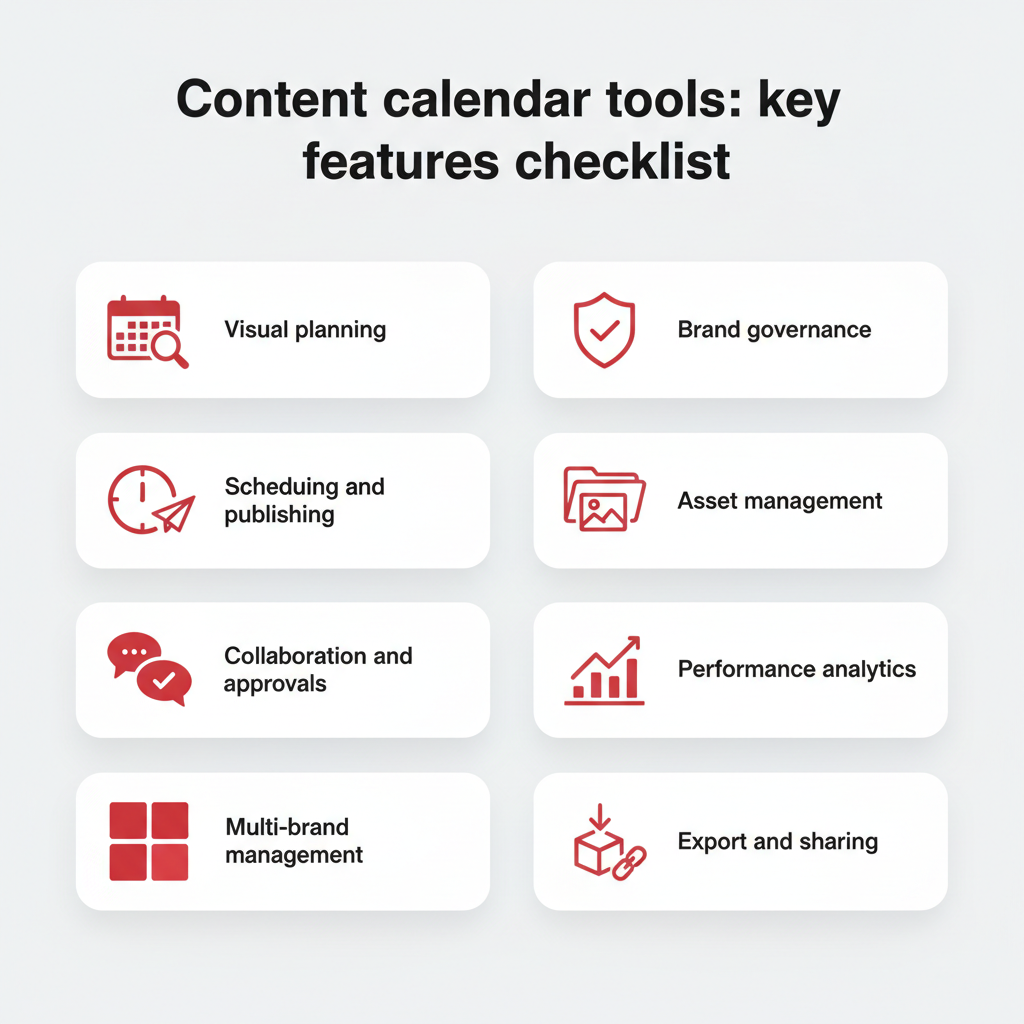
When evaluating content calendar tools, the focus extends beyond mere scheduling capabilities to encompass a suite of features that enhance the entire content workflow. These integral functionalities are what differentiate a basic planner from a strategic asset:
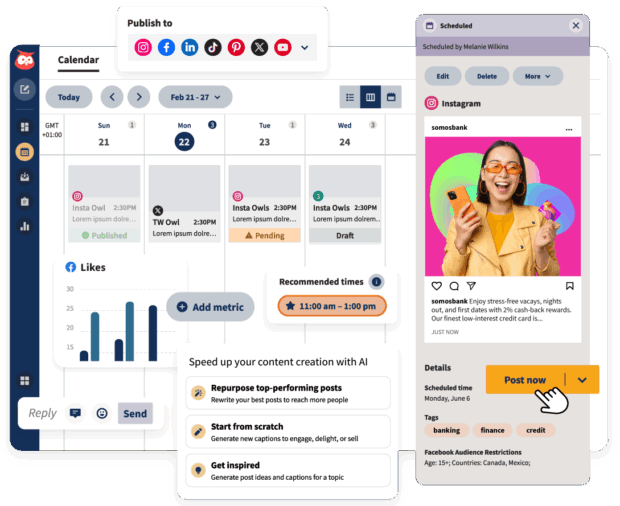
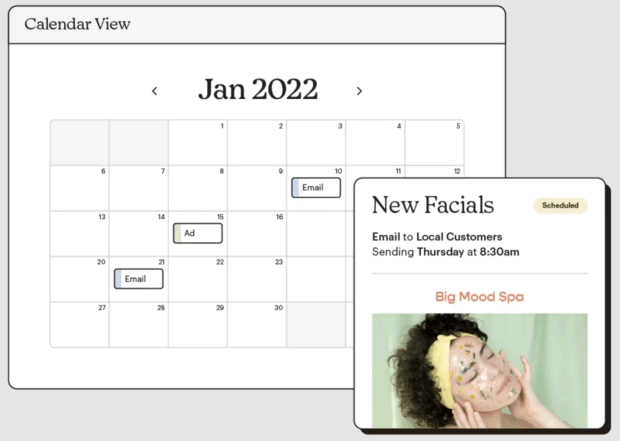
- Visual Planning and Scheduling: Modern tools offer intuitive calendar views (daily, weekly, monthly), Kanban boards, and spreadsheet formats, allowing teams to visualize their content pipeline effectively. This flexibility enables users to toggle between different views, tailoring the interface to their specific roles and involvement in a project. Horna highlights this, stating, "Within the content calendar tool I use, you’re able to toggle between different views… This helps me manage my team’s time effectively since I can create a view that suits their involvement in my project. They never need to see or sift through content that doesn’t apply to them."
- Robust Collaboration and Workflow Management: Essential for teams, these features include task assignments, approval workflows, comment threads, and role-based permissions. This ensures that content progresses smoothly from ideation to publication, with clear responsibilities and accountability at each stage. For instance, sections within content forms can be specifically designed for copywriting and design requirements, filtering into separate views for relevant team members.
- Content Creation and Asset Management: Many tools integrate content creation functionalities, offering built-in editors, AI-powered writing assistants (like Hootsuite’s OwlyWriter AI), and centralized media libraries. This ensures that all necessary assets—images, videos, copy—are readily accessible and organized, supporting brand consistency.
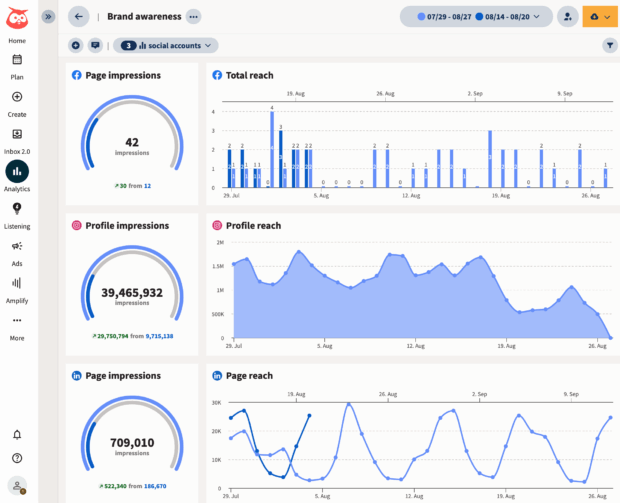
- Performance Tracking and Analytics: A critical component for data-driven marketing, these tools provide insights into post-performance, audience engagement, reach, and conversion rates. This allows marketers to identify effective strategies and optimize future content.
- Multi-Platform Integration: The ability to connect and publish across various social networks, blogging platforms, and email marketing services from a single dashboard is fundamental. This unified approach eliminates the need to navigate multiple interfaces, saving time and reducing the risk of inconsistencies.
- Content Curation and Idea Generation: Some tools offer features for discovering trending topics, curating relevant external content, and suggesting content ideas, which can be invaluable for maintaining a fresh and engaging content pipeline.
The Strategic Imperative: Why Businesses Adopt Content Calendar Tools
The adoption of dedicated content calendar tools is no longer a luxury but a strategic imperative for businesses aiming to thrive in the digital arena. Their benefits extend far beyond simple organization, directly impacting operational efficiency, brand integrity, and marketing effectiveness.
- Combatting Marketer Overwhelm: The statistic that 58% of marketers feel overwhelmed is a stark reminder of the pressure faced by modern marketing teams. Without a centralized system, managing diverse content types, platforms, and deadlines leads to burnout, missed opportunities, and inconsistent messaging. Content calendar tools alleviate this by providing a single source of truth for all content activities.
- Ensuring Brand Consistency and Quality: A consistent brand voice and visual identity are crucial for building trust and recognition. These tools enforce consistency by centralizing guidelines, streamlining approval processes, and providing templates, ensuring every piece of content aligns with the brand’s strategic objectives.
- Boosting Team Efficiency and Collaboration: By clearly defining roles, automating tasks, and providing transparent workflows, content calendar tools reduce bottlenecks and improve communication within teams. This translates into faster content production cycles and more efficient resource allocation.
- Data-Driven Optimization: Access to integrated analytics allows teams to move beyond guesswork. By tracking key performance indicators (KPIs) directly within the tool, marketers can identify what resonates with their audience, refine their strategies, and continuously improve content performance.
- Scalability for Growth: As businesses expand, so does their content output. A robust content calendar tool provides the framework to scale operations without sacrificing quality or control, making it an essential asset for growing teams and multi-brand organizations.
A Look at Leading Content Calendar Solutions in 2026
The market for content calendar tools is dynamic, with various platforms catering to different organizational sizes, budgets, and specific needs. Choosing the right tool requires a clear understanding of a team’s unique requirements. The following overview presents some of the top solutions available in 2026, highlighting their strengths and ideal use cases.
Hootsuite: The Enterprise All-in-One Solution
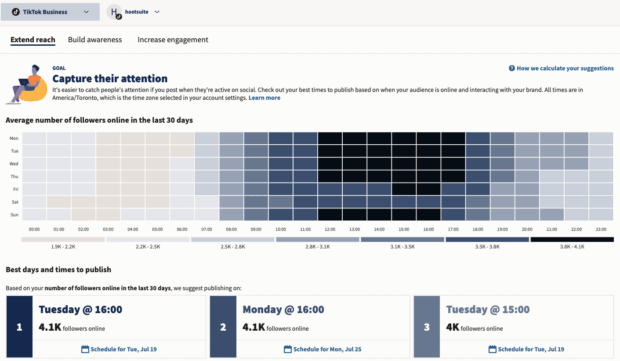
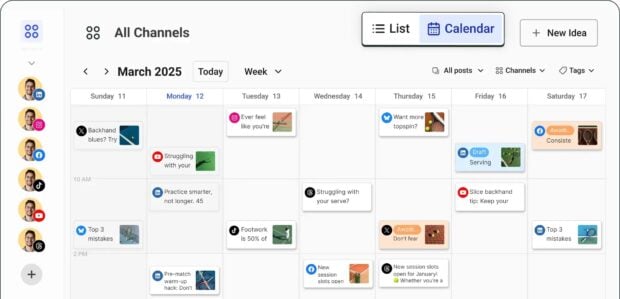
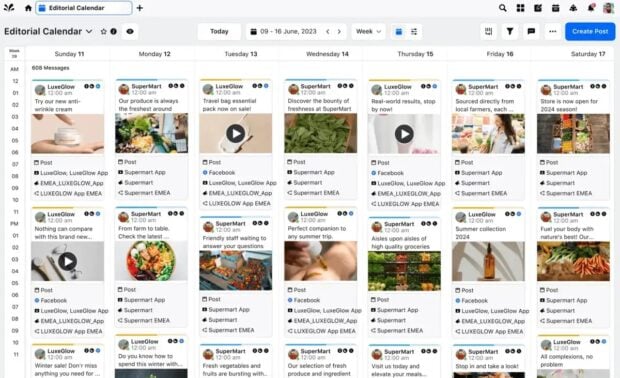
Hootsuite remains a top contender, particularly for enterprise-level and comprehensive social media teams. Its strength lies in its all-in-one approach, integrating creation, scheduling, publishing, engagement, and analytics across numerous social media channels from a single dashboard. Users can visually plan content with drag-and-drop functionality, bulk schedule posts, and leverage AI-powered features like OwlyWriter AI for content generation. The platform’s robust analytics provide deep insights into performance and optimal posting times, empowering data-driven strategy adjustments. Hootsuite also excels in team management, offering granular approval workflows and access permissions crucial for large organizations. Testimonials from companies like Witness Change, which dramatically reduced scheduling time, and Stocksy, which reported its best month ever using Hootsuite’s full suite of features—including publishing, scheduling, approval systems, crisis management, content library, tagging, and social listening—underscore its comprehensive capabilities. Hootsuite’s paid plans start at $199/month, reflecting its advanced feature set and scalability for complex operations.
Other Key Players & Their Niches:
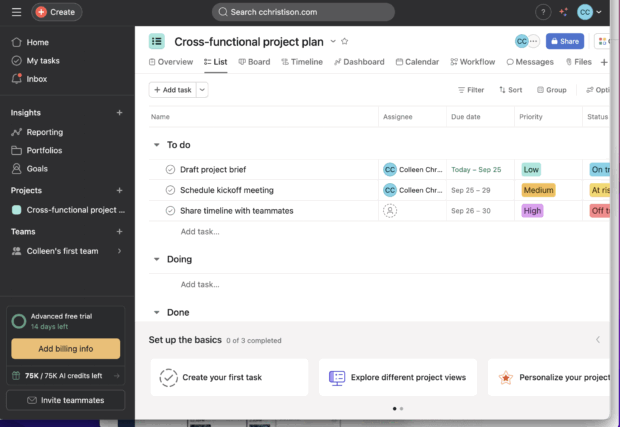
- Asana: Best suited for mid-to-large marketing teams needing robust project management alongside content planning. It offers extensive workflow management, task assignments, and calendar views, making it excellent for cross-team coordination, though less specialized for direct social media publishing. Pricing ranges from free to $32.99/month, with enterprise options.
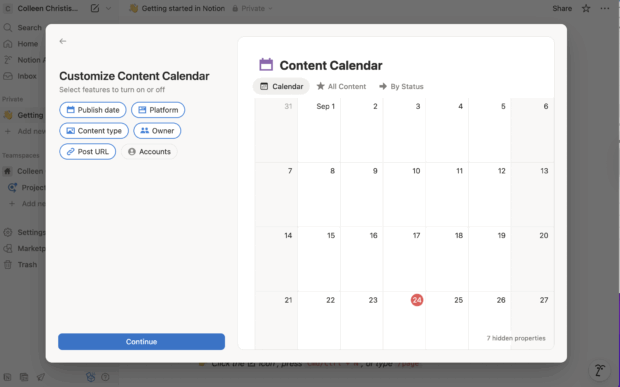
- Notion: A highly flexible tool ideal for individuals or teams seeking customizable databases for lightweight content planning and knowledge bases. Its affordability and versatility are strengths, but it requires significant setup and lacks native social media automation. Free to $20/month, with enterprise plans.
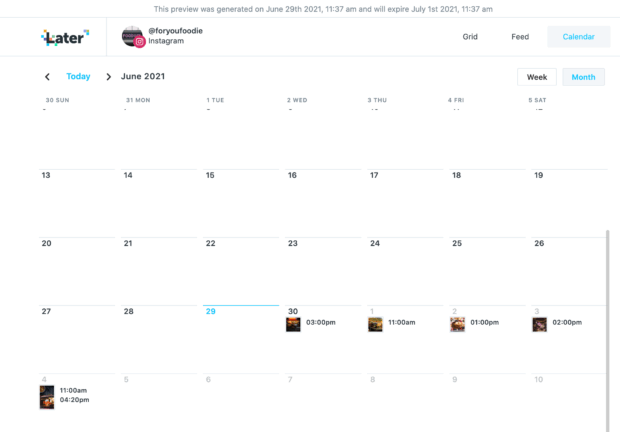
- Later: Favored by small marketing teams, creators, and solopreneurs with a strong visual focus (e.g., fashion, food brands). It offers an intuitive visual content calendar, media library, and Instagram grid preview. Its analytics are less advanced than full suites. Plans range from $18.75 to $82.50/month.
- Buffer: A simple and affordable choice for solopreneurs and small teams. It focuses on scheduling, basic analytics, and content queueing with a clean interface and low learning curve. It has limitations in reporting and collaboration at lower tiers. Free to $10/month.
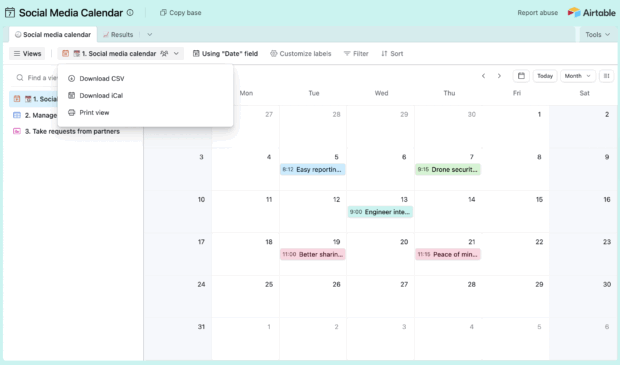
- Airtable: Combines spreadsheets and database functionalities, making it powerful for mid to large teams needing flexible data modeling for content planning and asset management. Its strength lies in organization, but it doesn’t natively publish to social channels. Paid plans start at $20/month per seat.
- Sprinklr: An enterprise-grade solution designed for large organizations managing multiple consumer touch points across numerous channels. It offers extensive features for publishing, engagement, listening, advertising, and compliance, but comes with a high cost and steep learning curve. Self-serve plans start around $299-$359/month, with custom enterprise pricing.
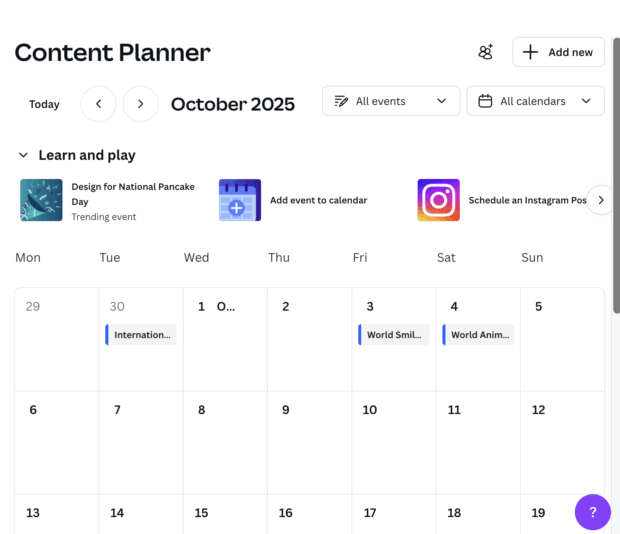
- Canva Pro: Excellent for solopreneurs and small teams requiring design support. It offers a vast library of templates, brand kits, and a content planner that allows direct scheduling of designs to social platforms. While strong on visuals, its scheduling capabilities are basic compared to dedicated social suites. Priced at $19/month per seat.
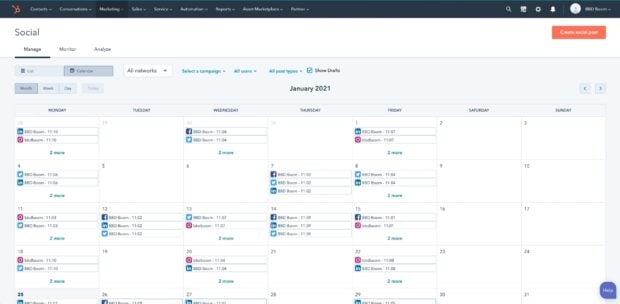
- HubSpot: Ideal for mid to enterprise marketing teams, especially B2B organizations already integrated into the HubSpot CRM ecosystem. It offers social publishing, CRM integration, email campaigns, and automation. Its social features can sometimes be secondary to its broader marketing automation. Free to $4,700/month for enterprise.
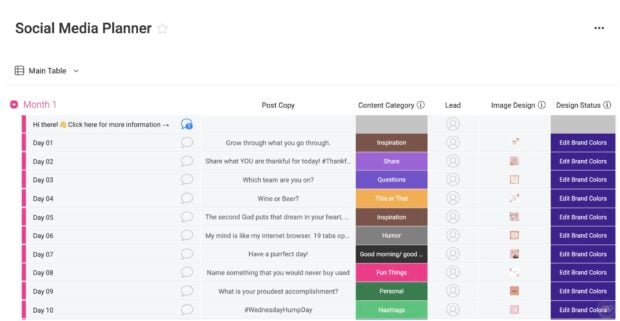
- Monday.com: A versatile work operating system for mid to large teams managing complex workflows across departments. It’s flexible for structuring content workflows and acts as a central hub, though it isn’t a dedicated social scheduler and may require integrations. Free to $26/month.
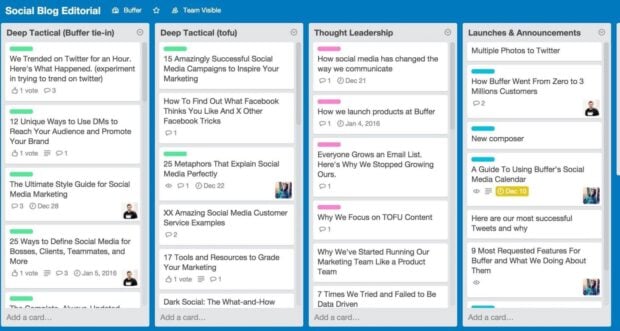
- Trello: A simple, visual Kanban-style tool popular with solopreneurs and small teams for campaign ideation and lightweight planning. It’s intuitive but lacks native social features and can become messy at scale. Free to $17.50/month.
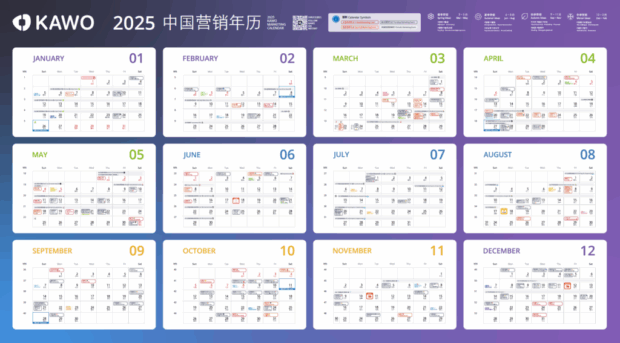
- KAWO: A niche specialist for enterprise and mid-size companies targeting Chinese social platforms like WeChat, Weibo, and Douyin. It bridges a critical gap for Western tools in the Chinese market but has limited utility outside these platforms. Plans range from $4,000 to $29,600/year.
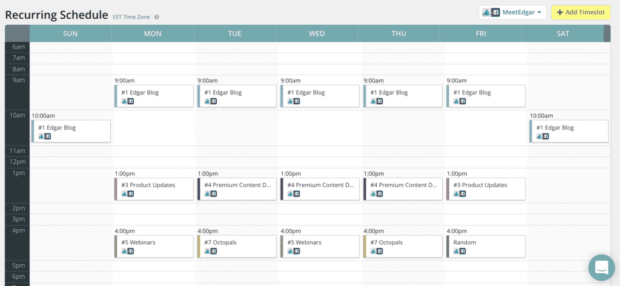
- MeetEdgar: Geared towards solopreneurs and very small teams seeking "set it and forget it" evergreen scheduling and content re-use. It keeps profiles active with minimal effort but offers weaker analytics and limited collaboration. Paid plans are $29.99-$49.99/month.
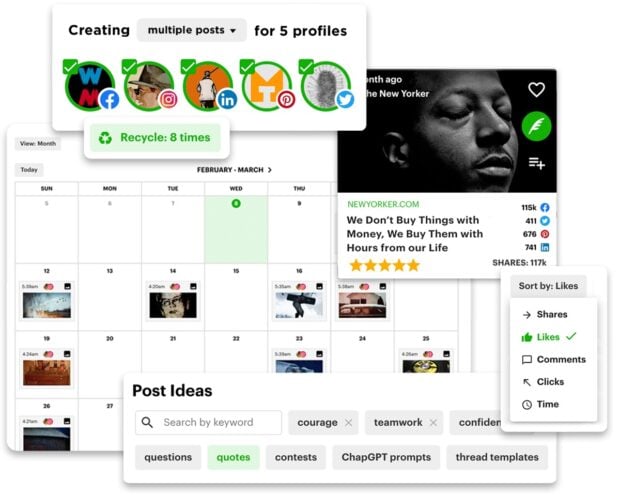
- Post Planner: Suitable for small teams or solopreneurs needing curated content ideas and scheduling. It assists with ideation and offers decent hands-off scheduling, though analytics and collaboration are basic. Free to $79/month.
- Mailchimp: Primarily an email marketing platform, it offers social scheduling integration for mid to enterprise teams focused on email. It excels in email features, but its social scheduling is limited, and pricing scales quickly with contact list size. Free trial, then from $27.85/month.
Selecting the Optimal Tool: A Strategic Framework
Choosing the right content calendar tool is a strategic decision that should align with an organization’s unique operational style, content volume, and long-term goals. Five critical criteria should guide this selection process:
- Team Size and Structure: Small teams or solopreneurs might prioritize simplicity and cost-effectiveness (e.g., Buffer, Trello, Later). Mid-sized teams require robust collaboration and workflow features (e.g., Asana, Monday.com, Notion). Enterprise organizations demand comprehensive solutions with advanced analytics, governance, and multi-brand management capabilities (e.g., Hootsuite, Sprinklr, HubSpot).
- Budgetary Considerations: Options range from free starter plans (Buffer, Notion, Trello, HubSpot) to mid-tier subscriptions and premium enterprise solutions. Organizations must balance desired features with financial constraints, recognizing that investment in a powerful tool can yield significant ROI through efficiency gains.
- Content Mix and Channel Diversity: Consider the types of content produced (visuals, long-form articles, short-form social posts) and the platforms they target. A tool like Later excels for visual-heavy Instagram strategies, while Hootsuite offers broad multi-channel support.
- Integration Ecosystem: Evaluate how the tool integrates with existing marketing technology stack, such as CRM systems (HubSpot), design tools (Canva integration with Hootsuite), or broader project management software. Seamless integrations reduce manual data entry and create a more unified workflow.
- Governance and Compliance: For larger organizations, especially those in regulated industries, features like role-based permissions, audit trails, and robust approval workflows are non-negotiable for maintaining brand control and meeting compliance standards.
Pilot testing different tools through free trials is highly recommended. As Carolina Horna advises, "Get your hands dirty and try out as many features as the tool has available. If your tool offers free templates, explore how some of those setups could improve your own template and workflow." The best content calendar tool is ultimately one that seamlessly integrates into and enhances an organization’s existing workflow, rather than dictating it.
Building a Robust Content Calendar: A Step-by-Step Guide
Once the optimal tool has been selected, establishing a functional content calendar involves a structured process that ensures content is purposeful, consistent, and effective.
- Strategic Foundation: Define Goals and Audience: The initial step is to clearly articulate the content’s purpose. Are the objectives brand awareness, lead generation, customer retention, or thought leadership? This must be aligned with a comprehensive social media strategy. Simultaneously, a deep understanding of the target audience—their demographics, interests, and preferred platforms—is crucial for tailoring content that resonates. Establishing core content pillars (the overarching themes or topics) provides a strategic framework.
- Content Audit and Gap Analysis: Review existing content to identify top-performing pieces, uncover underrepresented topics, and pinpoint inconsistencies in posting frequency across channels. This audit helps leverage successful content, repurpose assets, and identify areas for new content creation that align with strategic gaps.
- Tool Implementation and Structure: Set up the chosen content calendar tool according to the team’s needs. This involves configuring custom fields for content types, status updates, assigned team members, publication dates, and relevant metrics. Establishing a clear folder structure or tagging system for content assets within the tool will further enhance organization.
- Workflow Design and Assignment: Define a clear content workflow, outlining each stage from ideation and drafting to review, approval, and publication. Assign roles and responsibilities to team members for each stage. This ensures accountability and smooth transitions between tasks, preventing bottlenecks. Incorporate content pillars and desired posting cadences into the calendar structure to ensure a balanced and consistent content mix.
- Execution, Monitoring, and Iteration: Begin scheduling and publishing content according to the calendar. Crucially, continuously monitor the performance of all published content using the tool’s analytics features. Track engagement rates, reach, conversions, and other relevant KPIs. Based on these performance insights, regularly revisit and refine the content strategy and calendar. A content calendar is a living document, requiring periodic adjustments to adapt to evolving market trends, audience feedback, and strategic shifts.
The strategic deployment of content calendar tools, combined with a meticulous planning process, empowers marketing teams to navigate the complexities of modern digital content, transforming a potential source of overwhelm into a powerful engine for brand growth and audience engagement.
The Future of Content Calendaring
Looking ahead, content calendar tools are poised for even greater sophistication. The integration of advanced artificial intelligence and machine learning will likely deepen, offering predictive analytics for content performance, automated content generation and optimization, and hyper-personalized content recommendations. Deeper integration across the entire marketing technology stack will create truly unified platforms that seamlessly connect content with sales, customer service, and product development. As the digital landscape continues to evolve, these tools will remain at the forefront of enabling marketers to maintain agility, relevance, and impact.