Google Expands Android Canary 2604 Rollout to Pixel 6 Series and Newer Devices, Offering Early Access to Highly Experimental Features.

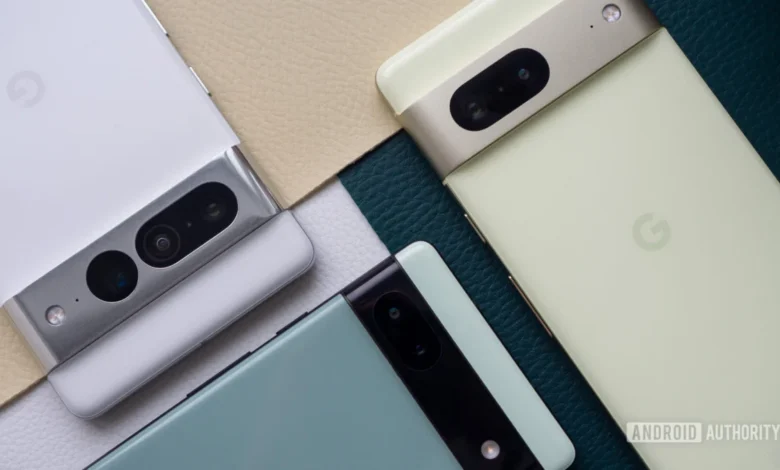
The technology giant, Google, has significantly broadened the availability of its highly experimental Android Canary 2604 build, extending access beyond the initially supported Pixel 8 series to a wider array of older, yet still contemporary, Pixel devices. This expanded rollout, confirmed on Friday, April 17, by Android expert Mishaal Rahman via a post on X (formerly Twitter), now includes the Pixel 6 series, Pixel 7 series, Pixel Fold, and Pixel Tablet, alongside the newer Pixel 8 and Pixel 8 Pro. This move allows a broader segment of the developer and enthusiast community to engage with pre-release Android APIs and nascent behavioral changes that are still in active development, offering a rare glimpse into the future of the Android operating system.
Initial Rollout and Subsequent Expansion
Google’s release of the April experimental Android Canary build, specifically version 2604 (ZP11.260320.007), commenced earlier in the week with a notably limited scope. Initially, OTA (Over-The-Air) images for this bleeding-edge build were exclusively provided for the Google Pixel 8 series and its subsequent iterations, if any. This initial restriction meant that a substantial portion of the Pixel user base, including owners of the popular Pixel 6 and Pixel 7 series, the innovative Pixel Fold, and the versatile Pixel Tablet, were excluded from this early testing phase. Google had, at the time, indicated that OTA images for these older devices would become available at a later date, a promise that has now been fulfilled. The expansion ensures that a larger ecosystem of Pixel hardware can contribute to the testing and refinement of these preliminary Android features, providing Google with more diverse feedback crucial for the robust development of future Android versions.
The staggered release strategy for Android Canary builds is not uncommon for Google. Often, the company prioritizes its latest flagship devices for initial experimental rollouts, likely due to their optimized hardware for the newest software, simplifying initial debugging processes. However, extending these builds to previous generations of devices, especially those still well within their support window, underscores Google’s commitment to ensuring broad compatibility and gathering comprehensive data across its diverse hardware portfolio. This inclusive approach is vital for identifying device-specific bugs and performance discrepancies that might not surface on the latest hardware alone.
Understanding Android Canary: The Cutting Edge of Development
To fully appreciate the significance of the Android Canary 2604 rollout, it is essential to understand its place within Google’s multi-tiered Android development lifecycle. Android development follows a structured progression, typically beginning with internal, highly experimental builds like Canary, moving through Developer Previews, then Beta releases, and finally culminating in the stable public release of a new Android version.
The Android Development Lifecycle
- Canary Builds: These are the earliest and most unstable versions of Android. They are internal-facing, often compiled daily, and contain the absolute latest, unvetted code changes. Features in Canary builds are highly volatile, prone to significant bugs, crashes, and performance issues. They are primarily for Google’s internal teams and select partners to test foundational changes and new APIs before they are even considered for a Developer Preview. The name "Canary" itself is a nod to the "canary in a coal mine" idiom, signifying an early warning system for potential problems.
- Developer Previews (DP): Following Canary, Google typically releases Developer Previews. These are slightly more stable than Canary builds but are still intended strictly for developers. Their primary purpose is to allow app developers to begin adapting their applications to new APIs and behavioral changes, ensuring their apps remain compatible with the upcoming Android version. Developer Previews are not recommended for daily use.
- Beta Releases: As development progresses, Google transitions to Beta releases. These builds are significantly more stable than Developer Previews and are opened up to a wider public audience through the Android Beta Program. While still considered pre-release software, Betas are generally stable enough for adventurous users to install on their secondary devices. Their goal is to gather broader user feedback on features, performance, and battery life, helping Google iron out critical bugs before the final release.
- Stable Release: This is the polished, final version of Android, rolled out to the general public, typically starting with Pixel devices and then to other OEMs.
Android Canary 2604 unequivocally falls into the first category. It is a build where Google is actively experimenting with core Android functionalities and user interface elements, some of which may or may not make it into future stable releases. The article’s mention of "Android 17 Beta 3" in relation to a UI change suggests that Canary builds often contain features that are not just for the next Android version (e.g., Android 15, given Android 14 is current stable), but potentially even for subsequent iterations, indicating a long-term vision for Android’s evolution. This forward-looking approach allows Google to test groundbreaking concepts far in advance.
Purpose and Risks of Canary Builds
The primary purpose of Canary builds for external testers is to collect early feedback on foundational changes, performance implications, and potential compatibility issues that arise from integrating cutting-edge features. However, the experimental nature of these builds carries significant risks. Users installing Android Canary 2604 should anticipate:
- System Instability: Frequent app crashes, system freezes, and unexpected reboots are common.
- Battery Drain: Unoptimized code and background processes can lead to drastically reduced battery life.
- Feature Incompleteness: Many features may be partially implemented, broken, or behave erratically.
- Security Vulnerabilities: Pre-release APIs might have unpatched security flaws.
- Data Loss: While not guaranteed, the risk of data corruption or loss is higher than with stable builds.
- Device Usability: The device might become unreliable for daily tasks, communication, or critical applications.
Google’s explicit warnings, reinforced by the Android Canary 2604 announcement post on Reddit, underscore these potential issues, strongly advising against installing such builds on primary devices. This caution is not merely a formality but a reflection of the genuine challenges inherent in running pre-alpha software.
Key Features and UI Changes in Android Canary 2604
Despite the inherent instability, Android Canary builds offer exciting glimpses into Google’s design philosophy and feature roadmap. Android Canary 2604 introduces at least two notable user interface (UI) adjustments, signaling potential shifts in how users interact with their devices and manage notifications.
Notification System Refinement
One of the most immediate changes noted in Android Canary 2604 is the alteration of the message displayed when a user has no pending notifications. The previous "No notifications" message, which was reportedly present in what the source describes as "Android 17 Beta 3" (an indication of how far ahead Canary builds can be), has been replaced with a more affirmative and visually engaging "You’re all caught up" greeting, accompanied by a trophy icon.
This seemingly minor change reflects a broader trend in UI/UX design: moving away from negative phrasing towards more positive reinforcement. "No notifications" can feel sterile or even imply a lack of activity, whereas "You’re all caught up" conveys a sense of accomplishment and clarity. The addition of a trophy icon further enhances this positive sentiment, subtly rewarding the user for having processed all their alerts. This psychological approach aims to make the notification experience feel less like a chore and more like a manageable aspect of digital life, contributing to a sense of digital well-being. From a design perspective, it’s about crafting micro-interactions that improve the overall emotional experience of using the device.
Evolving App Shortcut Menus
Another significant UI tweak in Canary 2604 involves the app menus that appear when an app icon is long-pressed on the home screen. These menus, which typically offer quick access to specific app functions or information, have been condensed. The initial menu now appears in a more compact form, featuring a "Shortcuts" button. Tapping this button reveals additional options, streamlining the initial view and reducing visual clutter. Furthermore, this expanded menu now includes an "Actions" button, which, when pressed, uncovers even further features.
This multi-tiered approach to app shortcuts signifies an evolution in how Android handles contextual interactions. By default, users are presented with a minimalist set of the most frequently used shortcuts. For those requiring deeper functionality without launching the full application, the "Shortcuts" and "Actions" buttons provide progressive disclosure, revealing more options only when needed. This design choice aims to:
- Reduce Clutter: A compact initial menu prevents overwhelming users with too many options at once.
- Improve Discoverability: While initially hidden, the clear labeling of "Shortcuts" and "Actions" guides users to explore more features.
- Enhance Efficiency: For power users, the ability to quickly access deep-linked functionalities without navigating through multiple screens within an app can save valuable time.
- Adaptability: This layered menu structure could also be a precursor to more dynamic or AI-driven shortcut suggestions, where the "Actions" presented are contextually relevant to the user’s current activity or time of day.
These UI changes, while experimental, highlight Google’s ongoing efforts to refine Android’s user experience, making it more intuitive, less cluttered, and more psychologically engaging.
The Strategic Importance of Broader Device Support
The expansion of Android Canary 2604 to include older Pixel devices is a strategic move by Google with several important implications for both its development process and its user base.
Enhancing Developer Feedback and Testing Diversity
By opening the Canary build to the Pixel 6, 7, Fold, and Tablet, Google is tapping into a much larger and more diverse pool of testing environments. Each Pixel generation, while sharing a common Android core, possesses unique hardware characteristics, from different generations of Tensor chips to varying display technologies, camera arrays, and form factors.
- Hardware Compatibility: Testing on a wider range of hardware helps identify bugs that might be specific to certain chipsets (e.g., Tensor G1 vs. G2 vs. G3), memory configurations, or display drivers.
- Form Factor Validation: The Pixel Fold and Pixel Tablet introduce unique form factors (foldable and large screen) that challenge traditional UI designs and app behaviors. Testing experimental features on these devices is crucial for ensuring future Android versions are optimized for the growing market of diverse devices.
- User Behavior Data: A larger user base generates more telemetry data, crash reports, and direct feedback, providing Google with richer insights into how experimental features perform in real-world scenarios across different usage patterns. This data is invaluable for iterative development and feature refinement.
Google’s Commitment to Older Flagships
This expanded rollout also sends a clear message about Google’s continued commitment to its slightly older flagship devices. While the Pixel 8 series represents the cutting edge, the Pixel 6 and 7 series are still widely used and supported. Providing access to such early development builds for these devices demonstrates that Google views them as vital components of its testing ecosystem, not just as legacy hardware. This can foster greater loyalty among Pixel users, reassuring them that their devices will continue to receive attention and innovative features, even if they’re not the absolute latest model. It also encourages a longer device lifecycle, aligning with broader sustainability goals.
Navigating the Installation Process: Risks and Recommendations
For those eager to explore the experimental features of Android Canary 2604, the installation process requires careful consideration due to the inherent risks.
Manual Installation and the Canary Channel Lock-in
Installing Android Canary 2604 is not a simple over-the-air update that can be easily rolled back. It requires manual flashing of the build image onto the device. A critical warning accompanies this process: manually installing the Android Canary 2604 build will lock the device into the Canary release channel for future OTA updates. This means that once on Canary, the device will continue to receive highly unstable Canary updates, rather than stable Android versions or even Beta builds.
The only official way to revert from the Canary channel back to the stable Android channel is to flash a regular stable Android build (e.g., the current stable Android 14 build, or the upcoming Android 15 stable release when available). This process invariably requires a complete data wipe, meaning all user data, applications, and settings on the device will be erased. This is a significant deterrent for many users and reinforces the recommendation to install Canary builds only on secondary devices where data loss is not catastrophic. The complexity and finality of this process underscore the deeply experimental nature of the Canary channel.
The Role of the Android Flash Tool
Google facilitates the manual installation process through its web-based Android Flash Tool (flash.android.com). This tool simplifies the flashing of Android builds by providing a user-friendly interface that guides users through the process of unlocking the bootloader, flashing the necessary images, and locking the bootloader again. While it streamlines a historically complex procedure, it does not mitigate the underlying risks associated with installing highly experimental software. Users must still acknowledge and accept the potential for instability, data loss, or even, in rare cases, soft-bricking their device if the process is interrupted or executed incorrectly. The tool is a convenience, not a shield against the experimental nature of the software being installed.
Broader Implications for the Android Ecosystem
The release and expansion of Android Canary 2604 have broader implications that extend beyond individual Pixel devices and into the wider Android ecosystem.
User Experience Evolution
The UI changes observed in Canary 2604, particularly the notification message and app shortcut menus, are indicators of Google’s long-term vision for user experience. As Android continues to mature, the focus shifts from adding raw functionality to refining existing interactions, making them more intuitive, efficient, and psychologically pleasing. These subtle changes, if they make it to stable releases, will eventually influence how billions of users interact with their Android devices daily, shaping expectations for mobile UI design across the industry. The move towards progressive disclosure and positive reinforcement in UI is a trend that other OEMs and app developers are likely to observe and potentially adopt.
Developer Preparedness
For Android app developers, the existence of Canary builds, even if they don’t directly install them, is a critical signal. These builds often contain early versions of new APIs and platform behavioral changes that will eventually impact how their applications function. By monitoring reports and discussions around Canary builds, developers can gain an early understanding of what’s coming, allowing them to:
- Anticipate API Changes: Prepare their apps for new functionalities or deprecations in upcoming Android versions.
- Identify Compatibility Issues: Proactively test their apps against potential behavioral changes that might break existing features.
- Innovate with New Features: Begin conceptualizing and prototyping new app features that leverage the capabilities hinted at in Canary builds.
This early visibility helps ensure a smoother transition for the app ecosystem when new Android versions are eventually released, minimizing fragmentation and ensuring a consistent user experience.
Conclusion: A Glimpse into Android’s Future
The expanded rollout of Android Canary 2604 represents a significant opportunity for a wider audience of Pixel users and developers to engage with the absolute forefront of Android development. While fraught with the instability inherent in pre-release software, these builds offer invaluable insights into Google’s long-term vision for the operating system. The subtle yet impactful UI changes, such as the "You’re all caught up" notification and the multi-tiered app shortcut menus, highlight an ongoing commitment to refining user experience and interaction.
By extending access to the Pixel 6 series, Pixel 7 series, Pixel Fold, and Pixel Tablet, Google is not only gathering more diverse and robust feedback but also reinforcing its dedication to supporting its broad range of devices. For those brave enough to venture into the Canary channel, it is a chance to shape the future of Android, albeit with the explicit understanding of the risks involved, including the potential for data loss and the necessity of manual flashing to return to a stable environment. This experimental phase is crucial for iterating on features, identifying challenges, and ultimately, delivering a more polished and intuitive Android experience to users worldwide.